
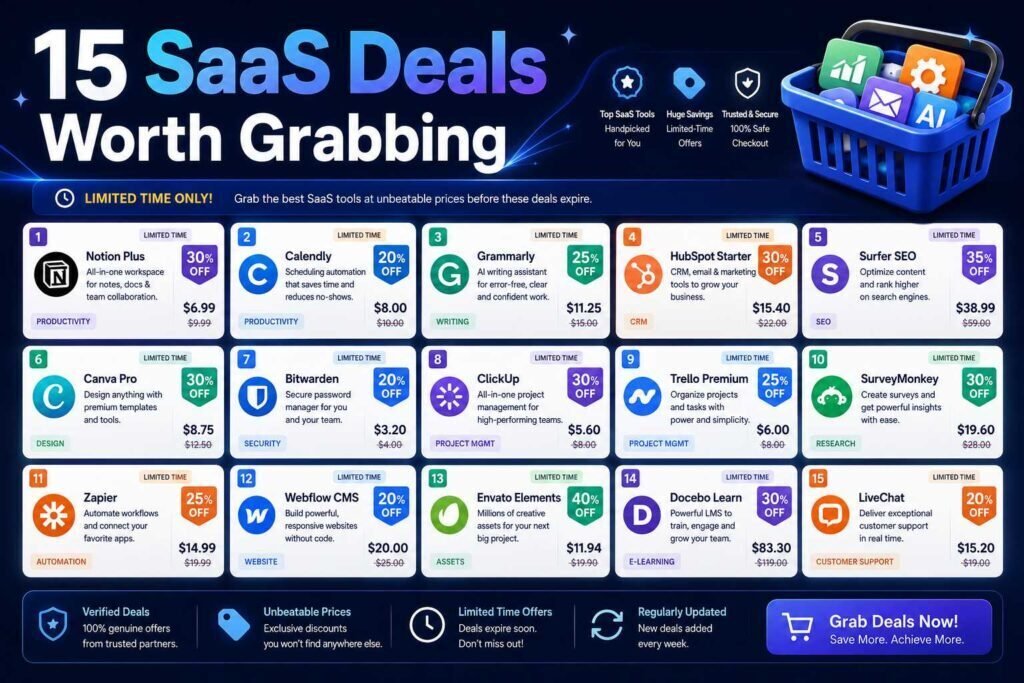
Small businesses and marketing teams overspend on SaaS in predictable ways: paying monthly when annual is cheaper, buying overlapping tools, and missing free tiers that would do the job. This guide covers the fifteen categories where the savings are, how to get the best price in each, and which tools give the most for the least.
Key Takeaways
- Annual billing, free tiers, and avoiding tool overlap save more than any coupon.
- Many categories have a strong free or low-cost option that small teams never outgrow.
- Consolidate: one tool doing three jobs usually beats three single-purpose subscriptions.
- Verify every price and free-tier limit on the official page; SaaS pricing changes often.
Why Small Teams Overspend on Software
SaaS overspending is rarely one big mistake; it is a drift of small ones. Subscriptions start as trials and quietly convert. Tools get bought for one feature while a tool already on the bill does the same job. Seats stay assigned to people who left or never logged in. Monthly billing continues for years on tools that will clearly never be canceled, forfeiting the annual discount. And new AI features get purchased separately when the suite you already pay for just added the same capability free. None of these feel like decisions, which is why the fix is a process rather than willpower: a quarterly look at what you pay for, what it does, and what else already does it. The categories below show where the money hides, and the playbook that follows shows how to reclaim it.
15 Categories and Where to Save
| Category | Value pick / how to save | AdNxt guide |
|---|---|---|
| CRM | Free tier (HubSpot) before paid | CRM guide |
| Email marketing | Free/low-cost (Brevo, MailerLite) | Mailchimp vs Kit |
| AI assistant | Free tiers; annual on the one you keep | ChatGPT vs Claude |
| Design | Canva free; Pro annual | Image tools |
| Automation | Make over Zapier for price/volume | Automation guide |
| Project management | Free tiers (ClickUp, Notion) | Productivity apps |
| Scheduling | Free calendar tools | — |
| SEO | Free (Search Console) + one paid tool | Marketing tools |
| Social media | Buffer/native schedulers | — |
| Writing | Assistant + Grammarly free | Writing tools |
| Accounting | Value tiers; see AI add-ons | Accounting AI |
| Payroll | Value picks (OnPay) | Payroll guide |
| Hosting | Watch renewal pricing | Hosting guide |
| Ecommerce | Match platform to real cost | Shopify vs Woo |
| Password/security | Bitwarden free | Extensions guide |
The One-Hour SaaS Audit
Run this quarterly and it pays for the habit many times over. First, list every subscription from your card and bank statements, including the annual ones that only sting once a year, with cost, billing cycle, and seat count. Second, mark who actually uses each; unused seats and zombie tools go immediately. Third, group the rest by job, writing, design, communication, storage, and challenge every overlap: which tool could absorb its neighbor’s job at your scale? Fourth, check each survivor for a cheaper fit: a free tier you shrank back into, an annual discount on a definite keeper, a program discount you qualify for. Most teams find ten to twenty percent of their software spend in the first pass, and the audit gets faster every quarter because the list stays clean.
Negotiating and Timing Your Purchases
SaaS list prices are softer than they look, especially past self-serve tiers. When a subscription crosses meaningful money, ask sales directly: competitor pricing gets matched, annual prepay earns more than the advertised discount, and end-of-quarter conversations are friendlier than start-of-quarter ones. Renewals are leverage too; vendors fight to prevent churn, and “we are evaluating alternatives” before renewal often produces a retention offer. Timing matters at the low end as well: major sale seasons bring genuine discounts on annual plans, and locking a rate before an announced price increase is the quiet win available to anyone reading vendor emails. None of this requires being difficult; it requires only asking, which most small teams never do.
How to Get the Best Price in Any Category
- Start free: most categories above have a free tier that carries a small team a long way.
- Switch to annual only when committed: 15-25% off, but only worth it once you know you will keep the tool.
- Kill overlap: audit subscriptions quarterly; cancel anything a tool you already pay for can do.
- Check bundled AI: new AI features are often free inside tools you own.
- Ask about programs: nonprofit, student, and startup pricing beats coupons.
The AI Line Item: Getting It Under Control
AI subscriptions are the fastest-growing line on small-business software bills, and the same discipline applies with extra force. Assistants overlap heavily, so one strong general assistant per person usually beats a collection of specialized AI writers, summarizers, and generators that each do a slice of the same job. Before adding any AI tool, check what your existing stack just shipped: CRMs, design suites, meeting platforms, and office suites have all bundled AI features into tiers you may already pay for, which is often the same capability at zero marginal cost. And keep AI purchases on monthly billing longer than other categories, because the field moves fast enough that this year’s essential tool is frequently next quarter’s bundled feature. Our AI deals guide covers the specifics.
Building a Lean Stack From Zero
If you were assembling a small-business stack today with savings in mind, the order matters. Start with the suite decision, a workspace platform for email, docs, meetings, and storage, because it sets the gravity for everything else. Add the free tiers that never expire: a CRM, an email platform sized to your list, a design tool, and a password manager, all covered by the category table above. Layer in the one or two paid tools your revenue actually depends on, on monthly billing until they prove themselves, then annual. Resist buying for the business you hope to be; every tool should serve this quarter’s work. Teams that build in this order routinely run complete operations for a fraction of what an accumulated, unaudited stack costs, and they know exactly why each line on the bill exists.
Two Real-World Scenarios
A three-person marketing agency audits and finds four overlaps: two scheduling tools, a paid PDF utility their suite already covers, a design subscription duplicating Canva Pro, and six unused seats across tools. Cancellations fund their one genuinely needed upgrade with money left over, no new revenue required. A bootstrapped ecommerce founder starting fresh runs the free-first playbook: free CRM, Brevo for email, Canva free, Bitwarden, and Make’s free automation tier, paying only for their store platform and one SEO tool on annual billing. Total software spend stays under what many competitors pay for email alone, and every future addition must displace something or prove a new job. Different situations, same mechanics: overlap out, free tiers in, annual only on keepers.
How to Evaluate Any Deal
A discount only saves money on something you would have bought anyway, so run every tempting offer through four questions. Would we pay full price for this? If not, the discount is spending, not saving. Does something we already own do this job? Overlap at a discount is still overlap. Will the renewal price hold, or is this an intro rate with a cliff? Compare the year-two number, not the banner. And is the vendor durable enough to rely on? A deal on software that disappears is expensive at any price. Deals that pass all four are genuinely worth taking, and the discipline matters more in AI and marketing tools than anywhere, because those categories generate the most tempting offers for tools that overlap what you have.
Common Mistakes to Avoid
- Buying because it is discounted. A deal on a tool you would not buy at full price is spending, not saving.
- Ignoring overlap. The audit beats the coupon; most teams fund new tools entirely by cancelling duplicates.
- Going annual too early. Lock the discount only after a tool has survived a month or two of real use.
- Comparing intro prices. Judge renewals and year-two totals, especially in hosting and SEO tools.
- Never asking for program pricing. Nonprofit, education, and startup programs beat any public coupon; ask before paying list.
Current Verified SaaS Deals
[EDITOR: List verified, current offers only, each with tool, offer, eligibility, official link, and verification date. Remove expired offers.]
FAQs
What is the biggest SaaS saving for a small business?
Eliminating overlap. Most teams pay for two or three tools that do the same job. Consolidating beats any single discount.
Should marketing teams buy annual plans?
For core tools you will keep all year, yes. For seasonal or trial tools, stay monthly. A sensible middle path: run every new tool monthly for its first sixty days, then move the survivors to annual at the discount, and note renewal dates in a shared calendar so decisions happen deliberately rather than by auto-renewal.
What about per-seat costs as we hire?
Seats are where predictable costs turn surprising, because every hire silently raises the software bill across every per-user tool. When comparing tools, model the cost at next year’s headcount, prefer flat-priced tools where team size fluctuates, and make seat cleanup, removing departed users, part of both offboarding and the quarterly audit.
How current is this list?
We re-verify on a schedule; each listed deal shows its check date. Prices change often, so confirm on the official page.
Are deal marketplaces and coupon sites worth checking?
Occasionally, with skepticism. Marketplace lifetime offers can be real value (our lifetime deals guide covers the risks), while generic coupon sites mostly recycle public offers. The reliable savings remain the boring ones: free tiers, annual billing on keepers, program discounts, and asking sales directly.
How many software subscriptions should a small business have?
There is no magic number, but most lean small teams run well on six to twelve: communication, docs, CRM or email, accounting, design, and a few role-specific tools. If your list is twice that, the audit will almost certainly find overlap; if every tool on it earns weekly use, the count is fine whatever it is.
Should we use a subscription-management tool to track spend?
At small scale, a spreadsheet from your card statement does the job in an hour a quarter. Dedicated spend-management tools earn their place as headcount and card sprawl grow, typically past a few dozen employees, when nobody can see the whole picture manually anymore.
Do bundled suites beat best-of-breed tools on cost?
Often, at small scale. A workspace suite covering docs, storage, meetings, and email replaces three or four separate bills, and CRM or design suites absorb adjacent point tools as you grow into their tiers. Move to best-of-breed only where a suite module genuinely limits you, and let the audit tell you where that is.
When should a growing team revisit this whole strategy?
At clear step changes: crossing ten people, adding a second team or department, or taking on compliance requirements. Each threshold shifts the math, flat-priced tools start beating per-seat ones or vice versa, suites start beating point tools, and admin controls become worth paying for. Re-run the audit at every step change and the stack grows deliberately instead of by accretion.
Is it worth assigning someone to own software spend?
Yes, even part-time. One named owner who runs the quarterly audit, tracks renewal dates, and approves new subscriptions prevents the drift that creates overspend in the first place. In a small team this is an hour a quarter, and it typically pays for itself in the first audit.
Bottom Line
The best SaaS savings are unglamorous: use free tiers, go annual only on keepers, cut overlap, and claim any program you qualify for. Do that across the categories above and most small teams cut their software bill without losing a single capability. For one-payment options, see our lifetime deals guide.
Related Articles
- Best AI Software Deals and Discounts
- Best Lifetime Software Deals
- Best Automation Tools for Small Businesses
Sources: official pricing pages, checked early 2026. Verify current pricing and offers before purchasing.