
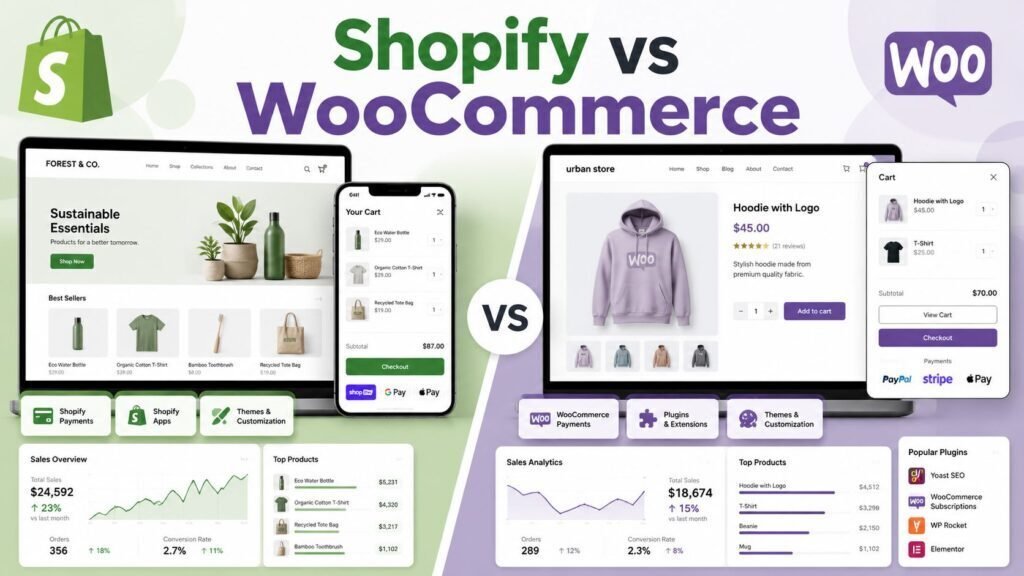
Shopify and WooCommerce are the two most common ways to build an online store, and they represent opposite philosophies. Shopify is a hosted, all-in-one product you rent; WooCommerce is a free WordPress plugin you assemble and own. The right choice depends on how much control and maintenance you want, and this guide compares every dimension that should shape that decision.
Quick verdict: Choose Shopify if you want to launch fast, avoid technical maintenance, and scale without managing infrastructure. Choose WooCommerce if you already use WordPress, want full control and ownership, and are comfortable managing hosting, plugins, and updates (or paying someone who is).
Key Takeaways
- Shopify: fastest to launch, least maintenance, predictable monthly cost, transaction fees unless you use Shopify Payments.
- WooCommerce: maximum control and ownership, no platform fees, but you handle hosting, security, and updates.
- “Free” WooCommerce is not free: budget for hosting, a theme, and paid extensions.
- Content-heavy stores lean WooCommerce (WordPress); pure-commerce stores lean Shopify.
How to Choose Between Them
The decision comes down to a single trade-off: convenience versus control. Ask yourself how comfortable you are owning technical maintenance, how content-driven your marketing will be, and how much you value predictable costs over flexibility. If the idea of choosing a host, updating plugins, and handling backups sounds like a distraction from running your business, Shopify removes all of it. If it sounds like reasonable control you want over an asset you own, WooCommerce gives you that. Everything below is really an elaboration of that one question, so keep your honest answer in mind as you read.
Side by Side
| Dimension | Shopify | WooCommerce |
|---|---|---|
| Setup | Fast, guided, hosted | Requires WordPress + hosting setup |
| Maintenance | Shopify handles it | You handle updates, security, backups |
| Cost model | Monthly plan (from about $29-39) + fees | Free plugin + hosting + extensions |
| Transaction fees | Yes, unless Shopify Payments | None from WooCommerce (gateway fees only) |
| Control/ownership | Limited to platform | Full; you own everything |
| Content/SEO | Good; blogging basic | Excellent; full WordPress |
| Scalability | Seamless (Shopify scales for you) | Depends on your hosting |
| App/plugin ecosystem | Large app store (some paid) | Huge WordPress plugin ecosystem |
Pricing checked early 2026; verify current Shopify plans and payment terms.
Ease of Use and Maintenance
Shopify wins decisively for non-technical owners: it hosts your store, handles security and PCI compliance, updates itself, and offers 24/7 support. WooCommerce hands you control and the responsibilities that come with it: choosing a host (see our hosting guide), keeping WordPress, the theme, and plugins updated, and managing backups and security. Great if you or your developer want that control; a burden if you do not. Be honest about who will actually do this maintenance six months from now, because an unmaintained WooCommerce store is a security and performance liability, while Shopify simply keeps running.
True Cost of Ownership
Shopify’s cost is predictable: a monthly plan plus transaction fees if you use a third-party gateway instead of Shopify Payments. WooCommerce’s software is free, but a real store needs paid hosting, often a premium theme, and paid extensions for shipping, subscriptions, or bookings. Many WooCommerce stores end up spending similarly to Shopify once everything is added, just with more control over where the money goes. Model both honestly for your specific feature list: write down every capability you need, price the Shopify plan and apps that deliver it, then price the WooCommerce hosting, theme, and extensions that deliver the same, and compare the totals rather than the headline numbers.
Payments and Checkout
Payments are a real cost difference. Shopify charges an extra transaction fee on top of gateway fees unless you use Shopify Payments, which nudges most merchants toward its own processor. WooCommerce takes no platform cut; you only pay your chosen gateway’s fees, and you are free to use whichever processor suits your market. Checkout experience matters too: Shopify’s checkout is highly optimized and consistent, which helps conversion, while WooCommerce checkout quality depends on your theme, plugins, and configuration. If you sell internationally or want a specific payment provider, confirm both platforms support it on the terms you need before committing.
Content, SEO, and Flexibility
This is WooCommerce’s edge. Built on WordPress, it offers the best content and blogging platform, full control over URLs and structure, and unlimited customization through code and plugins. For content-driven commerce, a brand that wins customers through articles, guides, and search, WooCommerce is the stronger foundation. Shopify’s blogging and SEO are adequate but constrained: you can rank well, but you have less control over structure and fewer content features. If your growth plan leans heavily on organic content and search, weight this section heavily; if you acquire customers mainly through ads and social, it matters far less.
Themes, Design, and Customization
Both offer polished themes and deep customization, by different routes. Shopify’s themes are curated and reliable, and its design tools are approachable, so a good-looking store is quick to achieve within the platform’s guardrails. WooCommerce, through WordPress, gives you effectively unlimited design freedom via thousands of themes and page builders, at the cost of more decisions and more responsibility for performance. If you want a professional store fast without fiddling, Shopify’s constraints are a feature; if you want pixel-level control and a unique build, WooCommerce’s openness is the draw.
Apps, Plugins, and Extensibility
Both have large ecosystems, and most common needs, subscriptions, shipping rules, reviews, upsells, are solved on either. Shopify’s app store is curated and mostly plug-and-play, with many apps carrying their own monthly fees that add to your running cost. WooCommerce taps the enormous WordPress plugin world, which offers more free options but requires you to vet quality, compatibility, and maintenance yourself. As with hosting, more freedom means more responsibility: a good WooCommerce stack is powerful, but a pile of poorly maintained plugins is a common source of slow, fragile stores.
Scalability and Performance
Shopify scales invisibly: traffic spikes and growth are its problem, not yours, right up to Shopify Plus for large merchants. WooCommerce scales as far as your hosting allows, which means performance is in your hands, an advantage for those who manage it well and a risk for those who do not. High-traffic WooCommerce stores need quality managed hosting such as Kinsta, WP Engine, or Cloudways, plus caching and a content delivery network. If you expect rapid growth and do not want performance to become your job, Shopify’s hands-off scaling is a genuine relief.
Security and Compliance
Security is another place the philosophies diverge. Shopify handles PCI compliance, SSL, and platform security for you, which removes a major worry for anyone processing card payments. On WooCommerce, security is your responsibility: you keep WordPress core, the theme, and every plugin updated, use a reputable host, and put sensible protections in place. It is entirely manageable and millions of stores do it well, but it is real ongoing work, and neglecting it is the most common way self-hosted stores get into trouble.
Support
Shopify offers 24/7 support as part of the product, which is reassuring when something breaks during a sale. WooCommerce support is more distributed: documentation and community forums for the core plugin, plus separate support from your host, theme, and each extension vendor. That fragmentation is fine when everything works and frustrating when a problem spans several vendors. If direct, single-point support matters to you, factor Shopify’s model into the decision.
Which Should You Choose?
- First-time store owner, non-technical: Shopify.
- Already on WordPress / content-led brand: WooCommerce.
- Want zero maintenance: Shopify.
- Want full ownership and customization: WooCommerce.
- Dropshipping or fast MVP: Shopify.
- Tight control over payment processors and fees: WooCommerce.
Migrating Between Platforms
You can move from one to the other later using migration tools or services, but treat it as a real project, not a switch. Products, customer accounts, order history, URLs, and redirects all have to be handled carefully so you do not lose search rankings or break links, and your theme and apps will be rebuilt on the new platform. Because the migration is genuine work, it pays to choose well now: pick the platform whose trade-offs match your business, and you avoid an avoidable, disruptive move down the line.
Two Real-World Scenarios
Picture a solo founder launching a first product with no technical background and no developer. They want to be selling this month, not configuring servers. Shopify is the obvious fit: guided setup, hosting and security handled, a reliable checkout, and support when something goes wrong. Now picture an established content brand on WordPress that already ranks for dozens of buying-intent articles and wants to add a store without leaving the platform its traffic lives on. WooCommerce is the natural choice: it bolts onto the existing site, keeps all that SEO equity, and gives full control over design and data. Same decision, opposite answers, driven by technical comfort and where the business already gets its customers.
Common Mistakes to Avoid
- Assuming “free” WooCommerce is free. Budget for hosting, a theme, and extensions before comparing it to Shopify’s price.
- Underestimating maintenance. A self-hosted store needs ongoing updates, backups, and security; decide who owns that work.
- Ignoring transaction fees. Shopify’s extra fee for third-party gateways can add up; factor payments into the cost model.
- Choosing WooCommerce for SEO you will never use. Its content edge only matters if content is actually part of your strategy.
- Cheap hosting on WooCommerce. Underpowered hosting makes stores slow and unreliable; quality hosting is not optional at scale.
FAQs
Is WooCommerce really free?
The plugin is free, but a functioning store needs hosting, likely a theme, and often paid extensions. Budget realistically.
Which is better for SEO?
WooCommerce, because it inherits WordPress’s content and SEO strengths. Shopify is capable but less flexible.
Can I move from one to the other later?
Yes, with migration tools or services, but it is real work (products, URLs, redirects). Choosing well upfront saves a painful migration.
Which is cheaper overall?
It depends on your feature list. Shopify’s cost is predictable; WooCommerce can be cheaper or similar once hosting, a theme, and extensions are added. Price both against the exact capabilities you need rather than the entry figures.
Do I need a developer for WooCommerce?
Not necessarily to start, but you or someone you trust must handle updates, backups, and the occasional plugin conflict. For a hands-off experience with no technical upkeep, Shopify is the safer choice.
Which is better for dropshipping?
Shopify is popular for dropshipping thanks to its speed to launch and app ecosystem, though WooCommerce can do it too with the right extensions. If a fast, low-maintenance start matters most, Shopify has the edge.
Do I own my store and data on each?
On WooCommerce you fully own the site, data, and files because it is self-hosted. On Shopify you own your data and can export it, but you operate within Shopify’s hosted platform rather than owning the infrastructure. If ownership and portability are a priority, that difference matters.
Can I sell internationally on both?
Yes. Both support multiple currencies and international selling, though the exact features, taxes, and payment options vary by plan and setup. If cross-border sales are central to your business, confirm the specific currency, tax, and gateway support you need on each platform before deciding.
Is Shopify or WooCommerce faster to launch?
Shopify, clearly. Its guided, hosted setup gets a non-technical owner selling in days, while WooCommerce requires choosing a host, installing WordPress and the plugin, and configuring a theme first. If speed to your first sale matters most, Shopify has the edge.
Which handles a large catalog better?
Both can handle large catalogs; the deciding factor is your setup. Shopify scales for you, while WooCommerce depends on quality hosting and sensible configuration. A big catalog on underpowered WooCommerce hosting will feel slow, whereas Shopify’s managed infrastructure handles scale without your involvement.
Our Verdict
Pick Shopify for speed and freedom from maintenance; pick WooCommerce for control, ownership, and content-driven SEO. There is no universal winner: the right platform is the one whose tradeoffs match your technical comfort and business model.
Related Articles
Sources: official Shopify and WooCommerce documentation and pricing, checked early 2026. Verify current pricing and fees.