
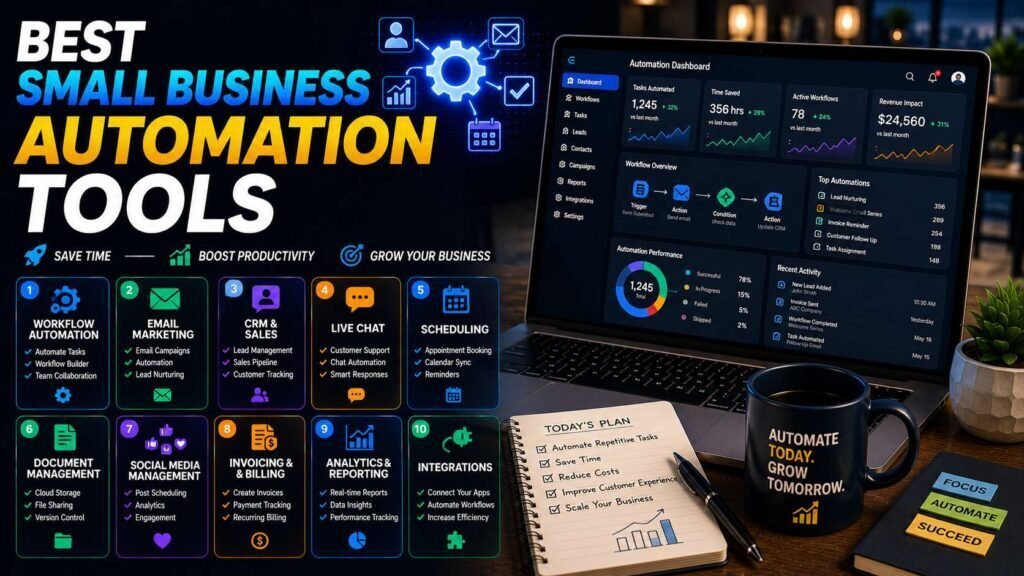
Small-business automation is not about robots; it is about never again copying a form submission into a spreadsheet, a CRM, and an email list by hand. The tools below connect the apps you already use. The differences that matter are price per task, learning curve, and how much complexity each can express.
Quick answer: Start with the automations already inside your tools (CRM workflows, email sequences, scheduling). For cross-app automation, Zapier is the easiest, Make gives the most power per dollar, and n8n is the technical pick that scales cheapest. Most small businesses are best served starting on Zapier’s free tier and reevaluating at the first real invoice.
Key Takeaways
- Exhaust built-in automations first: your CRM, email platform, and booking tool already automate their own domains free.
- Zapier wins on app coverage and ease; Make wins on price-per-operation and visual logic; n8n wins on cost at scale if you have technical help.
- AI steps (summarize, classify, draft) inside automations are the biggest recent upgrade across all three.
- Document every automation you build. Undocumented automations become haunted machinery when they break.
How to Choose the Right Tool
The choice between these tools comes down to a simple trade-off between your time and your money, plus how much complexity you need to express. If your time is scarcer than your budget and you want results this afternoon, Zapier is the easiest start, with the largest app catalog and the friendliest builder. If you are willing to spend one learning afternoon for permanently lower bills and more capable branching logic, Make pays that back quickly. If you have technical help, privacy requirements, or ambitions around AI agents, n8n is the cheapest at scale and keeps your data on your own server. And before any of them, remember that much of what you want to automate may already be built into the tools you own. Keep this framing in mind as you read the specifics below.
Tools at a Glance
| Tool | Best for | Free tier | Paid entry (verify) |
|---|---|---|---|
| Zapier | Easiest start, most app integrations | Yes (limited tasks) | From about $20-30/month |
| Make | Visual complex workflows, better price/volume | Yes (generous operations) | From about $9-10/month |
| n8n | Technical teams, self-hosting, AI agents | Self-hosted free | Cloud from about $20-24/month |
| Built-in platform automations | Single-app workflows | Usually included | Included in existing subscriptions |
| IFTTT | Simple personal/smart-office triggers | Yes | Cheap paid tiers |
Zapier
Best for: non-technical owners who want results this afternoon.
Zapier’s catalog (thousands of apps) means whatever niche software you use probably connects. Building a zap is guided and forgiving, AI steps let automations draft and classify along the way, and the ecosystem of templates covers most small-business patterns. The tradeoff is per-task pricing that grows with success: busy automations get expensive faster than on Make. Free tier for a few simple zaps; paid from about $20-30/month (verify).
Pros
- Largest app catalog and template library
- Easiest builder for non-technical users
- AI steps built in
Cons
- Most expensive per task at volume
- Complex branching logic gets awkward
Make
Best for: owners willing to learn a visual canvas for real power at lower cost.
Make’s scenario canvas shows your whole workflow as connected modules with routers, filters, and iterators, expressing logic that Zapier struggles with, at a fraction of the per-operation price. The learning curve is a real afternoon, not a weekend. Generous free tier; paid from about $9-10/month (verify).
n8n
Best for: businesses with technical help, privacy requirements, or AI-agent ambitions.
n8n is source-available and self-hostable: run it on a $10 VPS and automation volume becomes effectively free, with your data never leaving your server. Its node-based builder handles code steps and increasingly sophisticated AI-agent workflows. Cloud hosting is available from about $20-24/month if you want n8n without the server admin (verify). If nobody on the team is comfortable with a little JSON, choose Make instead.
Understanding Task and Operation Pricing
The single most important thing to grasp before choosing is how these tools charge, because it is where costs surprise people. Zapier bills by task, roughly each action an automation performs, so a busy workflow that fires hundreds of times a day adds up quickly as you succeed. Make bills by operation and is generally cheaper per unit, which is why high-volume users often prefer it. n8n, when self-hosted, effectively removes per-run costs entirely, trading money for the responsibility of running a server. The practical implication is that the “cheapest” tool depends on your actual volume, not the headline price: a workflow that is affordable at ten runs a day can become the pricey option at a thousand. Estimate your real volume and compare on that, since operation and task definitions differ between platforms.
Where AI Steps Fit
The biggest recent upgrade across all three tools is built-in AI steps, which let an automation do judgment-like work in the middle of an otherwise mechanical flow. Instead of just moving data, a workflow can now summarize a long message before it reaches you, classify an incoming request by topic or urgency to route it, draft a first-pass reply for you to review, or extract structured fields from a messy document. Used well, these steps remove the small decisions that used to require a human at every step. Used carelessly, they add cost and unpredictability where a simple rule would be more reliable. The guideline is to reach for an AI step only where a task genuinely needs interpretation, and to keep a human approving anything customer-facing.
Do Not Skip: The Automation You Already Own
Before paying anything, switch on what is included in tools you already have: CRM pipelines that assign tasks and send follow-ups (see our HubSpot vs Salesforce comparison), email welcome sequences (email platform guide), booking tools that handle reminders, and accounting rules that categorize transactions (AI tools for accountants). Cross-app tools are for connecting these islands, not replacing them.
Your First Automation, Step by Step
Whichever tool you choose, the first build follows the same shape, and keeping it simple is the key to success. Pick one boring, frequent, low-risk task, then set a trigger (what starts it, such as a new form submission), one or two actions (what should happen, such as creating a contact and sending yourself a notification), and test it with real data before turning it on. Watch it run for a few days to confirm it behaves, then leave it working. Resist the urge to make your first automation clever; a reliable two-step flow that never forgets a lead teaches you the pattern and delivers immediate value. Once it is running smoothly, the next automation is easier, and the habit of automating repetitive work starts to compound.
Five Starter Automations Worth Building First
- Lead capture to CRM to notification: form submission creates a contact, assigns an owner, and pings your phone. Speed-to-lead closes deals.
- New customer onboarding: payment received triggers welcome email, folder creation, and a kickoff task.
- Review requests: job marked complete triggers a review-request text or email two days later.
- Invoice chasing: unpaid invoice at 7/14/30 days triggers polite escalating reminders.
- Weekly numbers digest: sales, signups, and unpaid totals posted to your inbox or Slack every Monday.
Common Mistakes to Avoid
- Paying for a connector before checking built-in automations. Your CRM, email tool, and booking software already automate their own domains, often for free.
- Ignoring the pricing model. A busy Zapier workflow can get expensive; compare tools on your real task or operation volume, not the entry price.
- Building complex flows first. Master a simple trigger-and-action automation before attempting branching logic and many steps.
- Automating a broken process. Fix and simplify the process by hand first, then automate the clean version.
- Never documenting. Undocumented automations become haunted machinery when they break; note what each does and turn on failure alerts.
FAQs
Zapier vs Make: which should a beginner pick?
Zapier if your time is scarcer than your money; Make if you will trade one learning afternoon for permanently lower bills and more capable workflows.
Is n8n hard to self-host?
For someone comfortable with a VPS and Docker, it is an evening’s work plus occasional updates. For everyone else, n8n cloud or Make is the better path.
How much should a small business budget for automation?
Often $0-30/month covers the first year: free tiers plus one paid plan. The real cost is the setup time, which the five starter automations above repay within weeks.
Do I need technical skills to get started?
No. Zapier and Make are both no-code, using guided or visual builders that a non-technical owner can learn, Zapier in an afternoon and Make in a slightly longer one. Only n8n really rewards technical comfort, especially if you self-host. Start with a no-code tool and a simple workflow, and you can build genuinely useful automations without writing any code.
Which automation tool is cheapest overall?
It depends entirely on your volume. For low-volume use, free tiers on any of them may be enough. As volume grows, Make is often cheaper per operation than Zapier, and self-hosted n8n can be effectively free of per-run costs if you can run a server. Estimate how often your workflows will actually fire and compare on that number rather than the advertised entry price.
Do I need automation if my apps already have built-in features?
Built-in automations handle single-app tasks well, and you should switch those on first. You need a cross-app connector like Zapier, Make, or n8n only when a workflow spans multiple tools, for example, a form submission that must create a CRM contact, notify you, and start an email sequence across three different apps. Think of connectors as the bridges between the islands your built-in automations already run.
Can these tools use AI, or do I need a separate AI subscription?
All three now include AI steps directly in their workflows, so you can summarize, classify, draft, and extract inside an automation without a separate tool, though some AI steps consume credits or connect to an AI provider. For heavier or more specialized AI work, you can also call a general assistant’s API from within a flow. For most small-business automations, the built-in AI steps are enough to start.
What happens if an app I rely on changes or an automation breaks?
Automations can break when an app updates, a connection expires, or unexpected data arrives, which is why monitoring matters. Turn on the failure alerts these tools provide so you are notified rather than surprised, keep a short note on what each automation does, and review them periodically. With those habits, a breakage becomes a quick fix instead of a mysterious problem you discover only when something downstream goes wrong.
Is Zapier or Make better for AI-powered automations?
Both include AI steps and can call external AI services, so either works for adding summarize, classify, or draft steps to a workflow. Zapier is simpler to set up; Make gives more control and is cheaper at volume. For heavier AI-agent workflows, n8n is the more capable and cost-effective option if you have technical help. Match the choice to how complex your AI steps will get and how much you will run them.
How do I keep automation costs from creeping up?
Watch your task or operation volume, not just the monthly plan. Consolidate redundant flows, filter early so automations only run when they truly need to, and move high-volume workflows to a cheaper-per-run tool like Make or self-hosted n8n as they grow. Reviewing your automations quarterly and deleting the ones you no longer use keeps both cost and clutter under control.
Our Verdict
Turn on built-in automations first, start cross-app work on Zapier’s free tier, and graduate to Make when volume or complexity makes Zapier’s pricing sting. Choose n8n when you have technical hands and want ownership. The tool matters less than the habit: automate anything you have done manually three times.
Related Articles
- AI Productivity Apps for Remote Teams
- Best AI Tools for Marketing Teams
- Best CRM for Plumbing Businesses
Sources: official pricing pages for Zapier, Make, and n8n, checked early 2026. Task/operation definitions differ between platforms; compare on your actual workflow volume.