
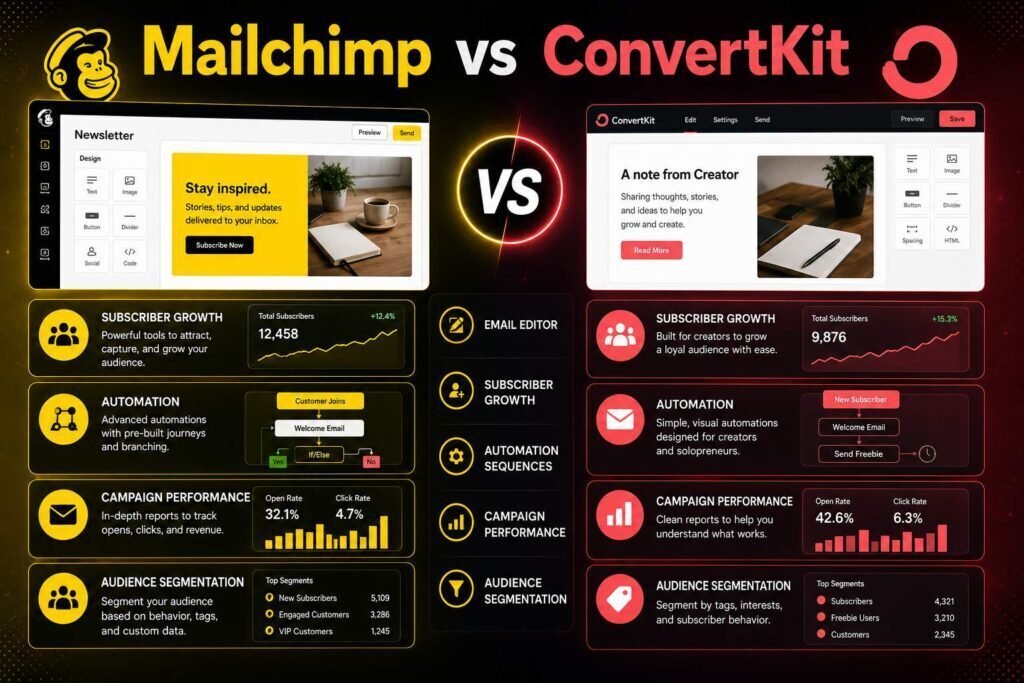
Mailchimp and Kit (formerly ConvertKit) solve the same problem for different people. Mailchimp is the broad small-business marketing platform; Kit is built for creators (writers, course sellers, newsletter operators) who monetize an audience. Picking right means being honest about which one you are, and this guide walks through every dimension that should factor into that decision.
Quick verdict: Choose Kit if you are a creator selling to a subscriber audience: its automation and monetization tools fit that model perfectly. Choose Mailchimp if you are a small business or ecommerce store wanting an all-in-one marketing suite (email, landing pages, ads, basic CRM) with the biggest template library.
Key Takeaways
- Kit (ConvertKit) is creator-first: tag-based subscribers, clean automations, built-in digital-product and paid-newsletter selling.
- Mailchimp is business-first: templates, multichannel marketing, and reporting breadth.
- Both price by subscribers; costs rise as your list grows. Model your list size before choosing.
- Kit and Mailchimp both offer free tiers to start.
How to Choose Between Them
Before comparing features, answer three questions, because they decide the outcome faster than any feature list. First, who are you: a creator monetizing an audience, or a business marketing products? Second, what does your content look like: simple personal-style emails, or designed, branded campaigns? Third, how big will your list get, since both price by subscriber count and cost is what surprises people a year in. Hold your real answers to those three in mind as you read the sections below; wherever a section matches your situation, weight it heavily and let the rest inform rather than decide.
Side by Side
| Dimension | Mailchimp | Kit (ConvertKit) |
|---|---|---|
| Best for | Small business, ecommerce | Creators, newsletters, courses |
| Automation | Capable, can feel complex | Clean, intuitive visual flows |
| Templates/design | Large library, polished | Minimal, text-forward |
| Monetization | Ecommerce integrations | Built-in products + paid newsletters |
| Subscriber model | Audience-based (watch archived contacts) | Tag/segment-based, no duplicate charging |
| Free tier | Yes (limited) | Yes (up to a subscriber cap) |
| Paid entry (verify) | From about $13/month | From about $15/month |
Pricing checked early 2026; both scale with subscriber count. Verify current tiers.
Automation
Kit’s automations are its signature: visual sequences triggered by subscriber actions, with tag-based logic that keeps a creator’s list clean without duplicate handling. Mailchimp’s Customer Journey builder is powerful and covers more channels, but new users often find it heavier to learn. For pure email nurture simplicity, Kit wins; for multichannel journeys that touch ads, postcards, and SMS alongside email, Mailchimp’s breadth is the advantage. A useful test: sketch the single most important automation you need, then try building it on each free tier. Whichever one you finish without reaching for a help article is probably the right fit for how your brain works.
Design and Content
Mailchimp offers the far larger template library and polished drag-and-drop design, suiting brands that want visual newsletters and promotions. Kit deliberately favors simple, text-forward emails that read like personal messages, which is what performs for many creators. Your content style should decide this, not the feature count. If your emails are meant to look like a designed marketing piece with images, columns, and buttons, Mailchimp gives you more to work with. If they are meant to feel like a note from a real person, Kit’s restraint is a feature, not a limitation, and it removes the temptation to over-design.
Deliverability and List Management
Both are reputable senders, and on either platform your deliverability depends far more on your own habits than on the brand name. Authenticate your domain with SPF, DKIM, and DMARC, keep your list clean by removing chronically unengaged subscribers, and avoid buying lists, which damages your sender reputation on any tool. Where they differ is list philosophy: Kit’s tag-and-segment model treats each person as one subscriber no matter how many interests they have, which keeps management simple, while Mailchimp’s audience model has historically required more care around archived and unsubscribed contacts so you are not paying for people you no longer email.
Ease of Use and Learning Curve
Kit is generally faster to learn, precisely because it does less: fewer surfaces, a cleaner automation canvas, and an opinionated workflow aimed at creators. Mailchimp does more, and that breadth comes with more menus, settings, and concepts to absorb. Neither is difficult, but if you want to be sending confidently by the end of an afternoon and you fit the creator profile, Kit tends to get you there sooner. If you expect to grow into multichannel marketing and want one tool to cover it, Mailchimp’s steeper start pays off later.
Monetization
Kit builds selling in: digital products, paid newsletter subscriptions, and tip jars, all native. For a creator, that removes a separate tool and a separate checkout to maintain. Mailchimp leans on ecommerce integrations (Shopify, WooCommerce) and its own store features, fitting product businesses better. See our Shopify vs WooCommerce guide if you sell physical goods. The practical question is what you sell: if it is your own digital products or a paid newsletter, Kit keeps everything in one place; if it is physical inventory through an existing store, Mailchimp plugs into that world more naturally.
Integrations and Ecosystem
Both connect to the tools most people already use, directly or through automation platforms, so integration rarely becomes a dealbreaker on its own. Mailchimp’s larger market share means broad, well-maintained connections across ecommerce, CRM, and analytics tools. Kit integrates well with the creator stack: course platforms, membership tools, webinar software, and payment processors. List the three or four tools you cannot live without and confirm each has a solid connection before you commit, rather than assuming; that five-minute check prevents an expensive surprise later.
Support and Resources
Both offer documentation, guides, and support, with the level and speed depending on your plan. Mailchimp’s long history means a deep well of tutorials and a large community, so answers to common questions are usually a search away. Kit’s creator focus shows in education aimed specifically at newsletter and audience growth. If hands-on help matters to you, check what support channel and response time your intended plan includes, since that often differs between free and paid tiers.
Forms, Landing Pages, and Growth
Both tools help you grow the list, not just email it, and both include forms and landing pages so you can start collecting subscribers without a separate website. Kit’s forms and simple landing pages are designed for fast creator sign-up flows and pair naturally with its tag-based segmentation, so a new subscriber can be routed into the right sequence automatically. Mailchimp offers forms and landing pages too, alongside broader growth features like ad integrations and audience insights that suit a business running paid acquisition. If your growth plan is content and audience-led, Kit’s flow is tidy; if it involves paid channels and landing-page variety, Mailchimp gives you more surface to work with.
Reporting and Analytics
Reporting is an area where Mailchimp’s breadth shows. It provides detailed campaign analytics, audience insights, and comparative reporting that a marketing team can dig into, which matters when you are optimizing designed campaigns across channels. Kit reports the essentials a creator actually acts on, such as opens, clicks, growth, and revenue from products and paid newsletters, without burying you in dashboards. Decide how much you will genuinely use: rich analytics only help if you act on them, and for many creators Kit’s focused numbers drive better decisions than a report they never open.
Pricing Reality
Both charge by subscriber count, so your list size drives cost more than the plan name. Mailchimp historically charged for unsubscribed and archived contacts unless managed, so keep your audience clean. Kit’s tag model avoids charging twice for one person on multiple lists. Model your projected list at 12 and 24 months on both pricing pages before committing; a platform that looks cheaper at 1,000 subscribers can become the pricier option at 25,000, and vice versa. Because these tiers change, always confirm the current numbers on the official pages rather than trusting any figure in an article, including this one.
Which Should You Choose?
- Newsletter writer / creator / course seller: Kit.
- Small business or ecommerce brand: Mailchimp.
- Design-heavy campaigns: Mailchimp.
- Simple, high-converting text emails: Kit.
- Selling your own digital products or paid newsletter: Kit.
- Wanting one tool for email, ads, and a basic store: Mailchimp.
- Nonprofit: see our nonprofit email guide for discount-aware options.
Migrating Between Them
If you already use one and are considering the other, know what the move actually costs. Exporting and re-importing subscribers is straightforward on both, but your automations, forms, and templates do not transfer, so budget time to rebuild them. The migration is rarely the hard part; the setup on the new platform is. That is a strong argument for choosing deliberately now: switching later is possible, but you will redo the workflow you have invested in, so it is worth a free-tier trial of your top automation before you commit rather than after.
Two Real-World Scenarios
Consider a newsletter writer with 4,000 subscribers who sells an online course and a paid subscription tier. They want personal-feeling emails, an easy way to tag interested readers, and native selling without stitching tools together. Kit fits almost perfectly: text-forward emails, clean tag-based automations, and built-in products keep everything in one place. Now consider a local ecommerce brand running seasonal promotions, abandoned-cart emails, and the occasional ad campaign, with a designer who wants branded templates. Mailchimp fits that: a large template library, ecommerce integrations, and multichannel journeys in a single suite. Same category of tool, opposite right answer, decided entirely by who you are and what you sell.
Common Mistakes to Avoid
- Choosing on today’s price alone. Model your list at 12 and 24 months; subscriber-based pricing changes the answer as you grow.
- Picking the tool that does more “just in case.” Unused breadth adds complexity; match the tool to what you actually do.
- Ignoring authentication. Skipping SPF, DKIM, and DMARC hurts deliverability on either platform, no matter which you choose.
- Letting your list go stale. Paying for unengaged or archived contacts quietly inflates cost and drags deliverability.
- Over-designing creator emails. If personal, text-style emails fit your audience, a bigger template library is a distraction, not a benefit.
FAQs
Is ConvertKit the same as Kit?
Yes. ConvertKit rebranded to Kit; the product and creator focus continue.
Which has better deliverability?
Both are reputable senders. Deliverability depends more on your domain authentication and list hygiene than the platform. Authenticate SPF, DKIM, and DMARC on either.
Can I switch later?
Yes; both let you export subscribers. You will rebuild automations, so choose deliberately to avoid redoing that work.
Do both have a free plan?
Yes, both offer a free tier with limits, which is the best way to test the automation builder and email style before paying. Confirm the current free-tier caps on each official page.
Which is easier for a complete beginner?
Most beginners who fit the creator profile find Kit quicker to learn because it does less. Beginners who want an all-in-one marketing suite may prefer growing into Mailchimp despite its steeper start.
Can I sell products without a separate tool?
On Kit, yes, for digital products and paid newsletters natively. On Mailchimp, selling usually means connecting your store or using its ecommerce features, which suits physical-product businesses.
Which is better for a growing email list on a budget?
It depends on where you are heading, because both price by subscriber count. Model your expected list size at 12 and 24 months on each official pricing page; the cheaper option today is not always the cheaper option at scale, so decide on the projected cost rather than the entry price.
Do I need marketing experience to use either?
No. Both are built for non-specialists, with templates, guides, and starter automations. Kit’s smaller surface makes it quicker to feel confident, while Mailchimp rewards a little more time spent learning with broader capability once you grow into it.
Our Verdict
This is a clean split: creators monetizing an audience should pick Kit; small businesses and stores wanting an all-in-one marketing suite should pick Mailchimp. Identify which you are, model the subscriber-based cost, and the decision makes itself.
Related Articles
Sources: official Mailchimp and Kit pricing pages, checked early 2026. Verify current subscriber tiers.