
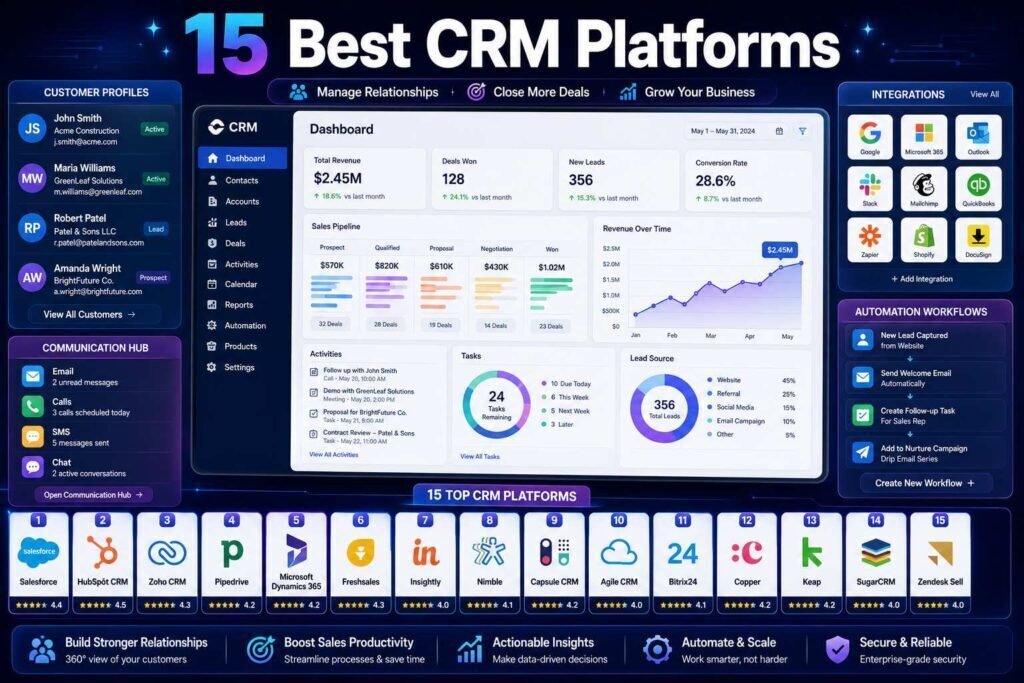
The best CRM is the one your team will actually use every day. Fifteen platforms lead the market, and they cluster into clear lanes: easy all-rounders, sales-focused pipelines, all-in-one suites, and industry-specific tools. This guide sorts them so you can shortlist in minutes.
Quick answer: For most growing businesses, start with HubSpot (free tier, easy) or Pipedrive (sales-focused, affordable). Choose Salesforce or Zoho when you need deep customization, and industry tools (below) for field service, real estate, or plumbing.
Key Takeaways
- HubSpot and Pipedrive are the safest starting points for small and growing teams.
- Salesforce and Zoho win on customization; Salesforce needs admin capacity (see our HubSpot vs Salesforce guide).
- Industry-specific CRMs beat generic ones for field service, real estate, and trades.
- Adoption beats features: pick what your team will use, then trial with real data.
What Actually Matters in a CRM
Feature lists make every CRM look similar, so judge on the things that determine whether it works in practice. Adoption is first: a CRM only pays off if the whole team logs activity in it daily, which makes ease of use a business requirement, not a nicety. Fit to your sales motion is second: a pipeline-driven sales team, a relationship business, and a field-service trade need different shapes of tool. Total cost is third, and it includes setup time, admin burden, and the tier you will genuinely need, not just the entry price. Integrations with your email, calendar, accounting, and marketing tools are fourth, because a CRM that does not connect to your stack creates copy-paste work instead of removing it. Weigh candidates on those four and the shortlist almost builds itself.
The 15 at a Glance
| CRM | Best for | Starting price (verify) | Free tier |
|---|---|---|---|
| HubSpot | All-around, easy start | Free; paid from about $15-20/user/month | Yes |
| Pipedrive | Sales pipeline focus | From about $14-24/user/month | Trial |
| Salesforce | Customization at scale | From about $25/user/month | Trial |
| Zoho CRM | Value + deep features | From about $14/user/month | Yes (limited) |
| Freshsales | AI-assisted sales | Free; paid from about $9-11/user/month | Yes |
| monday CRM | Visual, flexible workflows | From about $12-15/user/month | Trial |
| Close | Inside sales / calling teams | From about $25-29/user/month | Trial |
| Copper | Google Workspace teams | From about $12-23/user/month | Trial |
| Insightly | CRM + project delivery | From about $29/user/month | Trial |
| Keap | Small biz sales + marketing automation | From about $59/month | Trial |
| ActiveCampaign | CRM + advanced email automation | From about $19/month | Trial |
| Follow Up Boss | Real estate | From about $58/user/month | Trial |
| Housecall Pro | Field service / trades | From about $59/month | Trial |
| Nutshell | Simple B2B sales | From about $16-19/user/month | Trial |
| Capsule | Lightweight, affordable | Free; paid from about $18/user/month | Yes |
Easy All-Rounders: HubSpot, Freshsales, Capsule
HubSpot is the default recommendation: a genuinely useful free CRM, fast setup, marketing tools built in, and room to grow. Freshsales adds strong AI-assisted lead scoring at low cost. Capsule keeps things simple and affordable for very small teams. Any of the three gets a growing business organized within a week.
Sales-Focused Pipelines: Pipedrive, Close, Nutshell
Pipedrive is built by salespeople for salespeople: a clean visual pipeline, sensible automations, and pricing that suits small teams. Close is purpose-built for inside sales and calling teams, with a built-in dialer. Nutshell keeps B2B sales simple with good support. Pick these when the job is moving deals, not marketing.
Customizable Suites: Salesforce, Zoho, monday
Salesforce offers near-unlimited customization and the largest app marketplace, but needs admin capacity; our HubSpot vs Salesforce comparison covers when it is worth it. Zoho CRM delivers remarkable depth for the price and fits businesses already using the Zoho suite. monday CRM turns the flexible monday work platform into a visual, adaptable CRM.
Specialized Picks
Copper lives inside Google Workspace, ideal for Gmail-centric teams. Keap and ActiveCampaign blend CRM with serious marketing automation for small businesses that sell through nurture sequences. And industry tools win their niches: Follow Up Boss for real estate, Housecall Pro for plumbing and field service. A generic CRM rarely beats a tool built for your trade.
The Pricing Reality
CRM pricing rewards a careful read, because the entry price rarely reflects what you will pay. Most platforms tier aggressively: the advertised rate covers basics, while the features that motivated your purchase, automation, advanced reporting, AI assistance, often live one or two tiers up. Per-user pricing also compounds as you hire, so model the cost at your team size a year from now, not today. Watch for annual-versus-monthly gaps, onboarding fees on higher-end platforms, and paid add-ons for phone, marketing, or service modules. The practical defense is simple: list the specific capabilities you need, find the exact tier of each shortlisted CRM that includes them, and compare those real numbers side by side. A CRM that looks pricier at entry is often cheaper at the tier you would actually use, and vice versa.
Two Real-World Scenarios
Picture a six-person B2B services firm that wins work through relationships and follow-up. They need contacts, a clear pipeline, email logging, and reminders, nothing exotic. HubSpot free or Pipedrive covers it, setup takes days, and the team adopts it because it is easy. Buying Salesforce here would purchase complexity nobody administers. Now picture a 40-person company with a complex quote-and-approval sales process, industry integrations, and a dedicated ops hire. Zoho or Salesforce earns its keep: the customization models their process instead of fighting it, and the admin capacity exists to maintain it. Same market, different right answer, decided by process complexity and the people available to run the system, not by which logo is more famous.
AI Features: What to Expect Now
Nearly every CRM on this list now ships AI features, and they are worth understanding because they change the day-to-day value. The common wins are automatic data entry (logging emails and calls so reps do not), lead scoring that surfaces the contacts most likely to close, drafted follow-up emails you review and send, and plain-language summaries of a deal’s history before a call. HubSpot bundles much of this into its tiers, Freshsales has made AI scoring a signature at low cost, and Salesforce and Zoho offer deeper AI at added cost. Treat AI as a strong tiebreaker rather than the headline: it multiplies the value of a CRM your team already uses, but it cannot rescue one they avoid. Verify what is included in the tier you are actually buying, because AI bundling changes frequently.
Migration and Setup Basics
Whichever CRM you pick, the setup pattern is the same and worth doing properly. Export your contacts and deals from spreadsheets or your old system, clean them before import, deduplicate, standardize fields, and archive dead records, because importing a mess produces a messy CRM on day one. Configure your pipeline stages to match how you actually sell, connect email and calendar so activity logs itself, and set up only the automations you need immediately. Then onboard the team with real work, not a demo: have everyone manage their live deals in the new system from week one. A clean import plus connected email plus one week of real use tells you more about fit than any feature comparison, and it is exactly what free trials are for.
How to Choose
- Just getting organized: HubSpot free or Capsule.
- Sales-driven team: Pipedrive or Close.
- Need heavy customization: Zoho (value) or Salesforce (scale).
- Google Workspace shop: Copper.
- Specific industry: the specialized tool, every time.
Driving Adoption After You Choose
The decision is only half the job; the other half is making the CRM stick. A few practices reliably work. Get leadership using it visibly, because teams mirror what managers actually do, not what they announce. Make the CRM the single source of truth by running pipeline reviews and forecasts from it, so keeping it updated becomes self-interested rather than administrative. Automate the drudgery, email and call logging, task creation, so reps spend minutes, not hours, on upkeep. Train in short sessions on real deals rather than abstract features, and appoint one owner who fields questions and prunes the setup as needs evolve. Give adoption the same attention you gave selection and the CRM becomes the operating system of your revenue; neglect it and even the best platform becomes an expensive address book.
Common Mistakes to Avoid
- Buying features instead of adoption. The CRM your team actually uses beats the one with the longest feature list.
- Choosing generic when an industry tool exists. Field service, real estate, and trades are better served by purpose-built CRMs.
- Importing dirty data. Clean and deduplicate before migration, or your new CRM starts life as the old mess.
- Underestimating setup on customizable suites. Salesforce-class platforms need admin capacity; budget for it or pick simpler.
- Paying for tiers you do not use. Start on the tier that covers today’s needs and upgrade when a real limit appears.
FAQs
What is the best free CRM?
HubSpot’s free tier is the most capable, with Freshsales and Capsule also offering real free plans. A free tier is also the lowest-risk way to build the CRM habit before deciding whether paid features are worth it for your team.
How much should a growing business pay for a CRM?
Many teams run well on $15-30/user/month. Costs rise with automation and advanced features; buy the tier you will use, not the one you might.
How long does CRM setup take?
Easy tools: days. Customizable suites like Salesforce: weeks to months. Factor setup effort into the decision, not just the sticker price.
Is an all-in-one CRM better than best-of-breed tools?
All-in-one platforms like HubSpot or Zoho reduce tool count and keep data in one place, which suits most small teams. Best-of-breed, a focused sales CRM plus separate marketing and support tools, wins when one function has demanding needs the suite handles poorly. Start consolidated, and split out a specialized tool only when a suite module genuinely limits you.
How do I get my team to actually use the CRM?
Make it the only place work happens: run pipeline meetings from it, automate the logging so upkeep is minimal, have managers use it visibly, and train on live deals. Adoption follows when the CRM saves reps time and when the numbers everyone is judged on come out of it.
Should a very small business even use a CRM?
Yes, earlier than most think. The moment leads slip through the cracks or follow-ups depend on memory, a free CRM like HubSpot or Capsule pays for itself. Starting simple and free also builds the data and habits that make any future upgrade painless.
Can I switch CRMs later if I outgrow my choice?
Yes, all mainstream CRMs support exporting contacts, companies, and deals, but automations, custom fields, and integrations must be rebuilt, so a switch is a real project. Keeping your data clean and consistent is the best insurance; it makes any future migration tractable.
Do these CRMs work for both sales and customer service?
Several do, with add-ons: HubSpot, Zoho, Freshsales, and Salesforce all offer service modules alongside sales. If support tickets are core to your business, weigh the service side in your decision now rather than bolting it on later; if sales is the job, a focused tool like Pipedrive keeps things simpler.
What data should I track in a CRM from day one?
Start minimal: contacts and companies, deal stage and value, the source of each lead, and every interaction (which connected email and calendar largely log for you). Add custom fields only when a real reporting question demands them. A lean, consistently filled CRM beats an elaborate one full of blanks, and you can always add fields later far more easily than you can clean up abandoned ones.
Our Verdict
Start with HubSpot or Pipedrive unless you have a specific reason not to; graduate to Zoho or Salesforce for customization, and choose an industry-specific CRM when one exists for your field. Whatever you shortlist, trial it with your real data and real team before committing, because adoption, not features, decides CRM success.
Related Articles
- HubSpot vs Salesforce for Small Businesses
- Best CRM for Real Estate Agents
- Best CRM for Plumbing Businesses
Sources: official vendor pricing pages, checked early 2026. Verify current tiers before purchasing.