
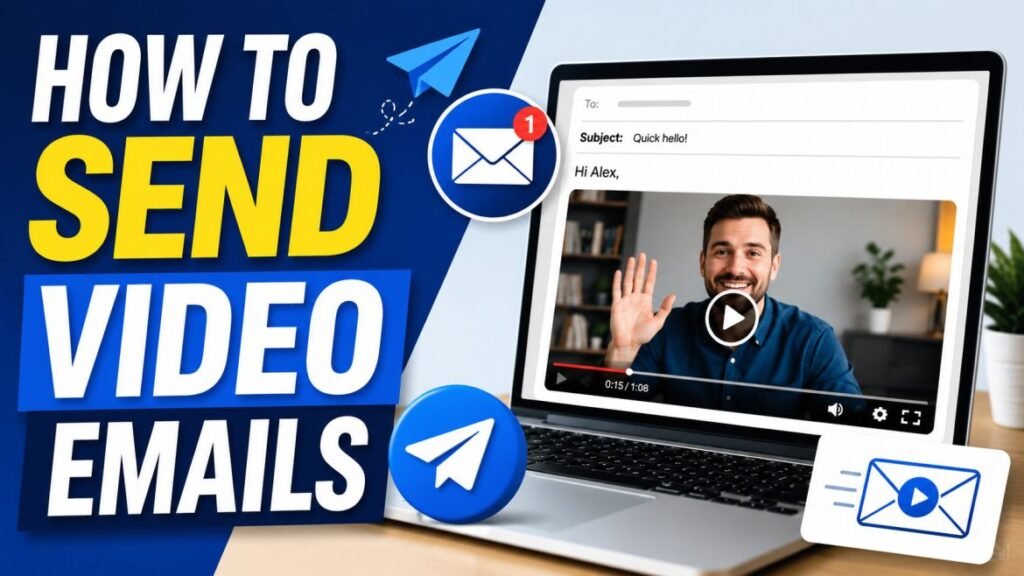
Sending a video email is one of the simplest ways to stand out in a crowded inbox, and Dubb is built to make it fast. Instead of typing another block of text, you record a short video, send it as an email with a personalized thumbnail, and see exactly who watched. This guide walks you through the whole process, from your first recording to tracking engagement, so you can send your first video email today.
Quick answer: With Dubb, you record a video in the app or browser extension, Dubb creates a hosted page with a clickable thumbnail, and you send that as an email through your Gmail or Outlook integration. The recipient clicks the thumbnail, watches on a branded page, and you get notified when they view it. You can start on Dubb’s free Starter plan.
Key Takeaways
- Dubb turns a quick recording into a trackable video email with a personalized thumbnail.
- You send through your existing Gmail, Outlook, or LinkedIn, so your workflow does not change.
- The video is not attached; it lives on a hosted page, which protects deliverability.
- You can see who watched and how far they got, so follow-up is smarter.
- The free Starter plan lets you try video email at no cost. Verify current limits on dubb.com.
Why Send Video Emails at All?
Before the how, a quick why. Plain sales emails blend together, and busy prospects skim past most of them. A video email interrupts that pattern. The recipient sees your face in the thumbnail, feels the personal effort, and gets tone and personality that text cannot carry. That combination earns more opens, more replies, and faster trust. For the principles behind high-performing video email, see our guide to video email best practices.
Dubb’s job is to remove the friction. Recording, hosting, thumbnails, sending, and tracking all happen in one place, so a video email takes about as long as writing a normal one once you get the hang of it.
What You’ll Need
Getting set up takes a few minutes.
- A Dubb account. The free Starter plan is enough to begin. Verify current plan features and limits on dubb.com/pricing.
- A camera and mic. Your laptop or phone camera and a headset or earbuds are fine.
- The Dubb app or browser extension. Dubb offers desktop and mobile apps and a browser extension so you can record where you already work. Verify the current options for your setup.
- Your email connected. Connect Gmail, Outlook, or your preferred channel so you can send directly.
Step 1: Record Your Video
Open Dubb and start a new recording. You can typically choose a camera-only video for a personal message, a screen recording for a walkthrough, or a hybrid that shows your screen with your face in a corner bubble. For a first video email, a short camera-only message works well.
Keep it brief, usually 30 to 60 seconds, and lead with the recipient, not yourself. A strong opening line and good lighting matter more than anything else. For setup and delivery tips, see our guide on how to record a sales video that gets responses. Record one or two takes and move on; polished is less important than personal.
Step 2: Add a Personalized Thumbnail
The thumbnail is the image the recipient sees in their inbox, and it is what earns the click. In Dubb, you can set a thumbnail from your video and, for an extra personal touch, hold up a whiteboard or sign with the recipient’s name or company while recording, then use that frame. A personalized thumbnail signals the video was made for them. Verify the current thumbnail options in your account, since features evolve.
Step 3: Set Up the Landing Page and Call to Action
When you record with Dubb, your video is placed on a hosted landing page rather than attached to the email. This is what keeps your email deliverable and lets you add a clear next step. On that page you can typically add a call-to-action button, such as a booking link or a reply prompt, and apply your branding. Set one clear call to action so a convinced viewer knows exactly what to do next. Our guide to video CTAs explains how to make that button convert.
Step 4: Send Through Your Email
With your video, thumbnail, and CTA ready, send it as an email. Through the Gmail or Outlook integration, Dubb inserts the clickable thumbnail into your message, so it looks like a normal email with an inviting video preview. Write a short, personal subject line and an opening sentence, because those drive the open before the video ever plays. Our subject line guide shows how to write ones that get opened.
You can also send video by SMS or share the link on LinkedIn, depending on where your prospect is most reachable. Verify the current sending channels available on your plan.
Step 5: Track Who Watches
This is where video email beats plain email. Once your message is out, Dubb shows you who opened it, who clicked to play, and how much they watched. A prospect who watched your whole video, or came back for a second look, is signaling interest, which tells you exactly who to follow up with and when. For how to read these signals, see our video sales metrics guide. To go deeper on engagement tracking specifically, see how to track video engagement in Dubb.
Tips for Better Video Emails
- Lead with the recipient. The first five seconds decide whether they keep watching.
- Keep it short. Under a minute for most outreach and follow-ups.
- Use one clear CTA. A single next step converts better than several.
- Personalize the thumbnail and opening. These earn the click and prove relevance.
- Add captions where possible. Many people watch with the sound off.
When to Use Video Email
Video email shines for cold outreach to accounts worth the effort, follow-ups after calls and demos, proposal walkthroughs, and re-engaging quiet deals. It is less necessary for simple confirmations or logistics, where a quick text reply is faster for everyone. Reserve video for the moments where standing out and building trust actually move the deal, and it will keep feeling special. Our follow-up video guide covers the highest-impact moments.
Common Mistakes to Avoid
- Making it too long. Long videos lose viewers. Keep outreach under a minute.
- A generic thumbnail. If it does not look personal, it will not get clicked.
- Forgetting the CTA. An engaged viewer with no next step does nothing.
- Ignoring the data. The tracking tells you who is interested, so act on it.
- Opening with yourself. Lead with the recipient to keep them watching.
Video Email Examples by Scenario
The same simple workflow adapts to many moments in a sales relationship. Here is how a video email fits each one.
- Cold outreach: a 45-second video that opens with a specific reason you are reaching out and ends with a small ask, like a reply. The goal is to earn attention, not close a deal.
- Post-demo recap: a same-day video summarizing the two or three points that mattered most to the prospect and confirming the next step you agreed on.
- Proposal delivery: a short screen walkthrough of the proposal so the buyer understands the key numbers instead of guessing at a silent attachment.
- Re-engagement: a friendly video that brings a new idea or references a recent change on the prospect’s side, reopening a quiet conversation.
- Thank-you or welcome: a warm personal note after a meeting or a new signup, which starts the relationship on a human footing.
Because Dubb tracks each of these, you learn which types earn the most replies and can double down on what works for your audience.
Keep Deliverability Healthy
A great video email only helps if it reaches the inbox. Because Dubb hosts your video on a page and inserts a thumbnail rather than attaching a heavy file, you avoid the biggest deliverability pitfall automatically. Still, good habits matter. Authenticate your sending domain with SPF, DKIM, and DMARC so mailbox providers trust your mail. Keep real text in your email alongside the thumbnail rather than sending an image-only message. Write honest subject lines that avoid spammy words and false urgency. And send to people who have a genuine reason to hear from you. These habits protect your sender reputation so your videos keep landing where they belong. Our video email best practices guide covers deliverability in full.
Fit Video Email Into Your Sequence
Video email is most effective as part of a sequence, not a one-time trick. Alternate video with lighter text touches so your outreach stays fresh and gives the prospect several natural moments to respond. A common rhythm is a short text introduction, then a personalized video on the second touch, then a value-adding text, and finally a brief closing message. Placing the first video on the second touch works well, because the prospect has already seen your name once, so the video reads as genuine persistence rather than a cold surprise. Our follow-up video guide lays out full sequences you can adapt.
Frequently Asked Questions
Is the video attached to the email?
No. Dubb hosts the video on a landing page and inserts a clickable thumbnail into your email. This protects your deliverability and lets you add a call to action and track views, which attachments cannot do.
Can I send video emails from Gmail or Outlook?
Yes. Dubb integrates with Gmail, Outlook, and other channels so you send from the tools you already use. Verify the current integrations available on your plan on dubb.com.
Can I try video email for free?
Yes. Dubb’s free Starter plan lets you send video email at no cost. Verify the current free-plan limits, such as the number of videos, on dubb.com/pricing.
How do I know if someone watched my video?
Dubb notifies you and shows engagement data, including who watched and how far they got, so you can prioritize follow-up with your most interested prospects.
Video Email Across Roles and Teams
Video email is not only for cold sales outreach. Almost anyone who communicates with people outside their team benefits from it. An account executive uses it to recap demos and walk through proposals. A customer success manager uses it for warm check-ins and onboarding. A recruiter uses it to engage candidates who ignore templated messages. A founder uses it to build relationships with investors and partners. A support agent uses it to explain a fix more clearly than text ever could.
The workflow is the same in every case: record a short, personal video, send it with a clickable thumbnail, and track who watches. What changes is the message and the goal. Because Dubb makes the mechanics fast, video email becomes a natural habit across a whole organization rather than a special effort reserved for a few reps. Teams that adopt it widely find their external communication feels warmer and gets more responses, whether the goal is a booked meeting, a renewed contract, or a hired candidate. If several people on your team will use it, agree on a few standard moments where everyone sends video, so your audience gets a consistent experience.
Conclusion
Sending a video email with Dubb comes down to five steps: record, add a personal thumbnail, set up the page and CTA, send through your email, and track who watches. The whole thing takes only a little longer than a normal email once it becomes a habit, and it stands out far more. Keep your videos short, personal, and focused on one clear next step. Record your first video email today and send it to one prospect who matters, then check the engagement data and let it guide your follow-up. The more you send, the more natural it becomes, and the more your inbox starts to work in your favor. Within a few weeks, recording a quick video will feel as routine as typing an email, and the replies will make the small extra effort more than worth it.
Ready to try it? Start free with Dubb and send your first video email in minutes.