
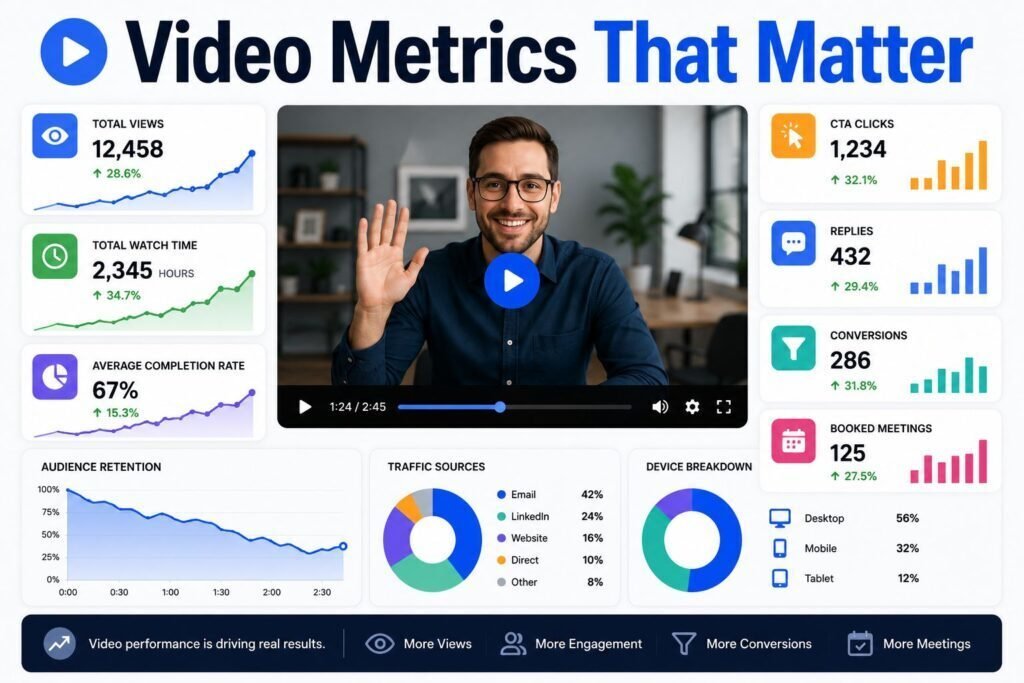
Video makes your outreach measurable in ways plain email never could. You can see not just whether someone opened your message, but whether they pressed play, how far they watched, and whether they came back for a second look. Used well, those signals tell you exactly what to fix and who to follow up with. Used badly, they become vanity numbers that feel good and change nothing. This guide covers the video sales metrics that matter and how to act on each one.
Quick answer: Track open rate, click-to-play rate, watch rate, engagement, reply rate, and meetings booked. Each metric maps to a step in your process, so a weak number tells you exactly what to improve. Focus on replies and meetings as your outcome metrics, and use the rest to diagnose why those numbers are what they are.
Key Takeaways
- Every video metric maps to a step: subject line, thumbnail, hook, message, or ask.
- Watch rate and click-to-play are diagnostic; replies and meetings are the real outcomes.
- Views alone are a vanity metric. Judge success by conversations started.
- Use engagement data to prioritize follow-up with your most interested prospects.
- Compare over a meaningful sample, not a single send, before drawing conclusions.
Why Measuring Video Matters
Most sales outreach is a black box. You send an email and hear nothing, with no idea whether it was ignored, skimmed, or never delivered. Video changes that. Because the video lives on a hosted page, you can see how people interact with it, which turns guesswork into feedback.
That feedback does two things. It tells you what to improve, because a weak number points to a specific weak step. And it tells you where to spend your time, because engagement data reveals which prospects are actually interested. Both make you more efficient and more effective.
The Video Sales Metrics That Matter
Here are the core metrics and what each one reveals.
| Metric | What it measures | What a low number means |
|---|---|---|
| Open rate | Emails opened | Weak subject line or sender reputation |
| Click-to-play rate | Openers who pressed play | Weak thumbnail or opening line |
| Watch rate | How much of the video was viewed | Weak hook or video too long |
| Engagement | Rewatches, replays of sections | Low interest, or unclear message |
| Reply rate | Prospects who responded | Weak message or unclear ask |
| Meetings booked | Conversations created | The outcome that matters most |
How to Read Each Metric
The power of these numbers is diagnostic. Read them in order, from open to meeting, and each one isolates a different part of your outreach.
Open rate
If few people open, the problem is upstream of your video entirely. Look at your subject line and your deliverability. A great video no one opens is wasted effort, so fix this first. Our subject line guide and video email best practices cover both.
Click-to-play rate
If people open but do not press play, your thumbnail and opening line are not doing their job. A personalized thumbnail that shows your face and a human cue lifts this number the most.
Watch rate
If people start but drop off early, your hook is weak or your video is too long. Look at where they stop. A cliff in the first ten seconds means your opening needs work. A slow decline means you should tighten and shorten.
Reply and meeting rate
If people watch the whole video but do not respond, the issue is your message or your ask. Either the value did not land, or the next step was unclear or too big. Sharpen your one ask and make it easy to say yes to.
Vanity Metrics Versus Actionable Metrics
Not every number deserves your attention. Total views is the classic vanity metric. It feels good and looks impressive, but a thousand views with no replies is a thousand people who did nothing. Views only matter as a path to conversations.
Actionable metrics connect to revenue or tell you how to improve. Reply rate, meetings booked, and influenced pipeline are outcomes. Click-to-play and watch rate are diagnostics. Track those, and let total views be a background number rather than a scoreboard.
A Note on Benchmarks
It is tempting to chase industry benchmark numbers, but they can mislead. Reply and watch rates vary enormously by industry, audience, list quality, and how warm your contacts are. A number that is excellent for cold outreach to executives would be poor for a warm nurture list. Rather than compare yourself to a generic figure, compare against your own baseline. Record where you are today, change one thing, and measure whether it moved. Your own trend line is the benchmark that matters.
Using Engagement to Prioritize Follow-Up
The most practical use of video metrics is deciding who to call next. Engagement data ranks your prospects by interest, so you spend time where it counts.
- Watched the whole video, maybe twice: a hot signal. Follow up quickly and directly.
- Watched part of it: some interest. A short, value-adding follow-up can re-engage them.
- Opened but did not play: the thumbnail or subject did not land. Try a different angle.
- Shared or forwarded: often a buying-committee signal. Ask who else should be involved.
A prospect who rewatched your proposal walkthrough the night before a decision is telling you something. Timely, relevant follow-up on that signal converts.
Setting Up Tracking
You cannot measure what you do not capture. A dedicated video platform records these metrics automatically and, at its best, pushes them into your CRM so engagement lives next to the deal. Tools such as Dubb track views, watch time, and clicks, and surface who engaged so reps can act. When choosing a tool, make analytics a priority, since a video sent from a generic host gives you none of this. Compare options in our best video messaging software guide.
Team and Pipeline Metrics
Beyond individual videos, roll these numbers up to see what is working across the team. Which reps get the highest reply rates, and what are they doing differently? Which video templates drive the most meetings? How much pipeline had a video touch somewhere in its history? These questions turn video from a personal tactic into a measurable part of your revenue engine, and they help you coach the whole team toward what works.
Test One Thing at a Time
Improvement comes from disciplined testing. Change a single variable, give it a fair sample, and compare. Test a specific subject line against a curiosity one. Test a plain thumbnail against a personalized one. Test a 45-second video against a 75-second one. When you change several things at once, you learn nothing, because you cannot tell what caused the result.
Common Mistakes to Avoid
- Celebrating views. Views are not replies. Judge by conversations started.
- Chasing external benchmarks. Compare against your own baseline instead.
- Ignoring engagement signals. The data tells you who to call next, so use it.
- Testing everything at once. Change one variable so you know what worked.
- Not connecting video to pipeline. Tie engagement to deals to prove and improve impact.
Connect Video Metrics to Your CRM
Video metrics are far more useful when they live next to the deal instead of in a separate dashboard. When engagement data flows into your CRM, a rep can open an opportunity and see that the buyer watched the proposal walkthrough twice yesterday. That context turns a cold follow-up into a timely, relevant one.
Look for a video tool that logs views and clicks to the contact or deal record automatically. This also lets sales leaders answer bigger questions, such as how much closed revenue had a video touch along the way, which is how video earns a permanent place in the sales process rather than being treated as a side experiment. Many platforms, including Dubb, support CRM syncing so this happens without manual data entry. Verify the specific integrations you need on the vendor’s site before you rely on them.
A Simple Weekly Review Habit
Metrics only help if you look at them regularly. Build a five-minute weekly habit.
- Check your reply and meeting rates. Are they trending up, flat, or down?
- Find your best video. Which one drove the most responses, and why?
- Find your weakest step. Low opens, low click-to-play, or low replies each point to a different fix.
- Pick one change. Adjust a single element for the coming week and measure the effect.
This small ritual compounds. Over a quarter, steady weekly tweaks add up to a meaningfully higher reply rate without any dramatic overhaul.
Turn Metrics Into Coaching
For sales managers, video metrics are a coaching goldmine because the work is visible. Instead of guessing why a rep struggles, you can watch their actual videos and see the numbers behind them. A rep with high click-to-play but low watch rate probably has a weak hook. A rep with high watch rate but low replies probably has an unclear ask. That specificity makes coaching concrete and fast, and it lets top performers share exactly what works so the whole team improves together.
Frequently Asked Questions
What is the most important video sales metric?
Meetings booked, because it is the outcome closest to revenue. Reply rate is a strong leading indicator, and watch rate and click-to-play help you diagnose why those numbers are what they are.
Is a high view count good?
Only if it leads to replies and meetings. Views alone are a vanity metric. A smaller number of engaged, responsive viewers beats a large number of passive ones.
How many videos do I need to send before the data means something?
Enough to smooth out the noise, usually at least a few dozen similar sends. A single video’s numbers can be misleading, so judge patterns over a batch.
Should I share video metrics with my whole team?
Yes, within reason. Sharing what works, such as top templates and subject lines, lifts everyone. Use the data to coach and celebrate wins, not to shame individuals, so the team stays motivated to keep experimenting.
Can I see who watched my video?
With a dedicated video platform, yes. You can typically see who watched, how far they got, and whether they returned, which is exactly the data that makes follow-up smarter.
The One Metric to Start With
If tracking a full set of numbers feels like too much, start with just one: reply rate. It is simple to measure, hard to fake, and directly tied to the outcome you care about, which is starting conversations. A rising reply rate means your outreach is working. A flat or falling one means something upstream needs attention.
Once reply rate is a habit, add click-to-play and watch rate to understand why replies are going up or down. Then layer in meetings booked to connect the effort to pipeline. Building your measurement one metric at a time keeps it sustainable, so you actually stick with it instead of abandoning a complicated dashboard after a week. The goal is a habit you keep, not a report you admire once and forget. Pick your one metric today, write down where it stands, and check it again next week. That single number, tracked consistently, will teach you more about your outreach than any dashboard you glance at once and ignore. Momentum builds from there, and adding the next metric feels natural once the first has become second nature. The reps who measure consistently are almost always the ones who improve fastest, because they can see what works instead of guessing.
Conclusion
Video turns outreach into a feedback loop. Track open rate, click-to-play, watch rate, engagement, replies, and meetings, and read them in order to find the exact step that needs work. Keep your eyes on replies and meetings as the real outcomes, use engagement to prioritize who to call, and improve by testing one thing at a time. Start by writing down your current reply rate this week so you have a baseline to beat.
Want these metrics tracked automatically and tied to your pipeline? Try Dubb free and see exactly how prospects engage with your videos.