
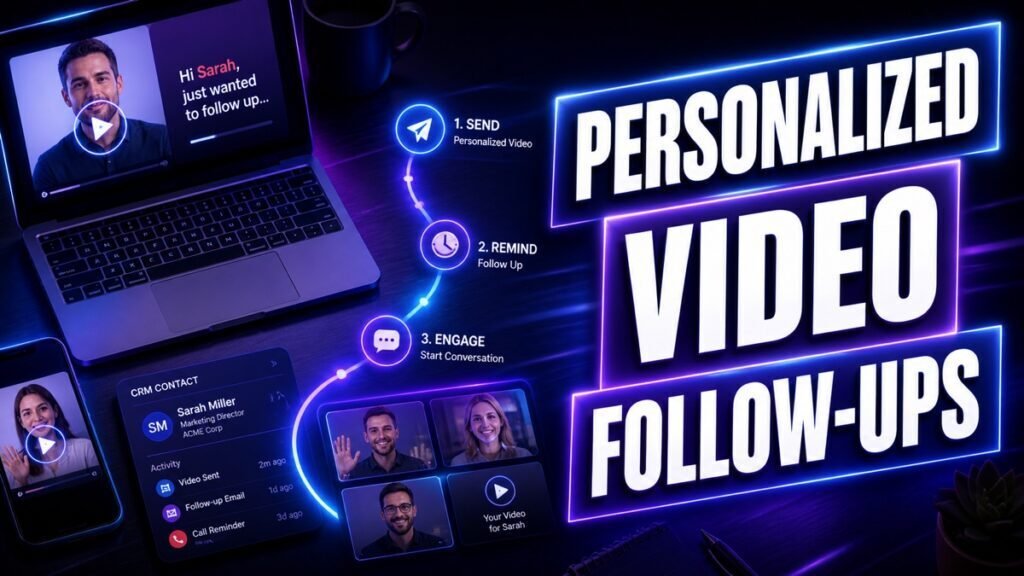
Most deals are not lost at the pitch. They stall in the follow-up, where generic “just checking in” emails pile up and get ignored. Personalized video fixes the weakest part of the sales process by making each follow-up feel human and worth opening. This guide shows where video belongs in your sequence and gives you scripts for the five follow-ups that matter most.
Quick answer: Add personalized video at the moments that decide a deal: after a demo, after a no-show, when a proposal goes quiet, and when you are ready to close the loop. Keep each video under 90 seconds, reference something specific to the prospect, and end with one clear next step.
Key Takeaways
- Follow-ups fail because they add no value and feel automated. Video reverses both problems.
- Use video at high-stakes moments, not for every touch, so it stays special.
- Five follow-ups deserve video: post-demo, no-show recovery, proposal walkthrough, re-engagement, and breakup.
- Keep videos short, reference real details, and ask for exactly one thing.
- Track replies and meetings, and pair video touches with lighter text touches.
Why Sales Follow-Ups Fail
Two problems kill most follow-ups. The first is that they add nothing new. “Just circling back” gives the prospect no reason to reply, so they do not. The second is that they feel automated. A prospect can tell a template from a real message, and templates get deleted.
Video solves both. A short video forces you to say something specific, because staring silently into a camera is impossible. And video is unmistakably personal, so it never reads as a mass send. The result is a follow-up that earns a second look instead of a trip to the trash.
Where Video Fits in a Follow-Up Sequence
You do not need video on every touch. Mixing formats keeps your cadence from feeling repetitive and saves your recording time for the moments that count.
| Moment | Format | Why |
|---|---|---|
| After a discovery call | Short video recap | Confirm next steps and stay memorable |
| After a demo | Personalized video | Reinforce value while it is fresh |
| No-show | Light, friendly video | Recover without guilt-tripping |
| Proposal sent | Video walkthrough | Guide them through the key points |
| Gone quiet | Re-engagement video | Add value and reopen the conversation |
| Final touch | Breakup video | Prompt a decision and close the loop |
Five Follow-Up Videos That Get Replies
1. The post-demo recap
Send this within a few hours of a demo, while the conversation is fresh. Recap the two or three points that mattered most to them, not every feature you showed. Confirm the next step you agreed on.
“Hi [Name], great talking through [their goal] today. The part that seemed to click was [specific point], so I want to make sure we lock in [agreed next step] for [date]. Anything you want me to prep before then? Just reply here.”
2. The no-show recovery
People miss meetings for ordinary reasons. Assume the best and make rebooking easy. Keep the tone warm, never passive-aggressive.
“Hi [Name], we missed each other today, no worries at all, calendars get wild. I still think [relevant value] is worth 15 minutes. Here is a link to grab a new time that works better for you.”
3. The proposal walkthrough
A proposal sent as a silent attachment invites delay. A short screen-recording walkthrough guides the buyer to the parts that matter and answers questions before they stall the deal.
“Hi [Name], I recorded a quick walkthrough of the proposal so you can see how we got to [key number] and what is included. Skip to [timestamp] for the part on [their priority]. If anything looks off, reply and we will adjust it together.”
4. The re-engagement video
When a deal goes quiet, do not send another “checking in.” Bring something useful: a relevant idea, a resource, or a change on their side you noticed. Give them a reason to re-engage.
“Hi [Name], I saw [trigger or news about them] and it reminded me of what we discussed. Here is a quick idea that might help, no strings attached. If the timing is better now, happy to pick it back up.”
5. The breakup video
When touches go unanswered, a friendly breakup often gets the reply everything else could not. It signals you will stop reaching out, which removes pressure and prompts a decision.
“Hi [Name], I do not want to clutter your inbox, so this is my last note for now. If [problem] is still a priority, I am here. If not, no hard feelings and I will close the loop. Either way, wishing you and the team well.”
How to Personalize Without Spending All Day
Personalization is what makes these work, and it does not require a custom script for every prospect. Reuse the structures above and change only the details that prove you are paying attention: their name, their goal, a point from your last call, or a recent event at their company.
For volume, a tiered system helps. Fully custom videos for active, high-value deals. A personalized opening and thumbnail with a reusable body for warm follow-ups. A single strong video for broad re-engagement campaigns. Platforms such as Dubb make this faster with reusable templates, dynamic landing pages that show the prospect’s name, and view tracking so you know who is engaged. See the wider category in our best video messaging software guide.
Thumbnails and Subject Lines Do the Heavy Lifting
Your video only works if the prospect presses play. Two things earn that click.
The subject line should feel personal and specific. “Quick recap for [Company]” or “Made you a 60-second walkthrough” beats “Following up.” Avoid the word “video” as a gimmick and let the content speak.
The thumbnail should show your face and a human cue, like a wave or a whiteboard with their name. A personalized thumbnail signals that the message was made for them. For a full breakdown, read our video email best practices.
Keep It Short
Follow-up videos should be shorter than your prospecting videos, because the relationship already exists. Aim for 30 to 60 seconds for a recap or nudge, and up to 90 seconds only for a proposal walkthrough where you are genuinely guiding them through detail. If you cannot make your point in a minute, your point is not clear yet.
How to Measure Follow-Up Video
- Reply rate per touch: compare video touches to text touches to see the lift.
- Meetings rebooked: especially for no-show and re-engagement videos.
- Deal velocity: whether videos move stalled deals forward faster.
- Watch rate: if people stop early, shorten and sharpen the opening.
Our guide to video sales metrics covers how to read these signals.
Common Mistakes to Avoid
- Using video on every touch. Overuse makes it ordinary. Save it for high-stakes moments.
- Recapping everything. Highlight the two points that mattered to them, not your whole demo.
- Guilt-tripping no-shows. Warmth rebooks meetings; blame kills them.
- Sending a silent proposal. Walk them through it so questions do not become delays.
- Forgetting the ask. Every follow-up needs one clear next step.
A Sample Two-Week Follow-Up Sequence With Video
Here is how the pieces fit together after a first meeting. Adjust the timing to your sales cycle, but keep the pattern of alternating video and text.
| Day | Touch | Format |
|---|---|---|
| Same day | Recap of the call and agreed next step | Short video |
| Day 3 | Share a relevant resource, no ask | Text email |
| Day 5 | Answer a question that came up, or add an idea | Short video |
| Day 8 | Connect or message on LinkedIn | Text or video message |
| Day 11 | Re-engagement with a new angle | Short video |
| Day 14 | Friendly breakup to prompt a decision | Short video |
Notice that video appears at the emotional high points, the recap and the breakup, while text carries the lighter touches in between. This rhythm keeps you present without flooding the prospect, and it gives them several natural moments to reply.
How to Respond When They Reply
A good follow-up video often gets a short reply like “interesting” or “send me more.” How you respond decides whether that spark becomes a meeting.
- Reply fast. Interest fades quickly. A same-hour response while you are top of mind converts far better than a next-day one.
- Answer, then advance. Give what they asked for, then propose the next step in the same message. Never leave the ball in their court without a clear path forward.
- Offer times, not a link only. Suggesting two or three specific windows can feel more personal than a bare booking link, especially early in a relationship.
- Keep matching the medium. If a video started the conversation, another quick video can keep the momentum and warmth going.
The point of follow-up video is to start a dialogue. Once the prospect replies, your job shifts from earning attention to being genuinely helpful, quickly.
Frequently Asked Questions
When is the best time to send a follow-up video?
As soon as possible after the moment it references. A demo recap lands best the same day, while the conversation is fresh in the prospect’s mind.
Should every follow-up be a video?
No. Alternate video with short text touches. Video works best when it marks an important moment rather than every message.
What if I feel awkward on camera?
Everyone does at first. Keep videos short, use bullet notes instead of a full script, and remember that prospects value a real, slightly imperfect person over a polished performance.
How do I know if the prospect watched?
Use a video tool that tracks views. Knowing someone watched twice tells you they are interested and worth a timely, direct follow-up.
Video Follow-Ups Across Sales Roles
Personalized video follow-ups help at every stage of the customer relationship, not only in new sales. The moment and the message change with the role.
| Role | Best follow-up video moment |
|---|---|
| SDR or BDR | Reviving a cold account after a first touch went unanswered |
| Account executive | Recapping a demo and walking through a proposal |
| Account manager | Checking in on adoption and sharing quick wins |
| Customer success | Onboarding steps and reducing churn at renewal |
An account executive might use a proposal walkthrough to move a deal forward, while a customer success manager uses a short adoption video to keep an account healthy before renewal. The structure stays the same, one clear moment, one clear ask, but the goal shifts from winning the deal to keeping and growing the relationship. That is why video follow-up is worth building into your whole team’s habits, not just the new-business motion. To scale it across a team with shared templates and tracking, compare options in our best video messaging software guide.
Personalization Ideas That Take Seconds
You do not need deep research to make a follow-up feel personal. A few quick references prove you are paying attention.
- Their last message. Quote a specific line from what they told you and respond to it directly.
- A recent company update. A launch, a hire, or an announcement gives you a natural, timely reason to reach out.
- A shared detail. A mutual connection, a common city, or an event you both attended builds instant rapport.
- Their stated goal. Tie your message back to the outcome they said they wanted, not the outcome you want to sell.
One genuine, specific detail in the opening is enough to lift a follow-up from ignorable to worth a reply. It is the difference between “checking in” and “I saw this and thought of you.” Keep a short note on each active deal so these details are easy to recall when it is time to record, and your follow-ups will always sound like they were made for one person, because they were.
Conclusion
Follow-up is where most sales conversations quietly die, and it is exactly where personalized video makes the biggest difference. Use video at the moments that decide deals, keep each one short and specific, and always ask for one clear next step. Pick one stalled deal in your pipeline right now and send a 60-second re-engagement video today.
Want tracking, templates, and personalized pages built in? Try Dubb free and turn your follow-ups into conversations.