
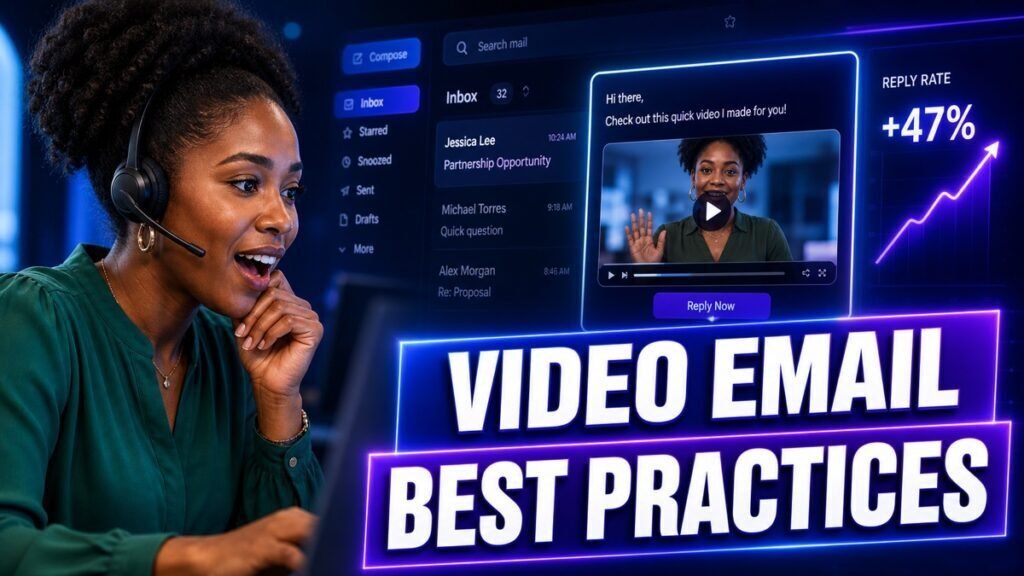
A video email can double the impact of your outreach or land straight in spam, and the difference comes down to a handful of details most people get wrong. This guide covers the practices that make video email actually earn replies, from the thumbnail that gets the click to the deliverability settings that keep you out of the junk folder.
Quick answer: Do not embed a heavy video file in the email. Send a still thumbnail or a short animated preview that links to a hosted landing page. Keep the video under 90 seconds, write a personal subject line, include a plain-text version of your message, and end with one clear call to action.
Key Takeaways
- Never attach or embed a full video file. Use a thumbnail image that links to a hosted page.
- The thumbnail and subject line earn the click, so give them the most attention.
- Keep videos short and place your main point in the first ten seconds.
- Protect deliverability with a plain-text message alongside the thumbnail and a clean sending domain.
- Add captions and a text summary so the email works even if the video does not play.
Why Video Email Works, When It Works
Video email combines the reach of email with the trust of face-to-face contact. A prospect sees you, hears your tone, and feels the effort behind a personal message. In a text-heavy inbox, that stands out and invites a reply.
But video email only works when it is delivered and opened. Get the technical details wrong and your carefully recorded message never gets seen. That is why best practices matter more here than in plain email.
The Anatomy of a High-Reply Video Email
Strong video emails share the same parts. Get each one right and your reply rate climbs.
Subject line
Make it personal and specific. “Quick note for [Company]” or “Made you a 60-second walkthrough” outperforms “Following up” or “Checking in.” Avoid spammy words like “free,” excessive punctuation, and all caps, which hurt both open rates and deliverability.
Opening line
The first line of text should reinforce the reason you are reaching out, because it shows in the inbox preview. Lead with the prospect, not yourself.
Thumbnail
This is the single most important visual. Use a real image of you, ideally with a human cue such as a wave or a whiteboard showing the prospect’s name. A personalized thumbnail signals the message was made for them and earns the click. A generic play button on a stock image does not.
The video itself
Keep it short and front-load the value. State who you are and why it matters to them in the first ten seconds. Assume some viewers will stop early, so never save your point for the end.
Call to action
Place one clear next step directly below the video, both as text and as a button when your tool supports it. “Grab a time here” or “Reply and I will send details” works. One action, not three.
Fallback text
Include a short written version of your message under the video. If the video does not load, or the reader prefers to skim, they still get the point and can act.
Protect Your Deliverability
The fastest way to waste a great video is to have it filtered as spam. A few habits keep you in the inbox.
- Do not embed video files. Large attachments trigger spam filters and often will not play in email clients. Link to a hosted page instead.
- Authenticate your domain. Set up SPF, DKIM, and DMARC so mailbox providers trust your sends. This is the highest-impact deliverability step.
- Keep a healthy text-to-link ratio. An email that is only an image and a link looks like spam. Include real text.
- Warm up new sending domains. Ramp volume gradually rather than blasting a fresh domain.
- Send to people who expect you. Relevance and engagement protect your sender reputation over time.
A dedicated video platform handles the hosting and thumbnail mechanics for you. Tools like Dubb generate the landing page, the thumbnail, and the tracking so you can focus on the message. Compare choices in our best video email software guide.
How Long Should a Video Email Be?
Shorter almost always wins. Use these ranges as a starting point and let your own watch rates guide you.
| Video type | Target length |
|---|---|
| Cold outreach | 30 to 60 seconds |
| Follow-up or recap | 30 to 60 seconds |
| Proposal or demo walkthrough | Up to 2 to 3 minutes |
| Onboarding or how-to | 2 to 5 minutes |
When in doubt, cut. Almost no one complains that a sales video was too short.
Personalization That Feels Real
Personalization is what separates video email from a mass campaign. Reference something specific: a recent announcement, a shared connection, a detail from their website, or a point from a previous call. Even one genuine detail in the opening tells the prospect this is not a template.
For larger sends, personalize what the prospect sees first: the thumbnail and the opening line. A reusable body can follow, as long as the entry point proves you did the work.
Do Not Forget Mobile and Accessibility
Many prospects open email on a phone, so your thumbnail and landing page must look right on a small screen. Test on mobile before you send at scale.
Accessibility also improves results. Add captions so the video makes sense with the sound off, which is how many people watch. Include that text summary under the video for anyone who cannot or will not play it. These steps widen your audience and show professionalism.
Test and Improve
Treat video email as something you refine, not a one-time setup. Test one variable at a time so you know what caused a change.
- Subject lines: compare a specific line against a curiosity line.
- Thumbnails: test a plain headshot against one with a personal cue.
- Length: try a 45-second version against a 75-second version.
- Call to action: compare a booking link against a simple reply request.
Small, steady improvements compound into a meaningfully higher reply rate over a quarter.
Metrics to Watch
Match each metric to the step it measures so you fix the right thing.
- Open rate: reflects your subject line and sender reputation.
- Click-to-play rate: reflects your thumbnail and opening line.
- Watch rate: reflects your length and hook.
- Reply and meeting rate: reflects your message and call to action.
Our video sales metrics guide explains how to act on each one.
Common Mistakes to Avoid
- Embedding the video file. It breaks playback and triggers spam filters.
- A generic thumbnail. If it does not look personal, it will not get clicked.
- Burying the point. Say why it matters in the first ten seconds.
- No fallback text. Some readers will never play the video, so give them the message anyway.
- Ignoring deliverability. A great video in the spam folder helps no one.
Static Image or Animated Thumbnail?
Both can work, and the right choice depends on your goal and your audience.
A static image loads instantly, displays reliably across every email client, and keeps the focus on a clear, personal shot of you. It is the safe, dependable choice, especially for formal or enterprise audiences.
An animated preview, usually a short looping clip, adds motion that catches the eye as the reader scrolls. Motion can lift click-to-play rates, but some email clients show only the first frame, so the first frame still needs to look good on its own.
The practical answer is to test both with your list. Start with a strong static thumbnail that shows your face and a personal cue, then try an animated version and compare click-to-play rates. Let your own data, not a general rule, make the final call.
Design a Landing Page That Converts
When a prospect clicks your thumbnail, they arrive on a page that hosts the video. That page is part of your pitch, so keep it focused.
- Lead with the video. It should play front and center with no clutter competing for attention.
- Add one clear call to action. Place a single button below the video, such as “Book a time” or “Reply to this,” and avoid extra links that pull focus.
- Personalize the page. Showing the prospect’s name or company on the page reinforces that the message was made for them.
- Keep it fast and mobile friendly. A slow or broken page on a phone loses the click you worked to earn.
Dedicated video platforms build this page for you automatically. See how the options compare in our best video messaging software guide.
Match the Video to the Sales Stage
The same video email format flexes across the funnel when you adjust the message.
| Stage | Video email focus |
|---|---|
| Cold outreach | Relevance and a tiny ask (earn a reply) |
| Nurture | One helpful idea, no pressure |
| Post-demo | Recap the points that mattered to them |
| Proposal | Walk through the key numbers and terms |
| Renewal or upsell | Show results achieved, then the next opportunity |
Keeping the format familiar while changing the message means you build a repeatable habit instead of reinventing your outreach at every stage.
Frequently Asked Questions
Can I embed a video directly in an email?
In practice, no. Most email clients will not play embedded video, and large files hurt deliverability. Use a thumbnail image that links to a hosted landing page instead.
What makes a video email land in spam?
Large attachments, image-only emails with little text, unauthenticated domains, spammy subject lines, and sending to unengaged lists. Fix those and your inbox placement improves.
Should the thumbnail be animated?
A short animated preview can lift clicks because motion catches the eye, but a strong still image with a personal cue also works well. Test both with your audience.
How do I know if my video email worked?
Look beyond opens to click-to-play, watch rate, and replies. Those tell you whether the thumbnail, the video, and the ask each did their job.
Write a Closing That Invites a Reply
The text around your video shapes whether people respond. Two small habits help.
First, make your closing line a direct, easy invitation. “Reply with a yes and I will send times” asks for less effort than “Let me know if you would like to schedule a call at your convenience.” The lower the friction, the higher the reply rate.
Second, keep your signature clean and human. A simple name, title, and one link beats a cluttered block of logos and social icons, which can look promotional and even hurt deliverability. Your signature should support the personal tone of the video, not fight it.
When Not to Use Video Email
Video is powerful, but it is not always the right tool. Skip it in these cases.
- Simple confirmations. A one-line scheduling or logistics reply does not need a video, and adding one wastes the prospect’s time.
- Sensitive or legal details. Contract terms and formal notices belong in clear, referenceable text.
- When the prospect asked for text. If someone tells you they prefer written communication, respect it.
- Very large, low-value lists. Reserve the effort for accounts where a reply is worth your time.
Using video where it fits, and text where it fits, keeps video feeling special rather than gimmicky.
Give the Video Time to Prove Itself
One send will not tell you much. Reply rates swing from prospect to prospect, so judge video email over a batch of at least a few dozen sends before you draw conclusions. Change one element at a time, give it a fair sample, and let the pattern emerge. Teams that stick with video email past the awkward first week almost always see it become one of their most reliable ways to start conversations.
Conclusion
Video email rewards attention to a few key details: a personal thumbnail, a specific subject line, a short front-loaded video, clean deliverability, and one clear call to action. Get those right and you turn a crowded inbox into a real conversation. Record one video email this week using the anatomy above, and watch your click-to-play rate.
Want the hosting, thumbnails, and tracking handled automatically? Try Dubb free and send a video email that gets opened.