
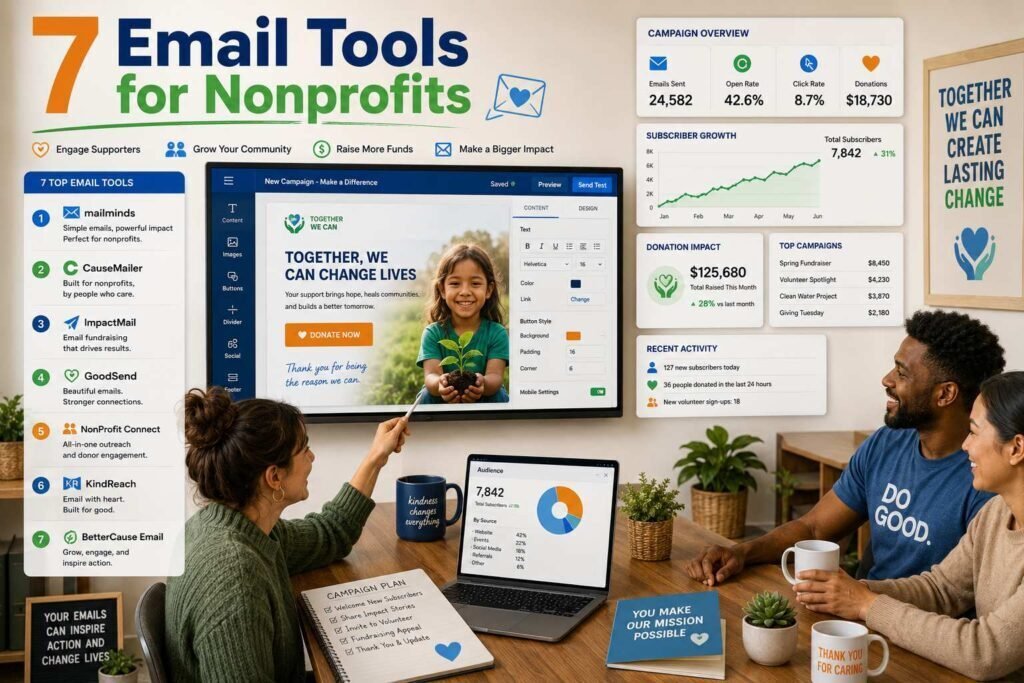
Email remains the highest-ROI channel most nonprofits have, and several major platforms offer meaningful nonprofit discounts that change the math entirely. This guide compares the leading options on what actually matters for a nonprofit: cost after discount, donor segmentation, automation for welcome and appeal sequences, and ease of use for small or volunteer-run teams.
Quick answer: For most small nonprofits, Brevo (generous free tier) or Mailchimp with its nonprofit discount is the right start. Constant Contact suits organizations that want phone support and event tools. Larger organizations with CRM needs should look at platforms tied to their donor database, such as Mailchimp + donor CRM integrations or purpose-built tools.
Key Takeaways
- Always apply for the nonprofit discount before paying list price. Mailchimp and Constant Contact both offer one (verify current terms).
- Brevo’s free tier (contact-unlimited, send-limited) fits small lists better than subscriber-priced rivals.
- Segmentation by donor status (prospect, first-time, recurring, lapsed) matters more than fancy templates.
- If you use a donor CRM (Bloomerang, Little Green Light, DonorPerfect), check its native email features and integrations first.
How to Judge a Platform as a Nonprofit
Nonprofit email has different economics than business email, so judge candidates on the factors that actually move donations. Cost after discount comes first: several platforms discount verified nonprofits meaningfully, and pricing models differ, per-contact pricing punishes big lists of small donors, while send-based pricing rewards them. Donor segmentation is second: the ability to treat prospects, first-time donors, recurring givers, and lapsed supporters differently is where email earns money. Automation is third, because welcome and thank-you sequences run around the clock with no staff time. Ease of use is fourth, since many nonprofit senders are volunteers or staff wearing five hats. Fancy templates are last; a plain email that lands in the inbox and speaks to the right segment outperforms a beautiful one sent to everyone.
Platforms at a Glance
| Platform | Best for | Free tier | Nonprofit discount (verify) |
|---|---|---|---|
| Brevo | Small lists, tight budgets | Yes, generous send allowance | Ask; free tier often enough |
| Mailchimp | All-around features + discount | Limited | Discount for verified nonprofits |
| Constant Contact | Events + phone support | Trial | Nonprofit pricing available |
| MailerLite | Clean, simple, affordable | Yes (up to ~1,000 subs) | Nonprofit discount available |
| Kit (ConvertKit) | Content-driven organizations | Yes (limited) | Ask |
| Flodesk | Design-first small orgs | Trial | Flat pricing model |
| Neon One / donor-CRM email | CRM-centric organizations | N/A | Built into CRM pricing |
1. Brevo
Best for: small nonprofits that need real features at zero cost.
Brevo prices by emails sent, not contacts stored, and its free tier includes automation, which most competitors gate. A nonprofit emailing a few thousand supporters monthly can often run entirely free. The template editor is functional rather than beautiful, and deliverability is solid when you authenticate your domain.
Pros
- Free tier includes automation
- Contact-based pricing does not punish list growth
- SMS and WhatsApp channels available
Cons
- Daily send caps on free plan
- Fewer nonprofit-specific integrations
2. Mailchimp
Best for: nonprofits that want the biggest ecosystem plus a discount.
Mailchimp offers a discount for verified nonprofits (verify the current percentage and application process on its site). You get the largest template library, strong automations, and integrations with nearly every donation platform and CRM. Watch the pricing model: Mailchimp charges by contacts, including unsubscribed ones unless archived, so clean your list regularly.
3. Constant Contact
Best for: organizations that value phone support and run frequent events.
Constant Contact’s event invitations, RSVP tracking, and live phone support suit volunteer-run organizations where nobody wants to file support tickets. Nonprofit pricing is available (verify terms). The automation builder is simpler than Mailchimp’s, which is a feature or a limitation depending on your team.
4. MailerLite, 5. Kit, 6. Flodesk, 7. Donor-CRM Email
MailerLite combines a real free tier, clean design, and a nonprofit discount, making it a strong Brevo alternative. Kit fits organizations running content-driven engagement (newsletters, courses) more than appeal-driven fundraising. Flodesk’s flat pricing benefits large lists that send simple, beautiful emails. Finally, if you run Bloomerang, DonorPerfect, Neon One, or Little Green Light, evaluate their built-in or integrated email before adding a standalone tool: unified donor data often beats a fancier editor.
The Email Sequences That Raise Money
Whatever platform you pick, a handful of automated sequences do most of the fundraising work. The welcome series introduces new subscribers to your mission over three or four emails, tells one concrete story of impact, and makes a soft first ask; subscribers are warmest in their first weeks. The first-time donor thank-you series is the highest-leverage automation in nonprofit email: prompt gratitude, a report on what the gift enabled, and later a gentle invitation to give again or go monthly, because converting one-time donors to recurring is where sustainable revenue comes from. A lapsed-donor sequence re-engages supporters who have gone quiet with a “we miss you” note and an update rather than an immediate ask. Each takes an afternoon to build and then works every day, which is precisely what a small team needs.
Writing Appeals People Actually Read
Platform choice sets the ceiling, but the writing sets the results. The appeals that perform share a pattern: one story about one person or outcome rather than statistics about programs, a specific ask tied to a concrete impact, and a single clear button rather than a menu of options. Send from a real person’s name, keep subject lines short and honest, and write like a human wrote it, because donors give to people, not to organizations. AI assistants can draft appeals and thank-yous quickly, and our marketing prompt library helps, but keep the stories true and the voice yours, and always have a human read anything before it reaches donors. Test one thing at a time, subject line or ask amount, and let your own list, not best-practice folklore, tell you what works.
The Setup That Matters More Than the Platform
- Authenticate your domain (SPF, DKIM, DMARC) or appeals will land in spam regardless of platform.
- Segment minimally but meaningfully: prospects, active donors, recurring donors, lapsed donors, volunteers.
- Automate two sequences first: a welcome series for new subscribers and a thank-you series for first-time donors.
- Send consistently: one good monthly newsletter beats sporadic bursts before year-end appeals.
Measuring What Matters
Email platforms report opens and clicks, but a nonprofit should watch the numbers closer to the mission. Track donations attributed to email, most donation platforms and integrations can tag the source, along with recurring-donor conversions from your thank-you sequence, list growth net of unsubscribes, and deliverability signals like spam complaints and bounce rates. Opens became less reliable after privacy changes in mail clients, so treat them as a rough trend rather than truth, and weight clicks and gifts instead. Review these quarterly, not obsessively: the question is whether email is warming the list and funding the work, and whether each change you test, a subject style, a send day, a story format, moves those numbers on your list rather than in someone else’s case study.
Two Real-World Scenarios
An all-volunteer animal rescue with 1,800 subscribers sends a monthly update and two appeals a year. Brevo’s free tier covers it entirely: automation for the welcome series, send allowance for the volume, and zero budget consumed. Their upgrade trigger would be daily send caps during a big campaign, not features. A mid-size food bank with 25,000 contacts, a donor CRM, and a communications manager wants segmentation tied to giving history and event promotion. Mailchimp with the nonprofit discount, integrated with their donor database, or Constant Contact if phone support and event tools matter most, earns its cost through better-targeted appeals. The pattern across sizes: start free, let real limits, not feature envy, trigger the upgrade, and keep donor data connected wherever you land.
Common Mistakes to Avoid
- Paying list price. Apply for the nonprofit discount before subscribing; the savings are real and recurring.
- Skipping domain authentication. Without SPF, DKIM, and DMARC, year-end appeals land in spam no matter the platform.
- Emailing everyone the same message. Segment by donor status; a lapsed donor and a monthly giver need different emails.
- Going silent between appeals. A steady monthly newsletter keeps the list warm; bursts of asks after silence burn it.
- Ignoring your donor CRM’s email tools. Unified donor data often beats a fancier standalone editor; check what you already own.
FAQs
Which email platform is completely free for nonprofits?
None are unconditionally free at scale, but Brevo’s and MailerLite’s free tiers carry small organizations a long way, and Mailchimp’s nonprofit discount reduces paid plans meaningfully (verify current terms).
Should we use our donor CRM’s email tool or a dedicated platform?
If your CRM’s email is adequate, unified data wins. Move to a dedicated platform when you need better automation, deliverability tooling, or design than the CRM provides, and connect the two so donation data drives segmentation.
How big should our list be before paying?
Pay when a free tier’s limits actively block you, not before. Growth solves this problem on its own schedule.
Can we switch platforms later without losing our list?
Yes. Subscribers, tags, and segments export and import cleanly between all mainstream platforms; automations and templates must be rebuilt. Warm up sending gradually on the new platform to protect deliverability, and keep your signup forms updated. The list is yours; the platform is just the tool that sends to it.
Do these platforms handle donation pages and event registration too?
Some do, partially: Constant Contact includes event tools, and several integrate with donation platforms rather than replacing them. Most nonprofits run donations through a dedicated platform or their donor CRM and let the email tool handle communication, connected so gifts flow back into segmentation. Check the specific integration with your donation stack before choosing.
How often should a nonprofit email its list?
A dependable monthly newsletter plus your appeal campaigns is a healthy baseline for most organizations. Consistency matters more than frequency: a list that hears from you regularly with stories and updates responds far better to the year-end ask than one that only hears from you when you need money.
Can AI help a volunteer-run nonprofit with email?
Yes, meaningfully. An AI assistant drafts newsletters, appeals, and thank-you notes in minutes, which is transformative when nobody has writing time. Keep a human editing for voice and accuracy, keep the stories true, and the combination gives a tiny team the output of a communications department at almost no cost.
What deliverability basics should we set up first?
Authenticate your sending domain with SPF, DKIM, and DMARC (every platform documents how), send from a consistent address, clean hard bounces and long-unengaged contacts periodically, and avoid purchased lists entirely. Those four habits protect the sender reputation that decides whether appeals reach inboxes at all.
How do we grow our email list ethically?
Put a simple signup on your site and donation flow, collect emails at events with clear permission, and offer something worth subscribing to, impact stories and program updates. Never buy lists or auto-subscribe donors without consent; a smaller list that opted in outperforms a large one that did not, in both results and reputation.
Should we send plain-text or designed emails?
Test both with your list. Many nonprofits find simple, personal-looking emails from a named sender outperform heavily designed templates for appeals, while newsletters tolerate more design. Deliverability also favors lighter emails. Let your own click and donation data decide, and keep whichever your donors respond to.
Who on our team should own email?
One named person, staff or a reliable volunteer, should own the calendar, the list health, and the sequences, even if several people write. Ownership is what keeps the monthly newsletter actually monthly, and it prevents the platform from becoming another tool nobody maintains between appeal seasons.
Our Verdict
Start with Brevo or MailerLite free tiers if budget is the constraint; choose Mailchimp with the nonprofit discount for ecosystem depth; choose Constant Contact for events and phone support. Whichever you pick, domain authentication, donor segmentation, and two automated sequences will drive more donations than any platform switch.
Related Articles
- Best Automation Tools for Small Businesses
- Best AI Tools for Marketing Teams
- HubSpot vs Salesforce for Small Businesses
Sources: official pricing pages and nonprofit program pages, checked early 2026. Nonprofit discounts require verification and their terms change; confirm before budgeting.