
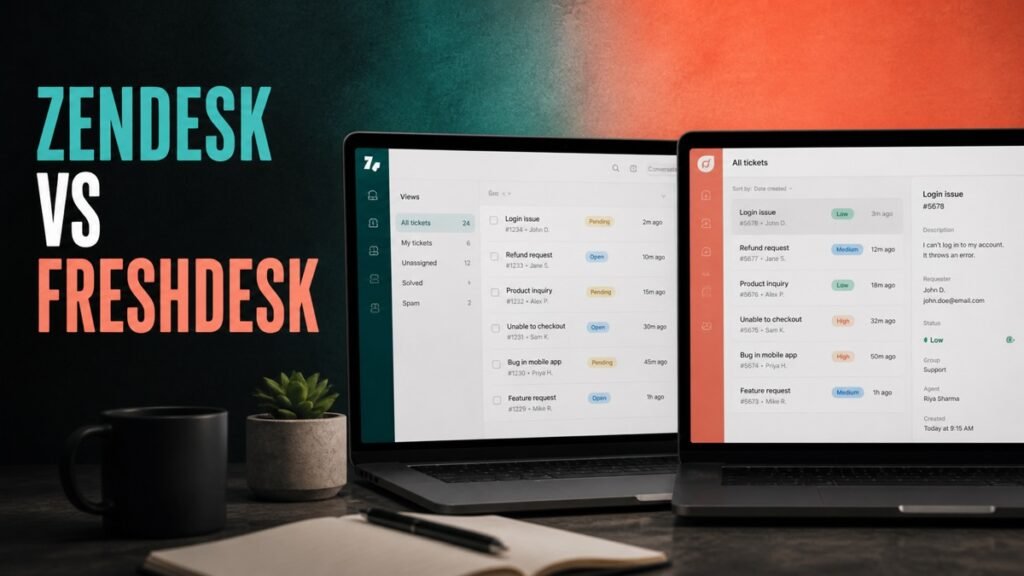
Compare Zendesk and Freshdesk using the support requests your business handles. Agent count alone does not tell you which product fits. A small team may need strict routing, while a larger team may run a simple email workflow.
Price matters after the scope is clear. Separate base ticketing, additional channels, automation, reporting and AI usage. Both product families contain plans and extras; a feature shown on a marketing page may not be included in the quoted package.
Research note: This guide uses official documentation, not a matched helpdesk trial or a cost-saving experiment. The retained header shows illustrative ticket screens, not tested accounts or actual customer conversations.
Freshdesk’s free program is time-limited
The current Freshdesk Free Program is for up to two agents for six months and applies to Freshdesk, not Freshdesk Omni. Check eligibility and the paid upgrade required afterward. The earlier article’s general promise of a usable permanent free tier was misleading.
Distinguish a free program from a product trial and from a legacy account’s terms. Use the offer available to your account when budgeting. Do not recommend either platform simply because a team falls above or below five or fifteen agents.
Define the channels and service promise
List where requests arrive: support email, a website form, chat, social messages or phone. For each one, identify the product, plan, integration and usage charge needed. Check regional phone availability and number setup if voice is essential.
The Freshdesk plan matrix separates capabilities such as reporting, routing and multiple SLA policies across tiers. Compare it with the exact Zendesk package you are offered. Base ticketing and a broader suite are different scopes.
Define first response and resolution targets, business hours, holidays and escalation ownership. Check whether a timer uses elapsed or business hours in the proposed configuration. An SLA label does not establish how the clock works.
Test requests through their full lifecycle
Prepare representative cases in an approved test environment: a normal question, an urgent issue, a reply to an old thread and a request that needs another team. Check assignment, acknowledgement, internal notes, customer-visible replies and closure.
Include a failed connection or an unassigned request. Verify who sees it and how they recover it. Check that two agents can avoid conflicting replies without accidentally exposing internal information.
If the support form is on your website, inspect it on a phone and with a keyboard. Confirm labels, validation, the success message and the destination record. A form confirmation should describe what actually happened, rather than promising a response or email that has not been configured.
Compare reporting with known records
Ask each candidate to show the reports you need in the quoted plan. Use a small set of known tickets to reconcile backlog, response time, resolution time and reopened cases. Confirm date filters, excluded statuses and time zones.
Do not assume that Freshdesk has only basic reporting or that every Zendesk plan includes every reporting tool. Check export options, permissions and whether a manager can change a report without outside help.
Budget AI by its billing unit and quality
Zendesk documents automated resolutions as an AI usage billing unit. Freshdesk’s pricing describes Freddy AI sessions and related allowances. These units are not automatically equivalent.
Request the definition of a billable event, included usage, overages, caps and escalation behavior. Model expected and busy-period volumes. Include the cost of maintaining knowledge sources and reviewing answers; an automated interaction is not cost-free.
Test questions with known answers, missing information, restricted account data and requests that need a person. Review correctness and safe handoff, not just the number labeled resolved. A help center is valuable, but documentation alone does not guarantee useful AI answers or reduced workload.
Plan migration around continuity
Inventory tickets, users, attachments, knowledge articles and business rules. Ask which items the chosen migration method supports and test a sample. Check IDs, authors, timestamps and links; separately validate routing, macros, SLAs and notifications.
Plan the support-address cutover so requests do not disappear or trigger duplicate replies. Keep controlled access to the old records, define reconciliation and set a rollback route. A fixed two-week parallel run is not appropriate for every migration.
Choose the package that passes the request, reporting and handoff checks at an acceptable full cost. For a messaging-focused alternative, use the Intercom vs Zendesk comparison and apply the same test cases.
Planning a custom connection?
If your website, CRM or support tool needs a custom API connection or internal workflow, discuss the integration scope with AdNxt. Define the data, error handling and handoff before development.