
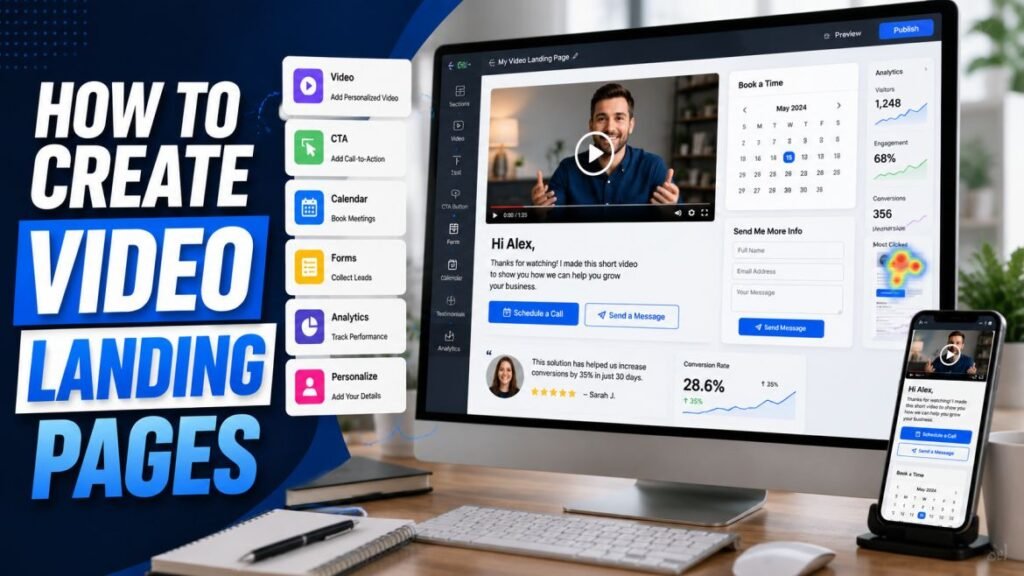
A video is far more effective when it lives on a page built to convert, not just floating in an inbox. A video landing page pairs your recording with your branding and one clear call to action, so a viewer can watch and act in the same place. Dubb creates these pages for you automatically, and you can customize them to match your brand. This guide shows you how to build a video landing page in Dubb and use it to turn views into action.
Quick answer: Every video you record in Dubb gets a hosted landing page. You add your video, apply your branding, place one clear call-to-action button such as a booking link, and share the page by email, SMS, or link. Dubb tracks who watches, so you know which viewers to follow up with. Custom branding and a custom domain are available on higher plans; verify current details on dubb.com.
Key Takeaways
- Dubb creates a hosted landing page for every video automatically.
- You can brand the page and add one clear call to action, like a booking link.
- The page keeps the viewer focused on watching and taking the next step.
- Dubb tracks engagement on the page, so follow-up is data-driven.
- Advanced branding and custom domains are on higher plans; verify on dubb.com/pricing.
Why Video Landing Pages Matter
Where a viewer watches your video shapes what they do next. A video buried in an email or a generic host offers no clear path forward. A dedicated landing page does. It presents your video front and center, free of distractions, with your branding for credibility and a single button for the next step. That focus is what turns a passive view into a booked meeting or a reply.
Landing pages also make your video shareable. A prospect can forward the page to colleagues on the buying committee, and everyone lands on the same branded, action-ready experience. That is far more powerful than a video trapped in one person’s inbox.
What You’ll Need
- A Dubb account. Landing pages come with your videos. Verify which branding and domain options your plan includes on dubb.com/pricing.
- A video to feature. A recording made in Dubb, or uploaded, depending on current options.
- Your branding assets. Logo, colors, and any links you want on the page.
- A clear goal. Decide the one action you want viewers to take.
Step 1: Record or Add Your Video
Start with the video that will headline the page. Record it in Dubb using a camera-only, screen, or hybrid format depending on your message. For a landing page tied to outreach, a personal camera video works well; for a product page, a screen walkthrough may fit better. Keep it focused and reasonably short. Our recording guide covers the fundamentals of a strong video.
Step 2: Choose and Customize the Page
Once your video is ready, Dubb generates its landing page. From there you can customize the look to match your brand. Depending on your plan, this typically includes adding your logo, setting brand colors, and adjusting the layout. Strong branding builds trust, especially for prospects who do not know you yet. Verify the exact customization options available on your plan, since advanced branding is often reserved for higher tiers.
Step 3: Add Your Call to Action
This is the most important step for conversion. Add one clear call-to-action button to the page, placed where viewers will see it as the video ends. Common CTAs are a booking link to schedule a meeting, a reply prompt, or a link to start a free trial. Resist adding several buttons; one focused action converts better than a menu of choices. Our video CTA guide explains how to choose and word the right ask for each stage.
Step 4: Personalize Where It Counts
A landing page feels far more compelling when it speaks to the specific viewer. Depending on Dubb’s current features and your plan, you may be able to personalize elements of the page, such as showing the prospect’s name. Even a personalized thumbnail and opening line in the video make the whole experience feel made for them. For scaling this across many prospects, see our personalized video at scale playbook.
Step 5: Share the Page
With your page built, share it wherever your audience is. Send it by email with a clickable thumbnail, drop the link into a LinkedIn message, or send it by SMS. Because everything lives on the page, the viewer gets the same branded, action-ready experience no matter how they arrive. Verify the current sharing options on your plan.
Step 6: Track Engagement
Once the page is live, Dubb tracks how viewers interact with it: who watched, how far they got, and whether they clicked your CTA. This data tells you which prospects are engaged and worth a timely follow-up. A viewer who watched the whole video and clicked the booking button is a hot lead; one who watched halfway may need a different angle. Learn to read these signals in our guide to tracking engagement in Dubb.
Use Cases for Video Landing Pages
- Sales outreach: a personal video with a booking link to earn a meeting.
- Proposal delivery: a walkthrough with a next-step button for the buyer.
- Product explainers: a demo with a start-a-trial CTA.
- Event or webinar invites: a personal invite with a register button.
- Customer onboarding: a welcome video with a link to the next step.
Tips for Higher-Converting Pages
- Keep the page focused. One video, one CTA, minimal distractions.
- Brand it. Your logo and colors build trust and look professional.
- Lead with a strong video. The page only works if the video earns attention.
- Make it mobile friendly. Many viewers will open it on a phone.
- Test different CTAs. Small changes to the ask can lift conversions.
Common Mistakes to Avoid
- Too many buttons. Multiple CTAs split attention. Choose one.
- No branding. A generic page undercuts trust, especially with cold prospects.
- Burying the CTA. Keep it visible so a convinced viewer can act instantly.
- A weak video. No page design saves a video that fails to engage.
- Ignoring the analytics. The engagement data is your follow-up roadmap.
The Anatomy of a High-Converting Page
A video landing page converts when every element points the viewer toward one action. Understanding the parts helps you build better pages.
At the top sits the video, front and center, playing without clutter around it. The video has to earn attention, so it should open with a strong, relevant hook. Below or beside it is your branding, your logo and colors, which signals credibility and reassures a prospect that the page is legitimate. Then comes the single call-to-action button, placed where the viewer will see it as the video ends and visible enough that a convinced viewer never has to hunt for it. Optional personalization, such as the prospect’s name on the page, deepens the sense that the message was made for them. Everything else is a distraction, so a good page leaves it out.
The discipline is subtraction. Every extra link or button you remove increases the odds the viewer takes the one action you actually want. Our video CTA guide covers how to choose and word that single action.
Landing Pages Versus Plain Video Hosting
It is worth understanding why a landing page beats simply hosting a video somewhere. A plain video host gives you a player and little else. There is no branding to build trust, no clear next step to capture interest, and often no meaningful tracking. A viewer watches, feels mildly interested, and then closes the tab because there is nowhere to go.
A video landing page closes that gap. It wraps the video in your brand, presents one obvious action, and measures what the viewer does. That difference, between a video that simply gets watched and one that drives a booked meeting, is exactly what a purpose-built page provides. It is the reason sales teams use a tool like Dubb rather than dropping a raw video link into an email.
Examples by Team
Different teams use video landing pages in different ways. A sales rep sends a personal video with a booking link to turn outreach into meetings. A marketer builds a page around a product explainer with a start-a-trial button. A customer success manager shares an onboarding walkthrough with a link to the next setup step. A recruiter sends a role-overview video with an apply-or-reply button. In every case, the pattern is the same: a focused video, clear branding, one action, and tracking to guide follow-up.
Getting Started With Your First Page
You do not need a big project to begin. Pick one high-value use case, such as your next proposal, and build a single page for it. Record a short, focused walkthrough, apply your branding, add one clear call to action, and share the link instead of an attachment. Then watch the engagement data to see how viewers respond. Once you see the difference a focused page makes, you can build pages for your other common situations, from cold outreach to onboarding, with confidence.
Frequently Asked Questions
Does every Dubb video get a landing page?
Yes. Dubb hosts each video on a page you can customize and share. This is what lets you add a call to action and track engagement, which a plain video file cannot do.
Can I use my own branding and domain?
Custom branding and a custom domain are available, typically on higher plans. Verify exactly what your plan includes on dubb.com/pricing before relying on these features.
Can I add a booking link to the page?
Yes. A booking link is one of the most effective calls to action for a sales video landing page, letting an interested viewer schedule a meeting in one click.
Can viewers share the page?
Yes, and that is a strength. A prospect can forward the page to colleagues, so the whole buying committee sees the same branded, action-ready experience.
Make Pages Fast and Mobile-Friendly
Many prospects will open your video landing page on a phone, often between meetings or on the move. That makes speed and mobile design essential. A page that loads slowly or looks broken on a small screen loses the click you worked to earn. Before you rely on a page for important outreach, open it on your own phone and confirm the video plays smoothly, the branding looks right, and the call-to-action button is easy to tap. A page that works everywhere converts more of the viewers you send it to, and it reflects well on your professionalism.
Test and Improve Your Pages
A landing page is not something to set once and forget. Treat it as something you refine based on how viewers respond. Test one element at a time so you know what caused a change. Try a different call-to-action wording, such as a booking link against a simple reply request. Test whether adding personalization lifts conversions. Compare a shorter video against a longer one on the same page. Give each version a fair sample of views, keep the winners, and retire the rest. Because Dubb tracks watch data and CTA clicks, you can see clearly which version drives more action. Small, steady improvements to your pages compound into a meaningfully higher conversion rate over time, and they apply to every future page you build.
Conclusion
A video landing page turns a simple recording into a focused, branded, trackable sales asset. With Dubb, the page is built for you; your job is to feature a strong video, brand the page, add one clear call to action, and share it where your audience is. Then let the engagement data guide your follow-up. Build a landing page for your next proposal or outreach video and share the link instead of a plain attachment, then watch how much more engagement a focused, branded page earns.
Want branded video landing pages with built-in CTAs and tracking? Start free with Dubb and create your first video landing page today.