
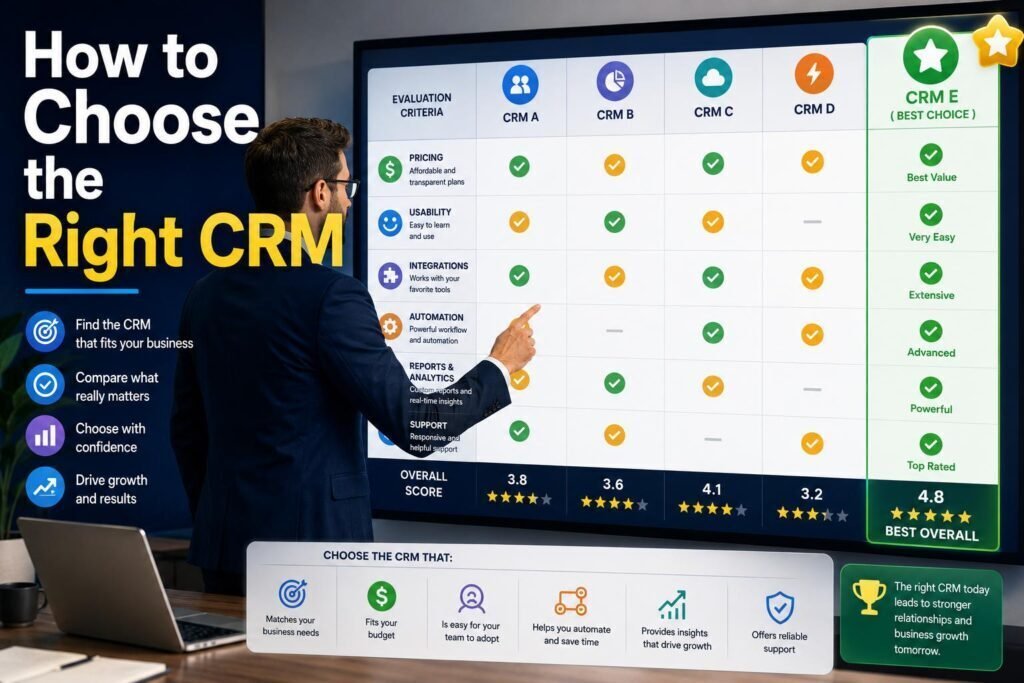
Most CRM failures are not tool problems; they are choosing and setup problems. Pick the wrong fit or roll it out badly and the team quietly goes back to spreadsheets. This guide walks through choosing the right CRM for your situation and setting it up so it actually gets used. For the shortlist itself, see our best CRM software guide.
Key Takeaways
- Define your must-have workflows before looking at any tool. The CRM serves your process, not the reverse.
- Shortlist two or three, then trial with real data and your real team.
- Setup priorities: clean data, a simple pipeline, and integrations with email and calendar.
- Adoption is the whole game. A simple CRM everyone uses beats a powerful one they avoid.
Why CRM Projects Fail (and How This Guide Prevents It)
Industry surveys have long found that a large share of CRM initiatives disappoint, and the pattern behind the failures is remarkably consistent. The tool gets chosen on brand or feature count rather than fit. Data arrives messy, so nobody trusts the reports. Setup front-loads complexity, dozens of required fields and elaborate stages, so logging a call feels like filing taxes. And no one owns adoption, so within a quarter the real pipeline lives in a spreadsheet again while the subscription quietly renews. None of these are software defects; they are process mistakes, which is good news, because process mistakes are preventable. The five steps below are designed as an antidote to each: define needs first, trial honestly, start simple, connect the tools that remove typing, and treat adoption as the actual project.
Step 1: Define What You Actually Need
Write down the workflows the CRM must support: capturing leads, tracking deals, following up, reporting. Note your team size, technical comfort, budget, and the tools it must connect to (email, calendar, accounting). Distinguish must-haves from nice-to-haves. Industry-specific needs matter: field service and real estate are better served by specialized tools (see our plumbing and real estate CRM guides).
Step 2: Shortlist Two or Three
Match your needs to a short list. For most small businesses that means an easy all-rounder (HubSpot) or a sales-focused pipeline (Pipedrive); larger or more complex needs point to Zoho or Salesforce (weigh the tradeoffs in our HubSpot vs Salesforce comparison). Do not shortlist more than three; you will never finish comparing.
Budgeting: What a CRM Really Costs
Price the whole project, not the license line. The subscription itself typically runs $15 to $30 per user per month for mainstream small-business tools, more as tiers climb, and free tiers from HubSpot and others are genuinely usable for getting started. On top of that, budget the setup time, days for simple tools, weeks or more for customizable suites, plus any migration help, training hours, and paid add-ons like phone or marketing modules. Watch the tier trap: the features that motivated the purchase often sit one level above the advertised price, so find the exact tier containing your must-haves and compare those numbers. Finally, model at next year’s headcount, since per-seat pricing compounds as you hire. A realistic total keeps the project honest and prevents the mid-year surprise that sours teams on the whole system.
Step 3: Run a Real Trial
- Use the free trial or free tier, not just the demo.
- Load real (or realistic) data, not the sample set.
- Have the actual users try their daily tasks for a week.
- Score each tool on ease of use, fit, and whether the team liked it.
The team’s honest reaction predicts adoption better than any feature checklist.
Step 4: Set It Up Properly
| Setup task | Why it matters |
|---|---|
| Import clean data | Garbage in means a CRM nobody trusts. Dedupe first. |
| Build a simple pipeline | Start with a few clear stages; add complexity later. |
| Connect email and calendar | Auto-logging activity is what makes a CRM stick |
| Set required fields sparingly | Too many required fields kills adoption |
| Turn on basic automation | Auto-assign leads and follow-up reminders |
Migrating Data Without Importing Chaos
The import step deserves more care than it usually gets, because a CRM seeded with junk is distrusted from day one. Before touching the new tool, consolidate your sources, spreadsheets, inboxes, the old system, into one export. Deduplicate on email and phone, standardize company names and field formats, and archive contacts that are truly dead rather than dragging them along. Decide your field mapping deliberately: which columns become standard fields, which become tags, and which are not worth keeping. Import a small batch first, check it landed correctly, then run the rest. Bring deals and their stages across, but recreate automations natively rather than trying to port them. A clean import takes an afternoon; an unclean one costs months of “is this record even right?” every time someone opens the tool.
Automation and AI: After the Basics Work
Modern CRMs ship real automation and AI, and the right time to use them is after the simple pipeline is running. Start with the automations that remove typing: auto-logged email and calls, lead auto-assignment, and follow-up reminders when a deal sits idle. Then add the AI conveniences most platforms now include, drafted follow-up emails you review before sending, summaries of a contact’s history before a call, and lead scoring that surfaces who deserves attention today. What you should not do is architect elaborate multi-branch workflows in week one, because automating a process you have not validated just accelerates mistakes. Let the team work the simple system for a month, notice what they repeat manually, and automate exactly that. The CRM should feel like it is quietly doing chores for the team, not supervising them.
Step 5: Drive Adoption
- Train the team on their real workflows, not a generic tour.
- Make the CRM the single source of truth; retire the spreadsheet.
- Lead by example: managers who live in the CRM get teams that do too.
- Review usage after 30 days and fix friction points.
Two Real-World Scenarios
A five-person consultancy whose deals come from referrals and follow-up needs contacts, a three-stage pipeline, and reminders, nothing more. They trial HubSpot free and Pipedrive for a week each, the team prefers one, data imports in an afternoon, and by month two the spreadsheet is gone. Total cost: modest, and the payoff is follow-ups that stop slipping. A thirty-person distributor with quoting rules, territories, and an ops manager shortlists Zoho and Salesforce instead, budgets for implementation help, and plans a phased rollout by team. Their project takes a quarter and costs real money, and it is still cheaper than the failed generic rollout they tried the year before. The steps in this guide are the same for both; only the scale of each step changes.
Your First 90 Days, Mapped
A realistic rollout has a rhythm. Weeks 1-2: define needs, shortlist, and start trials with real data and real users. Weeks 3-4: decide, import cleaned data, build the simple pipeline, and connect email and calendar. Month 2: the whole team works live in the CRM, the old spreadsheet is retired, and managers run pipeline reviews from the tool so it becomes the single source of truth. Turn on the first automations, assignments and reminders, as repetition appears. Month 3: review usage honestly, fix the friction the team reports, prune fields nobody fills, and add the one or two reports leadership actually reads. By day 90 the CRM should be the default place work happens, and the measure of success is simple: nobody is maintaining a shadow spreadsheet anymore.
Appoint an Owner and Keep It Healthy
Every CRM that stays useful has one person who owns it, not as a full-time job, but as a clear responsibility. The owner fields “how do I” questions, maintains the pipeline stages and fields as the business evolves, watches for duplicate creep and stale deals, and prunes anything the team stopped using. They also run the periodic health check: a quarterly half-hour reviewing usage, data quality, and whether reports still answer the questions leadership asks. Without an owner, small frictions accumulate silently until the team routes around the system; with one, the CRM keeps fitting the business as it changes. In a small company this is a few hours a month, and assigning it explicitly on day one is one of the cheapest insurance policies in the whole rollout.
Common Mistakes
- Choosing on features instead of fit and adoption.
- Importing messy, duplicated data.
- Over-configuring: too many fields and stages on day one.
- No clear owner responsible for keeping it healthy.
FAQs
What is the easiest CRM to set up?
HubSpot is the most beginner-friendly, with a real free tier and fast setup. See the CRM guide for alternatives.
How long does CRM setup take?
Simple tools: a few days to a week. Complex platforms like Salesforce: weeks to months. Budget setup time, not just license cost.
Should I hire help to set up my CRM?
For simple tools, no. For Salesforce or heavily customized setups, a specialist often pays for itself by avoiding a botched rollout.
When is the right time to switch CRMs rather than fix the current one?
Fix first: most complaints trace to messy data, over-configuration, or missing integrations, all repairable in place. Switch when the tool genuinely cannot model your process, when costs have outgrown the value, or when the team has irreversibly rejected it. If you do switch, apply this guide from step one; the second rollout only goes better if the process does.
Should we migrate everything from our old CRM or start fresh?
Bring contacts, companies, open deals, and essential history; leave behind stale records, abandoned custom fields, and automations that no longer match how you sell. A migration is a rare chance to shed accumulated clutter, and a leaner, trusted database drives adoption far better than a complete but messy one.
How do I measure whether the CRM is working?
Watch three signals: usage (is every deal and activity actually logged), speed (are leads contacted faster and follow-ups no longer slipping), and trust (do managers run forecasts from CRM reports without double-checking a spreadsheet). If those three hold after 90 days, the system is paying for itself; if not, fix the friction rather than shopping for another tool.
Can a solo founder or tiny team skip the process and just start?
Mostly, yes. Pick a free tier, import your contacts, make three pipeline stages, connect email, and build the habit of logging everything. The heavier steps in this guide, scoring trials, adoption programs, exist for teams; a solo user’s whole adoption program is personal discipline, and starting simple today beats planning for a month.
What if the team still avoids the CRM after rollout?
Diagnose before blaming the tool. Usually one of three culprits: the CRM demands too much typing (cut required fields, add auto-logging), it is not the source of truth (run meetings and forecasts from it), or leadership is not visibly using it (fix that first). If friction remains after honest simplification, switching to an easier tool is a legitimate answer, and your cleaned data makes that move cheap.
Do I need different pipelines for different products or services?
Only when the sales processes genuinely differ. If two offerings move through the same stages, one pipeline with a field for product keeps reporting simple. Create a second pipeline when stages, timelines, or owners truly diverge, such as new business versus renewals. Start with one; splitting later is easy, while merging over-engineered pipelines is tedious.
What integrations should I connect first?
Email and calendar, immediately, since auto-logged activity is what makes the CRM trustworthy without typing. Then your lead sources, website forms and ad platforms, so nothing arrives by copy-paste. Accounting and marketing integrations can wait until the core habit is established.
Bottom Line
Define your workflows first, trial two or three tools with real data and real users, set up clean data and a simple pipeline, and obsess over adoption. A CRM only pays off when the team actually uses it. Start your shortlist with our best CRM software guide.
Related Articles
- 15 Best CRM Software Platforms
- HubSpot vs Salesforce for Small Businesses
- How to Automate Repetitive Tasks With AI
Sources: official vendor documentation and pricing, checked early 2026. Verify current pricing before subscribing.