
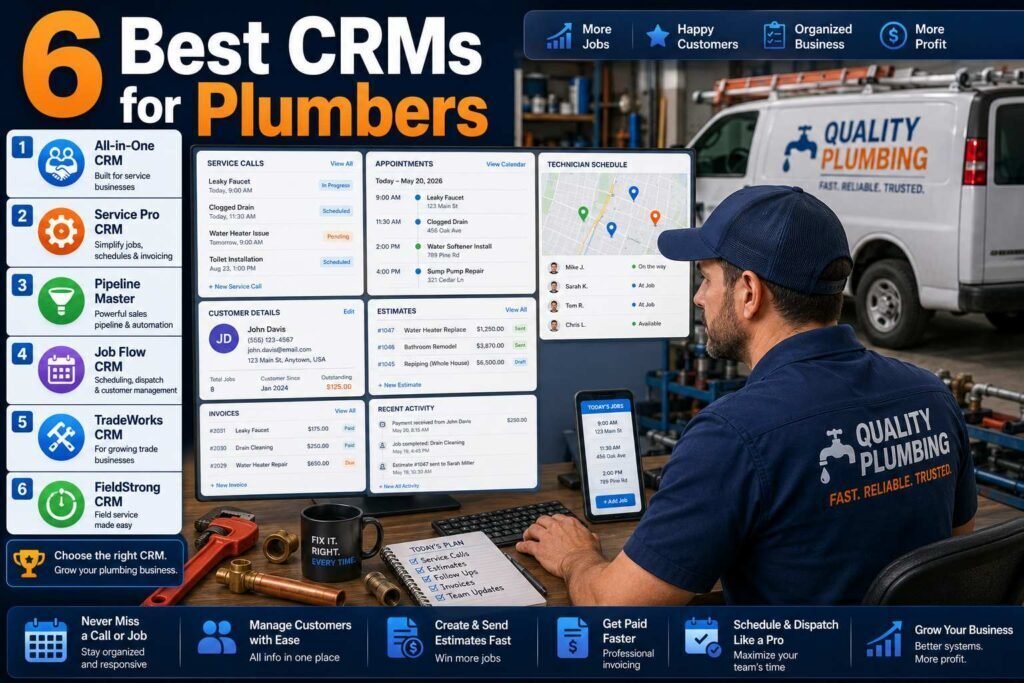
A plumbing business does not need a generic sales CRM. It needs scheduling, dispatch, quotes, invoicing, payment collection, and review requests in one place, with an app your techs will actually use from a crawlspace. That category is called field service management (FSM), and it is what this guide compares.
Quick answer: Most plumbing companies with 1-10 techs should choose Housecall Pro or Jobber. Larger shops doing commercial work or running 10+ trucks should evaluate ServiceTitan. If you mostly need estimates and invoices with light scheduling, Joist or QuickBooks-based workflows can carry you until you grow.
Key Takeaways
- Buy field service software, not a sales CRM. Salesforce and HubSpot are the wrong shape for residential service work.
- Housecall Pro and Jobber win for small shops on price, ease, and tech adoption.
- ServiceTitan is the industry heavyweight: most powerful, most expensive, longest setup.
- The best predictor of success is whether your techs actually use the mobile app. Trial with your least technical tech.
Why Field Service Software, Not a Sales CRM
The single most expensive mistake plumbing owners make with software is buying a famous sales CRM and trying to bend it into a dispatch board. A sales CRM models pipelines: leads move through stages toward a close. A plumbing business runs on a different loop entirely: a call comes in, a job gets scheduled and dispatched, a tech arrives (with the customer texted on the way), work gets quoted or done, an invoice gets paid on the spot, and a review request follows. Field service management software is built around exactly that loop, with the schedule at the center and a mobile app techs use from the job site. That is why every tool in this guide is an FSM, and why the “CRM” your plumbing company needs looks nothing like the one a software sales team uses.
How We Evaluated
Per the AdNxt Review Methodology, we compared scheduling and dispatch, quoting and invoicing, payments, customer communication (on-my-way texts, review requests), QuickBooks sync, mobile app quality, and total cost. Pricing was checked on official pages as of early 2026 and changes often, especially per-tech pricing. Verify before committing.
Comparison at a Glance
| Software | Best for | Starting price (verify) | Free trial |
|---|---|---|---|
| Housecall Pro | Small residential shops that want easy | About $59-79/month (1 user) | Yes |
| Jobber | Small teams that want clean workflows | About $39-69/month (1 user) | Yes |
| ServiceTitan | 10+ techs, commercial, serious ops | Custom (typically $300+/tech/month) | Demo |
| FieldEdge | Established shops wanting flat-rate pricing tools | Custom | Demo |
| Workiz | Budget-conscious small teams | About $45/month entry | Yes |
| Joist | Solo plumbers: estimates and invoices only | Free; paid from about $14/month | Yes |
1. Housecall Pro
Best for: residential plumbing companies with 1-10 techs that want the shortest path to organized.
Housecall Pro covers booking, drag-and-drop scheduling, dispatch, estimates, invoicing, card payments, automated review requests, and customer texts. Setup is fast, the mobile app is one of the easiest for techs to adopt, and the online booking widget converts website visitors into scheduled jobs.
Pricing: entry plans around $59-79/month for one user, rising with users and features like advanced reporting (as of early 2026; verify).
Pros
- Fast setup, high tech adoption
- Strong review-request automation
- Good QuickBooks integration
Cons
- Per-user pricing climbs with team size
- Reporting is basic on lower tiers
2. Jobber
Best for: small service teams that want clean quoting-to-payment workflows.
Jobber is Housecall Pro’s closest rival, with a cleaner interface, excellent quote approval and follow-up automation, client hub for customers, and solid scheduling. It serves many home-service verticals rather than leaning HVAC/plumbing specific, which keeps it simple but means fewer trade-specific extras like flat-rate price books.
Pricing: from about $39-69/month for one user depending on plan and billing cycle (verify current tiers).
Pros
- Excellent UX, minimal training
- Quote follow-ups recover real revenue
- Fair entry pricing for solos
Cons
- No native flat-rate price book
- Advanced automations gated to top tiers
3. ServiceTitan
Best for: plumbing companies with 10+ techs, commercial contracts, or aggressive growth plans.
ServiceTitan is the enterprise standard for the trades: capacity planning, dispatch optimization, flat-rate price book integrations, call recording and booking analytics, marketing attribution, payroll and job costing. The tradeoff is cost (custom pricing, commonly cited in the hundreds per tech per month) and an onboarding that takes weeks, not days. Underused, it is expensive shelfware; fully adopted, it runs the whole company.
4. FieldEdge, 5. Workiz, 6. Joist
FieldEdge targets established HVAC/plumbing shops with strong flat-rate pricing tools and QuickBooks depth (custom pricing). Workiz undercuts the leaders on price (entry around $45/month) with solid scheduling and phone features, a good fit for budget-conscious teams that can accept a rougher interface. Joist is for solo operators who need professional estimates, invoices, and payments now (free tier; paid from about $14/month) and will graduate to an FSM later.
The Features That Pay for Themselves
A few FSM capabilities have such direct revenue impact that they justify the subscription on their own. On-my-way texts and automated appointment reminders cut no-shows and make customers feel handled. Card payment on site collects while the tech is still standing in the kitchen, which shortens the cash cycle dramatically versus mailed invoices. Automated review requests after completed jobs steadily build the Google presence that drives new calls, on autopilot. And quote follow-up automation recovers jobs that would otherwise die in a homeowner’s inbox; a polite nudge three days after an estimate wins back real revenue. When you trial the shortlist, set these four up first, because they are where the software stops being a cost and starts being a growth tool.
What It Really Costs as You Grow
FSM pricing follows a pattern worth understanding before you commit. Small-shop tools price per user or in team bundles, so a solo entry price in the tens of dollars becomes a few hundred a month by the time five techs and the office are on it, and the features that matter most, advanced automations and reporting, often sit in upper tiers. ServiceTitan and FieldEdge quote custom prices, commonly cited in the hundreds per tech per month, plus onboarding, which is why they only make sense at a scale where dispatch efficiency and job costing move real money. Model your cost at next year’s headcount, ask what happens to the price at renewal, and weigh it against what the software recovers: one saved no-show a week or a few recovered quotes a month typically covers a small-shop subscription outright.
A One-Week Trial Plan That Settles It
Because Housecall Pro and Jobber are genuinely close, the fastest way to decide is a structured trial rather than more reading. Run both for one week on real work. Days one and two: import a handful of customers, build your service list, and connect QuickBooks. Days three to five: run every new job through the app, office scheduling, tech dispatch, on-site invoicing and payment, with your least technical tech involved. Days six and seven: turn on review requests and quote follow-ups, then compare notes. Judge three things only: which app your techs preferred, which workflow fit how your jobs actually run, and which felt fastest from call to paid invoice. Pick the winner and commit; either is a sound choice, and momentum beats another month of deliberation.
Getting Your Techs to Actually Use It
Every one of these platforms fails the same way: the office loves it and the techs will not touch the app, leaving you with half a system and double the data entry. Prevent that from day one. Involve your least technical tech in the trial, because if the app works from a crawlspace with gloves on for that person, it works for everyone. Keep the required workflow minimal at first, clock the job, take the payment, get the signature, and add complexity only after the habit forms. Show the crew what is in it for them: less paperwork, clear schedules, addresses and job history in their pocket, and no end-of-day invoicing pile. And make the system the only path to getting paid for a job, which does more for adoption than any training session.
Which Should You Choose?
- Solo plumber, just getting organized: Joist now, Jobber when you hire.
- 2-5 techs, residential: Housecall Pro or Jobber. Trial both for a week; pick the one your techs prefer.
- 5-10 techs, growth mode: Housecall Pro’s or Jobber’s upper tiers; start evaluating ServiceTitan.
- 10+ techs or commercial: ServiceTitan, with FieldEdge as the comparison quote.
Common Mistakes to Avoid
- Buying a sales CRM for service work. Salesforce and HubSpot are the wrong shape; buy field service software.
- Signing annual contracts before a real trial. Run your actual jobs through the shortlist for a week with your techs first.
- Buying ServiceTitan before you have the scale. Underused, it is expensive shelfware; the small-shop tools cover you until 10+ techs.
- Skipping the automations. Review requests, reminders, and quote follow-ups are the revenue features; turn them on in week one.
- Ignoring QuickBooks sync setup. Map items and taxes properly at the start or your books and your FSM will drift apart.
FAQs
Can I just use QuickBooks as my CRM?
QuickBooks handles invoicing and accounting, not scheduling, dispatch, or customer communication. Most shops pair QuickBooks with an FSM; every tool above syncs with it.
Why not Salesforce or HubSpot?
They are built for sales pipelines, not same-day dispatch and job workflows. You would spend more customizing them than an FSM costs. See our HubSpot vs Salesforce comparison for where those tools do fit.
How long does switching take?
Housecall Pro or Jobber: expect one to two weeks of parallel running. ServiceTitan: plan for one to three months of onboarding with a dedicated internal owner.
Do these platforms handle recurring maintenance agreements?
Yes, at different depths. The small-shop tools handle recurring jobs and reminders well enough for basic maintenance plans, while ServiceTitan and FieldEdge offer full membership and agreement management with renewals and member pricing. If service agreements are a core revenue line for you, weigh that capability heavily in the decision.
Will my customer data transfer if I switch tools later?
Customers, jobs, and basic history export and import between mainstream FSMs, though automations and settings must be rebuilt. Keep your data tidy, consistent names, phones, and addresses, and any future migration stays a project rather than a crisis. It is another reason to pick deliberately now with a real trial.
Do these tools help me get more plumbing jobs?
Indirectly and meaningfully. Online booking converts website visitors into scheduled work, automated review requests grow the Google reputation that drives calls, and quote follow-ups recover estimates that would have gone cold. None of it replaces marketing, but an FSM turns more of the demand you already have into completed, paid jobs.
What about answering calls and after-hours inquiries?
Several platforms include or integrate phone features: call tracking, recording, and booking analytics on the high end, and simpler call-to-job workflows on small-shop tools. Pair your FSM with a reliable answering process, human or service, because the software can only schedule the calls that get answered.
Can I run one of these alongside my existing spreadsheet system?
Briefly, yes, and you should: one to two weeks of parallel running is the safest migration. But set an end date. The value appears when the FSM becomes the single source of truth for schedule, jobs, and payments, and split systems double your admin instead of halving it.
Do these tools work for HVAC, electrical, and other trades too?
Yes. Everything in this guide applies across home services; the same platforms serve HVAC, electrical, garage door, and appliance repair businesses with the same scheduling, dispatch, and invoicing loop. The prioritization even holds: small-shop tools first, ServiceTitan at scale.
Our Verdict
For most plumbing businesses, Housecall Pro is the safest pick, with Jobber a coin-flip alternative that some teams prefer for its cleaner interface. ServiceTitan is the right call only when your scale justifies its cost and setup. Whatever you choose, run a real trial with your techs before signing an annual contract.
Related Articles
- Best CRM for Real Estate Agents
- Best Automation Tools for Small Businesses
- Best Payroll Software for Construction Companies
Sources: official vendor pricing and documentation pages, checked early 2026. Per-tech pricing varies by negotiation; always get current quotes.