
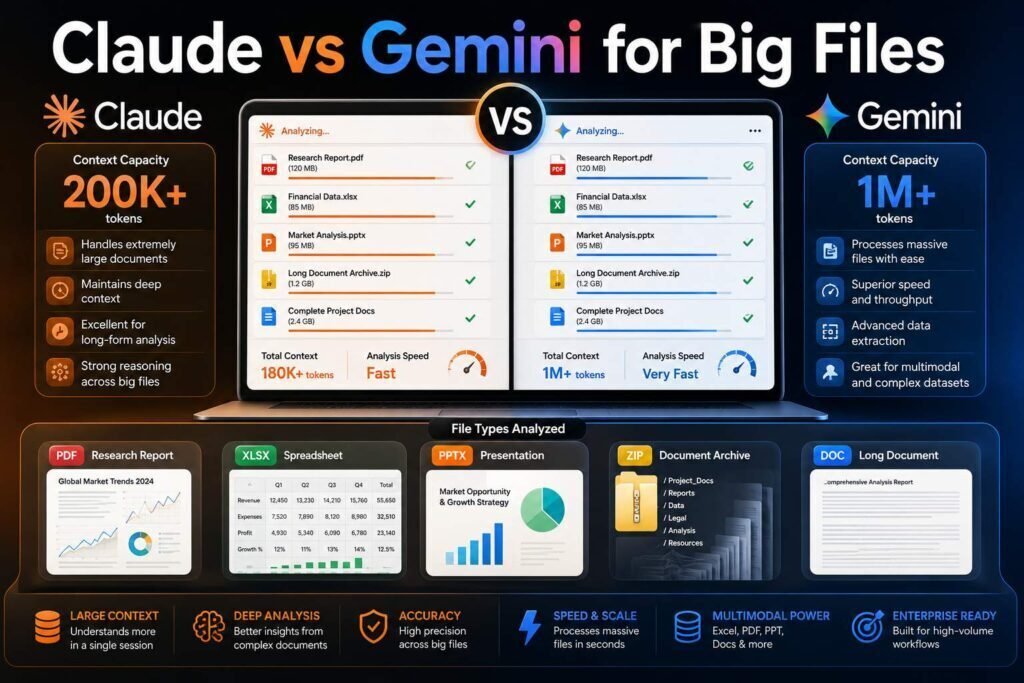
Uploading a 300-page contract, a book manuscript, or a year of meeting notes is exactly where AI assistants diverge most. Claude and Gemini both advertise long-context strength, but they behave differently in practice. This comparison covers what actually matters: how much they hold, how accurately they retrieve from the middle of big files, what each costs, and how to work with long documents safely.
Quick verdict: Gemini typically offers the larger advertised context window and generous free access, making it the volume choice. Claude is widely preferred for careful reading quality: nuanced summarization, faithful quoting, and less tendency to gloss over details in professional documents. Many heavy users keep both: Gemini for bulk, Claude for precision.
Key Takeaways
- Advertised context size and usable comprehension are different things. Test with your own documents.
- Gemini’s long-context capacity and free tier make it best for very large or many files.
- Claude is the pick when accuracy of interpretation matters more than raw capacity (contracts, research, editing).
- Both tools can miss or misread details in long files. For high-stakes documents, verify quotes against the source.
How to Test This Yourself
Do not choose on headline context-window numbers, because capacity and comprehension are not the same thing. Take one representative document from your own work, ideally a long, dense one, and ask both tools the same three questions: a broad summary, a specific detail buried in the middle, and an exact quote of a particular clause or passage. Then check the answers against the source. Within twenty minutes you will know which tool reads your kind of material carefully and which one skims, which is far more useful than any advertised figure. The sections below explain what to watch for as you run that test.
Head to Head
| Dimension | Claude | Gemini |
|---|---|---|
| Context window | Very large (verify current size for the model you use) | Typically the largest advertised in the market (verify) |
| Reading quality on dense documents | Excellent; careful, faithful summaries | Good; can skim details in dense material |
| File types | PDF, DOCX, CSV, code, images | PDF, Docs, Sheets, images, audio, video |
| Ecosystem | Projects, API, Claude Code | Deep Google Workspace integration (Docs, Drive, Gmail) |
| Free tier | Limited daily usage | Generous, including long-context access |
| Paid entry | About $20/month | About $20/month (Google One AI tiers) |
Model capabilities change every few months. Details above reflect early 2026; verify current model specs on both vendors’ sites, and treat any static comparison (including this one) as a snapshot.
Context Windows: Capacity vs Comprehension
Both assistants accept documents that would have been unthinkable two years ago, and Gemini has consistently pushed the largest advertised windows. But long-context research keeps showing the same pattern across models: retrieval accuracy tends to degrade in the middle of very long inputs. In practice this means the real question is not “does it fit?” but “does it still notice clause 47.3 on page 212?” A bigger window lets you paste more without splitting the file, which is genuinely useful, but it does not guarantee the model weighs every part equally. For high-stakes work, ask either tool to quote exact passages and check them against the source.
Summarization Quality
Claude’s summaries of dense professional material such as contracts, academic papers, and technical specs tend to preserve qualifications and exceptions that matter, where faster summarizers flatten them into generic bullet points. Gemini’s summaries are strong and fast, particularly on structured documents, but users working with legal and research material more often report preferring Claude’s care. This is a tendency, not a law: run both on one representative document from your own work before deciding, and pay attention to whether the summary keeps the “except when,” “provided that,” and “not later than” details that change a document’s meaning.
Retrieval and Question-Answering
For “find every mention of termination rights” tasks, both perform well on moderate documents. On very long or multiple combined files, Gemini’s capacity advantage shows, while Claude tends to be more conservative, saying it is unsure rather than confabulating. A wrong-but-confident answer is the worst outcome for document work, which weighs in Claude’s favor for anything with consequences. When you run these retrieval tasks, ask for the exact location or quote behind each answer; a tool that can point you to the right page is far more useful than one that gives a fluent summary you cannot verify.
File Types and Multimodality
The two differ in what they will even accept. Claude handles PDFs, documents, spreadsheets, code, and images, which covers most professional document work. Gemini adds audio and video as native inputs, so if your “long document” is really a two-hour recording or a video, Gemini can work with it directly while Claude cannot. Match the tool to your source material: for text-and-image documents, both are options and reading quality decides; for audio and video, Gemini is the practical choice, and you can always move its transcript into Claude afterward for careful analysis.
Ecosystem Fit
If your documents live in Google Drive, Gemini’s integration is decisive: it works inside Docs, summarizes Drive files in place, and connects to Gmail, so the document never has to leave the environment it already lives in. Claude counters with Projects, which are persistent document workspaces with instructions, and the strongest developer tooling for building document pipelines via API. For a team whose files live in Workspace, Gemini removes friction; for a developer building a repeatable document-processing workflow, Claude’s API and Projects are the stronger base. See our ChatGPT alternatives for developers guide for the coding side.
Pricing
Both start free and land at about $20/month for individual paid tiers, with higher tiers for heavy usage (verify current pricing on both sites). For long-document work specifically, Gemini’s free tier is the most generous entry point, which matters when you are processing many large files. Claude’s paid tier earns its cost when reading quality saves you a re-check on a document you are accountable for. As always, confirm current pricing and tier limits on the official pages before budgeting, since both change several times a year.
A Safe Workflow for Long Documents
Whichever tool you use, a simple workflow keeps you out of trouble. Start with a structural pass: ask for the outline and the main claims, so you understand the shape before the details. Then drill into the sections that matter for your decision, asking targeted questions rather than one giant “summarize everything.” For anything you will sign, cite, or be accountable for, require exact quotes and verify them against the source yourself. Finally, keep the original open; the assistant is there to accelerate your reading and point you to the right passages, not to replace the read on high-stakes material.
Working With Many Files at Once
Long-context work is not only about single giant files; often it is about many documents at once, such as a data room, a stack of research papers, or a quarter of email. This is where Gemini’s capacity advantage tends to show, letting you load a large combined corpus and ask questions across all of it. Claude handles multi-file work well too, particularly through Projects, which keep a set of documents and your instructions together across sessions. For either tool, combined analysis raises the stakes on verification: when an answer draws on several sources, ask which document and passage it came from, and confirm that specific claim against the original before you rely on it.
What This Means for High-Stakes Documents
If the document could lead to a signature, a filing, a citation, or a financial decision, treat the AI as a fast first reader rather than the final word. Both tools are genuinely useful for orientation: they tell you what a long document contains, surface the sections you need, and draft a summary you can react to. What they cannot do is carry the accountability, and a confident summary that quietly drops an exception or misreads a figure is exactly the failure mode that matters most here. The professionals who use these tools well get faster and more thorough without getting careless, because they let the assistant accelerate the read and still verify the passages that carry consequences.
Which Should You Use?
- Lawyers, researchers, editors: Claude for careful reading; verify quotes regardless.
- Google Workspace teams: Gemini, for the integration alone.
- Students and budget users: Gemini free tier first.
- Working from audio or video: Gemini, then move the transcript to Claude for analysis.
- Developers building document pipelines: evaluate both APIs on your actual documents; the winner is workload-specific.
- Heavy professional use: both. Bulk triage in Gemini, final analysis in Claude, roughly $40/month combined.
Common Mistakes to Avoid
- Choosing on advertised context size. A window that fits your file does not guarantee the model reads every part carefully.
- Trusting a confident summary of a legal or financial document. Require exact quotes and verify them against the source.
- Pasting everything at once. A structural pass then targeted questions beats one giant “summarize this.”
- Uploading confidential files to a free personal account. Use a tier with training off and follow your organization’s policy; redact when unsure.
- Letting it replace the read entirely. For anything you will sign or cite, use it to accelerate, not to substitute for, your own review.
FAQs
Which AI can handle the longest documents?
Gemini generally advertises the largest context window. But comprehension quality within that window varies, so test with your real documents rather than trusting headline numbers.
Can either replace reading the document myself?
For orientation and first-pass analysis, yes. For anything you will sign, cite, or be accountable for, no; use them to accelerate reading, then verify key passages yourself.
Is my confidential document safe to upload?
Check each vendor’s data-training and retention policy for your tier, use business tiers with training disabled for sensitive work, and follow your organization’s policy. When in doubt, redact.
Why does a tool miss details in the middle of a long file?
Long-context models often weigh the beginning and end of an input more than the middle, so a detail buried deep in a large document can be overlooked. Splitting the work into a structural pass plus targeted questions, and asking for exact quotes, reduces the risk.
Can I combine several files into one analysis?
Yes, both can work across multiple files, and this is where Gemini’s capacity advantage often shows. For high-stakes combined analysis, still verify specific claims against the original source they came from.
Does a bigger context window mean better answers?
Not by itself. A larger window lets you fit more without splitting the file, which is convenient, but comprehension can still fade in the middle of very long inputs. Usable reading quality, not raw capacity, is what determines whether the answer is trustworthy.
Which should I use for a book manuscript or long report I am editing?
Many writers and editors prefer Claude here for its careful, voice-aware reading and willingness to flag issues rather than smooth them over. Gemini is a capable, high-capacity alternative, especially on a budget. Test both on one chapter before committing to a full manuscript.
Can I trust these tools to summarize a legal contract?
Use them to understand a contract faster, not to replace a qualified review. They are good at orientation and surfacing key clauses, but they can flatten exceptions or misread a figure. For anything you will sign, require exact quotes, verify them, and involve a professional for binding decisions.
Is the free tier enough for long-document work?
Often yes for evaluation and lighter use, and Gemini’s free tier is the most generous entry point for large files. If you process long documents daily or need the most capable models, a paid tier removes limits, but start free and upgrade only when you hit a real wall.
Our Verdict
Gemini wins on capacity, free access, and Google integration; Claude wins on reading care and trustworthy retrieval for professional documents. For most professionals whose long documents carry real stakes, Claude is worth the subscription, with Gemini’s free tier as the high-capacity sidekick.
Related Articles
- ChatGPT Alternatives for Developers
- Best Free AI Tools for Students
- Best AI Writing Tools for Bloggers
Sources: official model documentation and pricing pages from Anthropic and Google, checked early 2026. Model specifications change frequently; verify before relying on any figure here.