
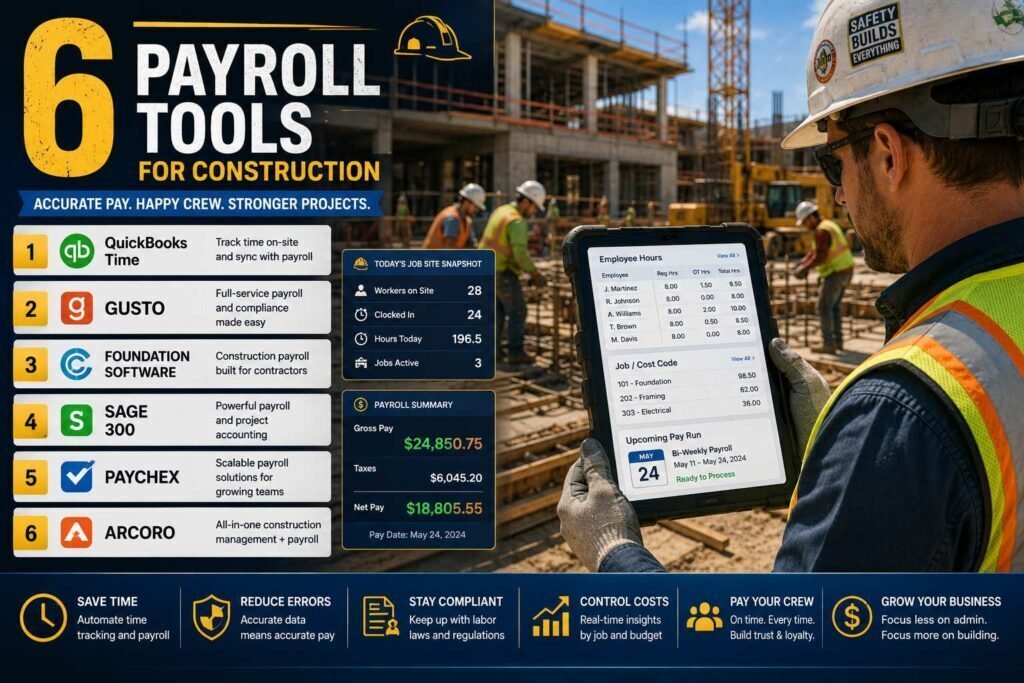
Construction payroll is harder than office payroll: prevailing-wage jobs demand certified payroll reports (federal form WH-347), crews cross state and local tax lines, union agreements add fringe calculations, and every hour should land on a job cost code. Generic payroll tools handle none of that well. This guide compares the options that do.
Quick answer: Small residential contractors without government work can run happily on Gusto or QuickBooks Payroll. Contractors doing prevailing-wage or union work should look at ADP (with certified payroll reporting), Payroll4Construction, or full construction accounting suites like Foundation.
Key Takeaways
- The dividing line is certified payroll: if you bid Davis-Bacon or state prevailing-wage jobs, generic payroll tools create manual reporting work every single week.
- Gusto and QuickBooks Payroll are the best value for private-work contractors.
- Payroll4Construction and Foundation are built for prevailing wage, unions, and multi-rate crews.
- Job costing integration with your accounting system matters as much as the payroll run itself.
Why Construction Payroll Is Different
If you have only ever run office payroll, the construction version has four complications that change which software works. Prevailing wage: government-funded jobs under Davis-Bacon and state equivalents require paying published rates by trade and locality, and proving it weekly on certified payroll reports. Multi-jurisdiction crews: workers who cross city and state lines in a single week trigger different withholding and sometimes local taxes per hour worked. Union agreements: fringes, dues, and multi-rate rules must calculate correctly per the agreement, not per a generic formula. Job costing: every labor hour should land on a job and cost code, because labor is your largest cost and bidding accuracy depends on knowing it. A generic payroll tool handles none of these natively, which is why this category exists.
Comparison at a Glance
| Software | Best for | Certified payroll | Starting price (verify) |
|---|---|---|---|
| Gusto | Small contractors, private work | Limited/partner reports | About $49/month + $6/person |
| QuickBooks Payroll | QuickBooks-based contractors | Via add-ons/reports | About $50/month + per employee |
| ADP Run / Workforce Now | Growing contractors, compliance help | Yes (reporting available) | Custom quote |
| Payroll4Construction | Prevailing wage and union payroll as a service | Yes, core feature | Custom quote |
| Foundation Software | Construction accounting + payroll suite | Yes, core feature | Custom quote |
| Buildertrend + payroll integrations | PM-first teams | Depends on integration | PM from about $199/month |
1. Gusto
Best for: small residential and commercial contractors doing private work.
Gusto nails the fundamentals: full-service federal, state, and local filings, contractor payments, workers’ comp integration, and an interface a busy owner can run without an admin. Multi-state support handles crews that cross lines. Its gap is certified payroll: WH-347 reporting is not a native strength, so prevailing-wage contractors will fight the tool weekly.
Pricing: from about $49/month plus about $6/person (as of early 2026; verify).
Pros
- Easiest setup and best UX in the group
- Full-service multi-state tax filings
- Transparent pricing
Cons
- Weak certified payroll support
- Job costing requires integrations
2. QuickBooks Payroll
Best for: contractors already running QuickBooks who want payroll inside it.
Payroll data flows straight to your ledger and job costing (especially with QuickBooks Time for crew clock-ins by job). Certified payroll requires workarounds or third-party report add-ons. Pricing from about $50/month plus per-employee fees (verify current bundles).
3. ADP
Best for: growing contractors who want compliance muscle and room to scale.
ADP’s small-business (Run) and mid-market (Workforce Now) products handle multi-state complexity, union deductions, and certified payroll reporting, with HR support layered on. Pricing is quote-based and negotiable; get competing quotes and ask specifically about certified payroll reports and job cost exports in writing.
4. Payroll4Construction
Best for: contractors who want construction payroll done for them.
Built by Foundation Software specifically for construction, it handles prevailing wage rates by trade and locality, union fringes, multi-rate employees, and certified payroll reports as core features, run as a service. If your office manager dreads Friday, this is the outsourced answer. Custom pricing by crew size.
5. Foundation Software
Best for: contractors ready for full construction accounting.
Foundation is a construction accounting suite where payroll, job costing, AIA billing, and WIP reporting live together. It is the step you take when QuickBooks stops fitting, typically as you pass a few million in revenue with regular government or union work. Expect implementation time and custom pricing.
6. Buildertrend and PM-Integrated Payroll
If field time tracking already lives in your project management tool (Buildertrend, Procore, CompanyCam workflows), prioritize payroll that ingests those hours cleanly. Time data quality determines both payroll accuracy and job costing truth.
Time Tracking: The Foundation Under Everything
Whichever payroll tool you choose, its output is only as good as the hours flowing in, and in construction that means field time capture by job and cost code. Crews should clock in on a phone or kiosk against the job they are standing on, with the cost code attached at the source, because reconstructing allocations from memory on Friday produces both payroll errors and fictional job costs. Look for time tracking that handles crew clock-ins by a foreman, GPS or geofence confirmation for disputes, and clean export into your payroll and accounting. QuickBooks Time, PM-tool timesheets, and the built-in tracking in construction suites all work; what matters is that hours flow untouched from field to paycheck to job cost, with no manual re-entry at any step.
Certified Payroll Without the Friday Panic
For contractors on prevailing-wage work, the weekly certified report is where software choice bites hardest. A compliant WH-347 (or state equivalent) shows each worker’s classification, hours by day, rate, fringes, and deductions, signed under penalty of perjury, and errors can hold up payment on the whole project. Purpose-built tools generate these reports from the payroll run automatically; generic tools leave your office manager assembling spreadsheets. If prevailing wage is occasional, you can survive with manual preparation, budgeted honestly at hours per week per project. If it is regular, native certified payroll is not a luxury; it is the difference between a payroll clerk and a payroll department. Ask vendors to demonstrate the actual report from sample data before you sign, and get the capability in writing.
How to Choose
- No government work, under 25 employees: Gusto or QuickBooks Payroll.
- Occasional prevailing-wage jobs: ADP with certified reporting confirmed in the contract, or keep Gusto and budget for manual WH-347 prep.
- Regular prevailing-wage or union work: Payroll4Construction or Foundation.
- Scaling past QuickBooks: Foundation or comparable construction ERP.
Two Real-World Scenarios
Picture a residential remodeler with twelve employees, all private work, one state, books in QuickBooks. QuickBooks Payroll with QuickBooks Time gives them clock-ins by job, clean job costing, and full-service filings in one system; Gusto is the equally sound alternative with a friendlier interface. Certified payroll never comes up, so paying for it would be waste. Now picture a commercial subcontractor running six crews across two states, half the backlog on state-funded prevailing-wage projects, with a union agreement on one trade. Their office manager currently loses every Friday to spreadsheets. Payroll4Construction as a service, or Foundation if they also want job costing and AIA billing under one roof, converts that weekly grind into generated reports. The dividing line is not company size; it is the work mix.
Making the Switch Safely
Construction payroll migrations reward the same discipline as any payroll switch, plus trade-specific checks. Move at a quarter boundary, import year-to-date wages so W-2s stay accurate, and register in every state and locality where crews work. Then verify the construction specifics before the first live run: prevailing rates loaded by trade and locality for your active projects, union fringe formulas matched to the agreement text, certified report output checked against a recent manually prepared week, and job cost codes mapped one-to-one with your accounting. Run one payroll in parallel with the old method and reconcile to the penny. It is a few evenings of care, and it buys you the thing construction payroll should be: boring, every Friday, no matter what the crews did that week.
Common Mistakes to Avoid
- Running prevailing-wage work on generic payroll. The weekly manual WH-347 grind costs more than purpose-built software.
- Taking “we support certified payroll” on faith. See the actual report demonstrated and get the capability in the contract.
- Letting field hours arrive as memory. Capture time by job and cost code at clock-in, or both payroll and job costs drift.
- Ignoring multi-state registration. Crews crossing lines create filing obligations; confirm your tool files everywhere you work.
- Outgrowing QuickBooks silently. When workarounds pile up, evaluate a construction suite before year-end instead of limping through another season.
FAQs
What is certified payroll?
Weekly reporting (federal form WH-347) required on government-funded projects under Davis-Bacon and similar state laws, showing each worker’s classification, hours, wage rate, and fringes. Errors risk withheld payments and penalties, which is why native support matters.
Can Gusto handle prevailing wage?
Gusto can pay the correct rates, but producing compliant certified reports typically requires manual work or third-party tools. Verify current capabilities with Gusto before signing if this affects you.
How should payroll connect to job costing?
Field hours should be captured by job and cost code at clock-in, flow to payroll untouched, and post to your accounting by job. If any step is manual re-entry, expect errors and choose tools that close the gap.
What does construction payroll software cost?
The generic tools are transparent: roughly $50 a month base plus per-employee fees. The construction-specific options, ADP configurations, Payroll4Construction, Foundation, are quote-based, priced by crew size and complexity, and negotiable. Get competing written quotes that name certified payroll, union handling, and job cost exports explicitly, and compare against the real hours your office spends on manual workarounds today.
Can I pay 1099 subcontractors through these tools too?
Yes, the mainstream tools handle contractor payments and year-end 1099 forms alongside employee payroll. The construction-specific caution is classification: treating workers as subcontractors when they function as employees is a common audit target in the trades, so classify carefully and get advice if a case is unclear.
When should a contractor move from QuickBooks to a construction suite?
The usual signals: regular government or union work, revenue in the millions, WIP and AIA billing handled in spreadsheets, and job-cost reports nobody trusts. When the workaround pile grows faster than the business, a suite like Foundation consolidates payroll, job costing, and billing, at the cost of real implementation time, so plan the move deliberately rather than mid-season.
How do union fringes and deductions work in payroll software?
Purpose-built construction payroll calculates fringes, dues, and benefit contributions per your union agreements, by trade and rate, and produces the remittance reporting unions expect. Generic tools can approximate some of this with custom deductions, but agreements change and multi-rate workers break simple setups. If you sign union agreements, put union payroll on your must-demonstrate list alongside certified reports.
Does workers’ comp integrate with these tools?
Mostly yes. Pay-as-you-go workers’ comp, premiums calculated from actual payroll each run instead of an annual estimate, is available through Gusto, ADP, and the construction-specific tools, which smooths cash flow and reduces audit surprises. Confirm your carrier or a partner carrier is supported, and that rates map correctly by class code.
Can office staff run construction payroll without an accountant?
Yes, with the right tool. Purpose-built software encodes the prevailing-wage rates, fringe formulas, and report formats, so a capable office manager runs the weekly cycle confidently. Keep an accountant for setup review, year-end, and the judgment calls, worker classification and multi-state questions, where professional advice earns its fee.
Our Verdict
Match the tool to your work mix: Gusto for simple private work, ADP when you need compliance support with room to grow, and Payroll4Construction or Foundation when prevailing wage and union rules are weekly reality. The wrong choice here costs hours every Friday; the right one makes payroll boring, which is the goal.
Related Articles
- Best CRM for Plumbing Businesses
- Best Automation Tools for Small Businesses
- Best AI Tools for Accountants
Sources: official vendor pricing and product documentation, checked early 2026. Payroll pricing is frequently quote-based; obtain written quotes including certified payroll capabilities.