
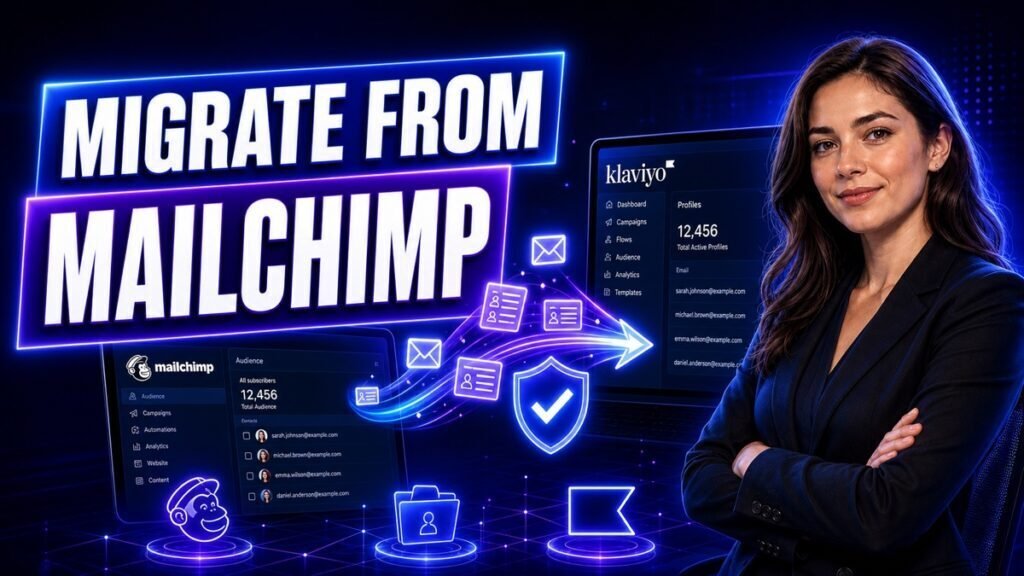
The data moves in an afternoon. What takes longer is the part nobody warns you about: Klaviyo is built around a store’s product and order data, and Mailchimp is not, so your existing flows do not translate — they get replaced by something structurally different.
Teams that treat this as an export-import job end up with their Mailchimp setup badly reimplemented in a more expensive tool. Teams that treat it as a rebuild get the thing they were paying for.
Budget a weekend for a modest store, a week if you run more than a handful of automations.
What Actually Changes
Mailchimp thinks in audiences and tags. A contact belongs to a list, and you layer segments on top.
Klaviyo thinks in profiles and events. Everything a person does — viewed a product, started checkout, placed an order, left a review — is a timestamped event attached to their profile, with the full product data alongside it.
That is why Klaviyo can trigger on “abandoned a cart containing an item over £100 from the Outdoor category, and has ordered before.” Mailchimp cannot express that, because it never stored the cart contents as structured data.
The practical consequence for your migration: your segments are worth rebuilding, not importing. A Mailchimp segment defined on tags will import as a static list of people and immediately go stale. The equivalent Klaviyo segment, defined on events, updates itself forever.
Step 1: Audit Before You Move Anything
Open Mailchimp and write down, for each automation, when it last sent and how it performed. Most stores find three flows doing real work and six that were built once and forgotten.
Mark each one rebuild, improve, or drop. You will rebuild everything by hand regardless, so this is free to decide now and expensive to decide later.
Do the same for your lists. If you have accumulated several audiences, decide now that Klaviyo gets one profile database — because that is how it is designed to work, and fighting it causes problems for years.
Step 2: Clean the List First
Do this before importing, not after. Klaviyo bills on active profiles, so importing dead contacts costs money immediately and permanently.
In Mailchimp, build a segment of people who have not opened anything in 12 months and have never purchased. On most stores that is a substantial share of the list, and it contributes nothing except cost and a depressed engagement rate.
Export them separately if you want a record, then exclude them from the import. Starting clean on a new platform is the cheapest reputation you will ever buy.
Step 3: Connect Your Store Before Importing Contacts
This ordering matters and is the most common mistake.
Connect your ecommerce platform to Klaviyo first. Klaviyo will sync historical order data and build profiles from it, complete with purchase history and lifetime value.
If you import your Mailchimp CSV first, you create profiles with no order history, and then the store sync has to match and merge them. It usually works, but you get duplicates and missing history often enough that doing it in the right order is worth the ten minutes.
So: store integration, wait for the historical sync to complete, then import any subscribers who are not customers.
Step 4: Import the Remaining Subscribers
Export from Mailchimp as CSV. Import to Klaviyo, mapping at minimum:
- Email address
- First and last name
- Consent status and the date it was given
- Any custom fields you actually use
The consent fields are not optional housekeeping. Under GDPR and PECR in Europe, and CAN-SPAM in the US, you need to be able to evidence that someone opted in. Carrying the original consent date across is how you keep that record. Importing a list without it means you cannot demonstrate lawful basis if anyone asks.
Do not import unsubscribed contacts as subscribed. Mailchimp exports them; Klaviyo will accept them; mailing them is a legal problem and a deliverability disaster.
Step 5: Warm Up Your Sending
The step most migrations skip, and the reason some see a deliverability dip in week one.
Your new sending infrastructure has no reputation with inbox providers. Sending to your entire list on day one looks exactly like a spammer who just bought a list.
Instead, send to your most engaged segment first — people who opened something in the last 30 days — and expand outward over one to two weeks. Klaviyo publishes warming guidance; follow it rather than improvising.
Set up your sending domain with SPF, DKIM and DMARC before the first send. Since the 2024 Google and Yahoo bulk sender requirements, this is mandatory rather than advisable.
Step 6: Rebuild the Flows That Matter
Build these three first, in this order. They generate most of the revenue in almost every store.
Welcome series. Triggered on subscription. Klaviyo can branch on whether the person has already purchased, which Mailchimp handled clumsily.
Abandoned checkout. This is the flow you switched platforms for. Klaviyo knows what was in the cart, so the email can show the actual products. Add a condition to skip anyone who completed the order — this is the single most common configuration error, and it means emailing customers about a purchase they already made.
Post-purchase. Triggered on order placed. Delivery expectations, then usage advice, then a review request timed to when the product has plausibly arrived.
Only after those three work should you rebuild anything else.
Step 7: Rebuild Segments as Dynamic Definitions
Do not recreate your Mailchimp tag segments literally. Define them on behaviour instead:
- Purchased in the last 90 days
- Placed 2 or more orders, ever
- Engaged in the last 30 days but never purchased
- Lifetime value above your threshold
These maintain themselves. Tag-based segments require someone to keep applying tags, and nobody does after month two.
Step 8: Run Both in Parallel, Then Cut Over
Keep Mailchimp active but stop sending from it. Run Klaviyo as the system of record for two weeks.
Watch for: profiles with no order history that should have some, flows firing twice, and anyone receiving both a Mailchimp and a Klaviyo email — which means a form is still pointing at the old platform.
Check every signup form, popup and integration for a lingering Mailchimp connection. This is where duplicate sending comes from.
After two weeks with no surprises, export a final Mailchimp backup and cancel.
Common Mistakes to Avoid
- Importing contacts before connecting the store. Causes duplicate profiles and missing purchase history. Connect the store first.
- Importing the whole list, dead weight included. You pay per profile. Clean first — it is cheaper and improves deliverability.
- Losing consent records. Map opt-in status and date. Without them you cannot evidence lawful basis.
- Sending to everyone on day one. New sending infrastructure needs warming. Start with your most engaged and expand.
- Forgetting the purchase-exclusion condition on abandoned checkout. Emails customers about something they already bought.
- Recreating tag-based segments. Rebuild them as behavioural definitions so they stay current.
- Leaving forms pointed at Mailchimp. Causes duplicate emails and a split list. Audit every form.
- Cancelling Mailchimp immediately. Keep it readable for a fortnight.
FAQs
Will I lose my email history when I migrate?
Campaign history stays in Mailchimp and does not transfer. Export your performance reports before cancelling if you want benchmarks. Contact-level engagement history does not move either, which is another reason to let Klaviyo rebuild profiles from your store data.
How long does the migration take?
The data import is an afternoon. Rebuilding flows, segments and forms is one to five days depending on how much you had. Add two weeks of parallel running before you cancel.
Is Klaviyo worth it over Mailchimp?
For an ecommerce store with meaningful order volume, usually yes — the event and product data model does things Mailchimp structurally cannot. For a business without a store, Klaviyo is expensive for what you would use. It is priced for stores that will use the ecommerce features.
Do my automations transfer?
No. Every flow is rebuilt by hand. This is genuinely an opportunity — most stores find half their Mailchimp automations were not worth recreating.
Will my deliverability drop?
It can, briefly, if you send to your whole list immediately from new infrastructure. Warm up gradually and authenticate your domain and most stores see no lasting dip.
Can I keep both platforms?
Technically yes, and it is a bad idea beyond a short transition. You get duplicate sends, split reporting and two bills. Pick one.
Key Takeaways
- Connect your store to Klaviyo before importing any contacts, or you get duplicates and missing history.
- Clean the list before importing — you pay per profile from day one.
- Map consent status and date; you need them to evidence lawful basis.
- Warm up sending gradually rather than mailing everyone on day one.
- Rebuild segments as behavioural definitions, not imported tag lists.
Next Steps
Start with the flow audit — it is free, takes half an hour, and usually cuts the rebuild work in half.
If you have not committed yet, our Klaviyo vs Mailchimp comparison covers whether the move is worth it for your store size, and our AI email marketing prompts cover writing the flows once you are there.