
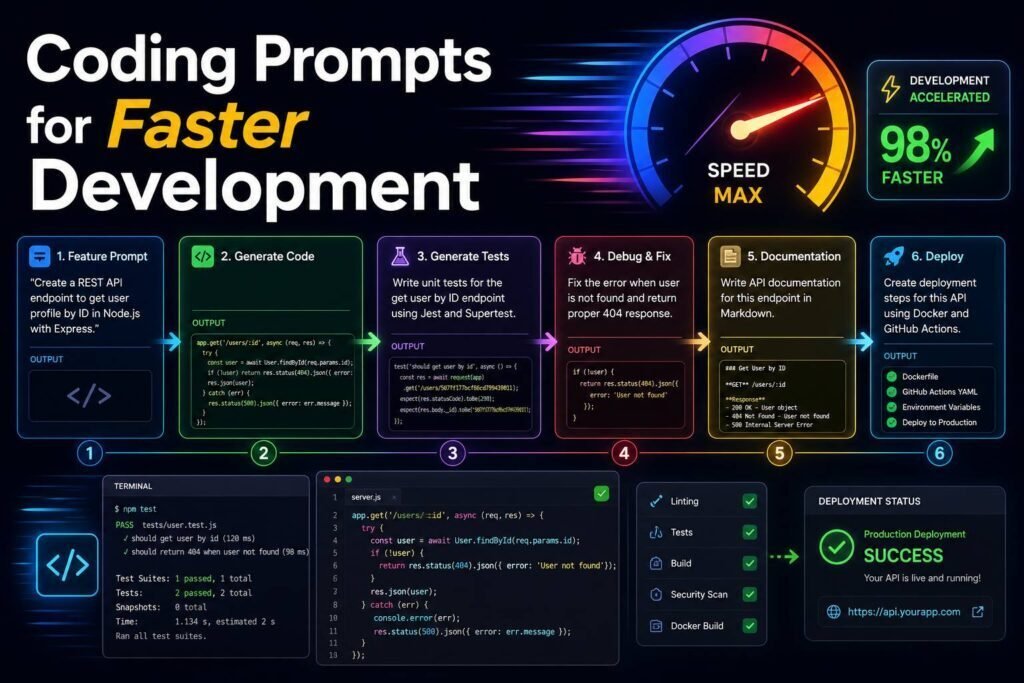
These prompts get better results from AI coding assistants by giving them context, constraints, and a clear job. Below you will find a short method for supplying context, tested prompts grouped by task, and guidance on reviewing what the AI gives you. Replace [variables] with your specifics, and always review generated code before shipping. Pair with our AI coding tools guide.
How to Use
- Provide language, framework, versions, and constraints. Context transforms output.
- Ask the AI to explain its approach and tradeoffs, not just dump code.
- Review and test everything; never ship unreviewed AI code.
How to Give the AI Enough Context
Most bad code suggestions trace back to missing context, not a weak model. Before you ask, provide the language, framework, and version you are on; the actual error message and stack trace, not a paraphrase; what you expected versus what happened; the relevant code and its callers, not just the failing line; and your constraints, such as no new dependencies or matching existing style. Then ask it to explain its fix before applying it, so you learn and can catch mistakes. Supply those five things and the quality of every prompt below jumps.
Building Features
Debugging
Explaining and Documenting Code
Refactoring
Testing
Architecture and System Design
Customization tip: state your scale, stack, team, and deadline so the advice is grounded, not generic best-practice.
SQL and Data
Frontend and UI
Security and Performance Review
APIs and Integrations
Git and Workflow
Code Review and Learning
DevOps, Config, and Tooling
Customization tip: state your exact stack and versions; config help is worthless if it targets the wrong tool.
Learning a New Language or Framework
Regex, Scripts, and One-Off Tasks
Worked Example: Debugging With Enough Context
The quality of a debugging answer is set almost entirely by what you paste in. “My code is broken, help” gets a guess. Compare it with: “This function throws [exact error and stack trace] when I pass [input]. I expected [X] but got [Y]. Here is the function and its caller [paste]. I am on [language and version] and cannot add dependencies. Walk through the likely root cause step by step, then show the minimal fix.” The second version gives the model everything it needs to reason instead of guess, which is why it usually lands the fix on the first try. Whenever an AI answer is vague, the cause is almost always missing context, not a weak model.
Where AI Coding Assistants Help Most, and Least
AI coding assistants are strongest at well-scoped, pattern-heavy work: scaffolding a component, writing tests, explaining unfamiliar code, translating between languages, drafting boilerplate, and talking you through a bug when you supply the full error and context. They are weakest where correctness is subtle and context is large: complex architecture spanning a whole system, security-sensitive logic, anything relying on the exact behavior of a specific library version, and problems where the right answer depends on business rules the model cannot see. They also hallucinate, confidently inventing function names or APIs that do not exist, especially for niche or very new tools. Treat the assistant as a fast, tireless junior developer: great leverage on the routine, useful as a thinking partner, and never trusted without review.
Reviewing AI Code Before You Trust It
The habit that separates safe use from risky use is reviewing generated code as if it came from a stranger. Read it and make sure you understand every part; if you cannot explain it, you cannot maintain it. Run it, then run your tests, including edge cases and failure paths. Confirm unfamiliar calls against the official documentation to catch invented APIs. Watch for security basics: unvalidated input, secrets hard-coded in the source, missing authorization, and unsafe handling of user data. And prefer small, reviewable changes over large generated rewrites, because a diff you can read is a diff you can trust.
Making AI Part of Your Daily Workflow
The biggest gains come not from occasional clever prompts but from folding the assistant into how you already work. Keep it open beside your editor for the constant small tasks: explaining an unfamiliar function, drafting a test, writing a commit message, or turning a stack trace into a plausible cause. For anything larger, get in the habit of asking for an approach and a short plan before any code, so you catch design problems while they are cheap to fix. And build a light review reflex: read every generated change, run the tests, and confirm unfamiliar calls in the docs. Used this way, an AI assistant behaves like a fast pair-programmer who handles the routine and frees you to think about the parts that actually require an engineer.
A Quick-Start Checklist
- Give full context: language, versions, the real error and stack trace, and the surrounding code.
- Ask for the approach before the code on anything complex.
- Request tests for normal, edge, and failure cases.
- Verify unfamiliar APIs against the official docs.
- Review every change as if it came from a stranger, then run your tests.
Common Mistakes
- Not providing versions and constraints, then getting outdated or mismatched code.
- Shipping generated code without review, tests, or security scanning.
- Asking for code when you should ask for an approach first on complex tasks.
- Trusting an unfamiliar function or API without confirming it actually exists.
FAQs
Which AI is best for coding prompts?
Claude and the frontier models lead; see our coding tools guide and developer alternatives.
Is AI-generated code safe?
After review, testing, and security scanning, yes, same bar as human code. Never merge what nobody read.
Why does it sometimes invent functions or APIs?
Models can hallucinate method names or libraries that do not exist, especially for niche or very new tools. Verify anything unfamiliar against the official docs, and give the model the real API surface when you can.
How do I use AI on a large codebase it cannot fully see?
Give it the relevant files and their callers, describe the surrounding architecture briefly, and paste real interfaces rather than letting it guess. Work module by module.
Will AI replace programmers?
It is changing the job more than eliminating it. Routine typing shrinks, while judgment, architecture, and review matter more. The developers who benefit most use it to move faster on the routine and spend the saved time on the hard parts.
Should I have it write tests for me?
Yes, it is one of the highest-value uses. Ask for tests covering normal cases, edge cases, and failure modes, then read them to confirm they assert the right behavior. Good tests also catch the assistant when its own generated code is subtly wrong.
How do I avoid becoming dependent on AI for coding?
Use it to accelerate, not to skip understanding. Ask it to explain its reasoning, read every change before you accept it, and periodically solve problems yourself. The goal is to offload typing and boilerplate while you stay the engineer who owns the decisions.
Keep Building
These prompts work best inside an agentic tool that can read your repo. Combine prompt skill with the right tool for real speed.