
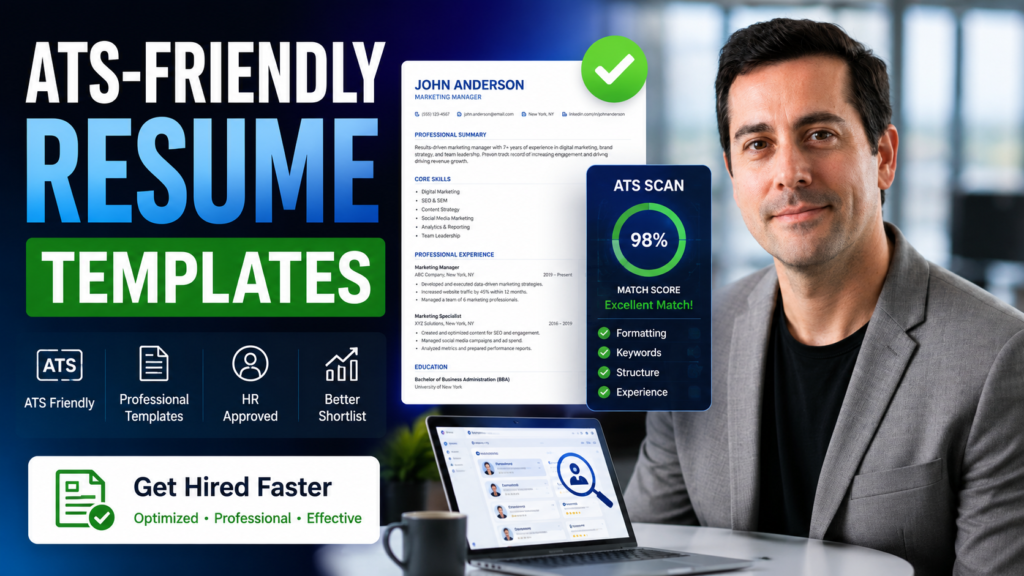
Most resume template advice optimizes for the wrong reader. The beautiful two-column layout with the skills sidebar and the circular rating graphics looks impressive to you and arrives at the recruiter as a scrambled mess, because software read it first and could not parse the columns.
That is the core thing to understand: your resume has two audiences, and the first one is a machine. This guide covers templates that survive both, where to get them, and how to structure the content so the human who eventually reads it says yes.
Quick answer: Use a single-column, standard-heading, minimally styled template in Word or Google Docs, exported to PDF unless the posting requests otherwise. Skip graphics, columns, headers/footers, and icons entirely. The template matters far less than tailoring the content to each posting.
Key Takeaways
- Applicant tracking systems parse text, not design. Single-column layouts with standard headings survive; creative layouts often do not.
- Free, safe templates are built into Word and Google Docs. You rarely need to pay for one.
- Tailoring the content to each posting matters far more than which template you chose.
- Achievements with numbers beat responsibility lists in every format and every industry.
Table of Contents
- Why ATS compatibility decides your template
- What an ATS-safe template looks like
- Where to get good templates
- Which resume format should you use?
- How to build the resume section by section
- Tailoring to each job posting
- Templates for specific situations
- Common mistakes to avoid
- FAQs
Why ATS Compatibility Decides Your Template
Most mid-sized and large employers run applications through an applicant tracking system before a human reads anything. The software extracts your text into structured fields, name, contact, work history, education, skills, and the recruiter often works from that parsed version rather than your original file.
When parsing goes wrong, it goes wrong invisibly. Your dates land in the wrong field, your job titles merge with company names, or an entire section disappears. Nobody tells you. You simply never hear back, and you conclude the market is tough.
The design choices that cause this are exactly the ones that make templates look impressive in a preview:
| Design element | Parsing risk | Use instead |
|---|---|---|
| Two or three columns | High — text order scrambles | Single column, top to bottom |
| Text boxes | High — often skipped entirely | Plain body text |
| Headers and footers | High — frequently ignored | Contact details in the body |
| Tables for layout | Medium to high | Simple paragraphs and lists |
| Icons and skill graphics | High — unreadable to parsers | Plain text labels |
| Creative section names | Medium — “My Journey” is not recognized | Experience, Education, Skills |
| Photos | Medium, plus bias considerations | Omit in US/UK/CA/AU |
What an ATS-Safe Template Looks Like
The specification is unglamorous and effective:
- Single column, reading straight down the page.
- Standard section headings: Summary, Experience, Education, Skills, Certifications.
- A common font at 10–12pt: Calibri, Arial, Helvetica, Georgia, Garamond.
- Plain bullet points, not custom symbols or images.
- Consistent date format such as “Mar 2022 – Present” in every entry.
- Contact details in the body, never in a header.
- Minimal color, perhaps one accent for headings.
- PDF export unless the posting specifically asks for .docx.
That is genuinely the whole specification. A resume built this way parses cleanly in effectively every system and still looks professional to a human, because clean typography and white space do more for readability than any graphic.
Expert tip
Test your resume by copying all the text from your PDF and pasting it into a plain text file. If the order is jumbled, sections are missing, or dates detach from roles, an ATS will likely produce the same mess. This thirty-second test catches most parsing problems.
Where to Get Good Templates
| Source | Cost | ATS-safe? | Best for |
|---|---|---|---|
| Microsoft Word built-in | Included | Mostly — pick simple ones | Reliable, universally compatible |
| Google Docs template gallery | Free | Mostly — avoid heavy layouts | Free, easy collaboration |
| Canva | Free tier | Varies — many are not | Design-led roles only |
| LaTeX / Overleaf | Free | Yes, with plain classes | Academic and technical roles |
| Paid builders | Subscription | Usually yes | People who want guided writing |
For most people, the honest recommendation is the boring one: a simple built-in template in Word or Google Docs, free and safe. Canva’s resume templates are visually excellent and frequently use columns and text boxes, which makes them a poor fit for ATS-screened applications but a reasonable choice for design and creative roles where a portfolio-style resume is expected and often reviewed by a human directly.
Which Resume Format Should You Use?
| Format | Structure | Best for |
|---|---|---|
| Reverse chronological | Most recent role first | Almost everyone; the expected default |
| Combination | Skills summary, then chronological history | Career changers with transferable skills |
| Functional | Skills only, history minimized | Rarely advisable; recruiters distrust it |
Use reverse chronological unless you have a specific reason not to. It is what recruiters expect, what ATS systems parse best, and what makes your progression legible. The functional format is widely read as an attempt to hide something, even when it is not.
How to Build the Resume Section by Section
Contact block
Name, city and state or region, phone, professional email, LinkedIn URL. No full street address, no photo, no date of birth. In the body of the document, never a header.
Professional summary
Three or four lines stating what you do, your level, and your most relevant proof. Skip the generic objective statement.
Operations manager with 8 years in logistics, specializing in warehouse process improvement. Cut order-processing time 34% across three facilities and led the systems migration for a 200-person operation.
Experience
The section that decides everything. For each role: job title, company, location, dates, then three to five bullets. Every bullet should be an achievement, not a duty.
| Weak (duty) | Strong (achievement) |
|---|---|
| Responsible for social media accounts | Grew LinkedIn engagement 42% in six months by shifting to short-form video |
| Managed a team | Led a team of 6; reduced turnover from 30% to 12% over two years |
| Handled customer support tickets | Resolved 40+ tickets daily at 96% satisfaction while cutting response time by half |
The formula: action verb + what you did + measurable result. If you genuinely have no numbers, use scope instead: team size, budget, volume, or geography.
Skills
A plain list of genuine, relevant skills using the same terminology as the job posting. No rating bars, no percentages, no star graphics, all of which are unparseable and, frankly, meaningless.
Education and certifications
Degree, institution, and year. Recent graduates can include relevant coursework and honors; after a few years of experience, one line each is enough.
Tailoring to Each Job Posting
This is where applications are actually won, and it takes about fifteen minutes with the right process:
- Read the posting twice and highlight the repeated skills and phrases. Repetition signals what they actually care about.
- Mirror their language where it honestly describes you. If they say “client relationship management” and you wrote “account management,” match theirs.
- Reorder your bullets so the most relevant achievement sits first in each role.
- Rewrite the summary to point at this specific job.
- Never add skills you lack. Keyword-stuffing passes the scan and fails the interview, which is a worse outcome than not being screened in.
An AI assistant genuinely helps here: paste your master resume and the job posting and ask it to identify gaps and suggest honest rewording. Our resume prompt library has ready-made prompts for exactly this, including ATS gap analysis and turning duties into achievements.
Expert tip
Keep one detailed master resume containing every role, achievement, and number you have. Never send it. Each application is a tailored subset of it, which takes minutes once the master exists and is far better than editing a single file into unrecognizability over months.
Templates for Specific Situations
Career change
Lead with a summary that frames the transition explicitly. Use a combination format: a short skills section proving transferable capability, then your chronological history described in the target industry’s language rather than your old one.
Employment gap
Use years rather than months if the gap is short. For longer gaps, include a brief honest line, “Career break for caregiving, 2023–2024”, and move on. Recruiters encounter gaps constantly; unexplained vagueness is more damaging than the gap.
No experience yet
Reorder the sections: Education first, then Projects, then any work experience. Coursework, volunteering, freelance projects, and personal builds all count. What matters is demonstrating capability, not job titles.
Senior roles
Two pages is acceptable and often expected. Front-load scope: budgets owned, teams led, revenue influenced. Cut detail from roles more than fifteen years old to a single line.
Common Mistakes to Avoid
- Choosing a template for looks. Columns and graphics that impress you break the parser that reads you first.
- Contact details in the header. Many systems ignore headers entirely, which can make you unreachable.
- Listing duties instead of achievements. Recruiters skim for impact; responsibilities read as a job description.
- Sending the same resume everywhere. Fifteen minutes of tailoring beats fifty untailored applications.
- Adding skills you do not have. It fails at the interview, which is worse than not being shortlisted.
- Skill rating graphics. Unparseable, and a self-assessed 4/5 in Excel means nothing to anyone.
- Wrong file type. Follow the posting; when unspecified, PDF preserves formatting safely.
FAQs
Are Canva resume templates ATS friendly?
Many are not, because they use columns, text boxes, and graphics that parsers struggle with. That does not make Canva useless; it makes it appropriate for design and creative roles where a human reviews the file directly. For ATS-screened corporate applications, a simple Word or Google Docs template is the safer choice.
What resume format do employers prefer?
Reverse chronological, by a wide margin. It shows progression clearly, matches recruiter expectations, and parses reliably. Use a combination format only when changing careers, and avoid the purely functional format, which recruiters tend to read as concealment.
Should my resume be one page or two?
One page for students and early-career applicants, up to two for experienced professionals where every line earns its place. Never pad to fill space or shrink margins and fonts to cram; both are immediately visible and suggest poor judgment about editing.
PDF or Word: which should I send?
Follow the job posting if it specifies. When it does not, PDF is the safer default because it preserves your formatting exactly and is parsed reliably by modern systems. Send .docx when explicitly requested, which some recruitment agencies prefer for their own editing.
Do free resume templates work as well as paid ones?
For ATS-screened applications, yes. The built-in templates in Word and Google Docs are free and parse cleanly, which is the main technical requirement. Paid builders sell guided writing help and design variety, both of which are conveniences rather than ranking factors.
Should I include a photo on my resume?
Not in the US, UK, Canada, or Australia, where photos are discouraged, introduce bias considerations, and can complicate parsing. In some European and Asian markets photos remain conventional, so follow local norms if you are applying internationally.
How do I know if my resume passes ATS screening?
Use the copy-paste test described above: extract the text and check that everything appears in a sensible order. Free ATS checkers offer a second opinion. The reliable signal, though, is response rate; if a well-targeted resume produces no responses across many applications, parsing is a likely culprit.
Our Verdict
Pick a simple single-column template from Word or Google Docs, use standard section headings, and spend the time you saved on the part that actually decides outcomes: turning duties into quantified achievements and tailoring each application to its posting.
The elaborate templates are tempting because they feel like progress. They are not. A plain resume with three specific, numbered accomplishments per role outperforms a beautifully designed one full of responsibilities, in every industry and every screening system.
Next step: build your master resume this week with every role and number you can recall, then run the copy-paste parsing test on it. Every future application becomes a fifteen-minute edit rather than an evening of rewriting.
Related Articles
- Resume Prompts to Land More Interviews
- Best AI Email Writers Compared
- 100 Best Free AI Tools
- Canva vs Adobe Express
Sources: applicant tracking system documentation and recruiter practice, reviewed early 2026. Parsing behavior varies between systems; when a posting states formatting requirements, follow those over any general guidance.