
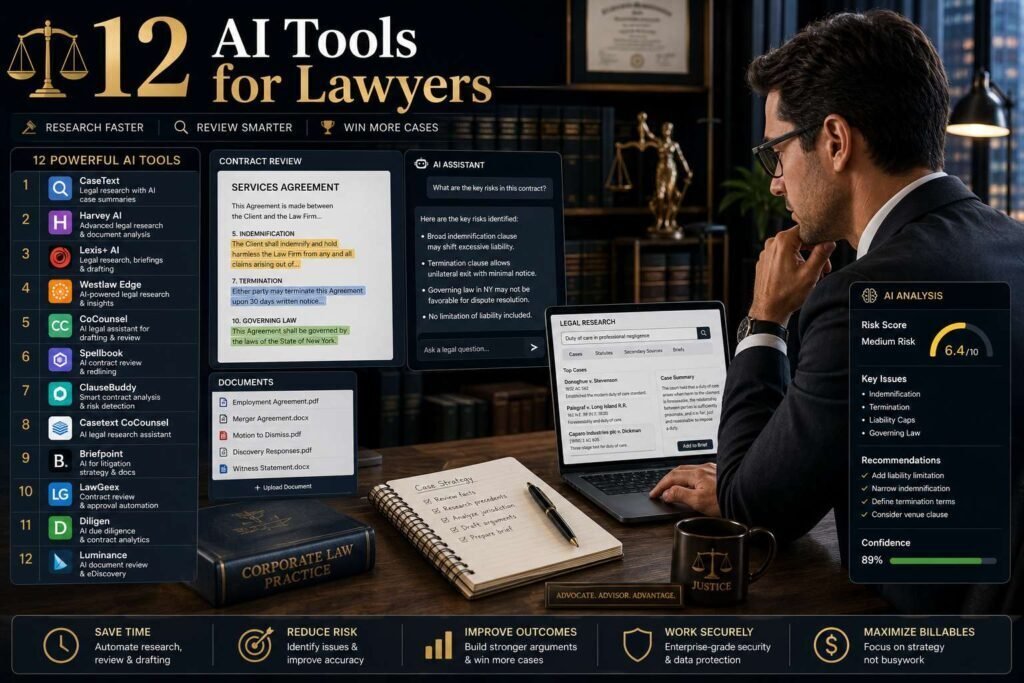
Legal work is text work, which makes it AI’s natural territory, and also the profession where AI mistakes carry sanctions. Courts have now disciplined lawyers for filing AI-invented citations, so the toolkit below is organized around a single principle: AI drafts and finds, lawyers verify and sign.
Quick answer: Firms already on Westlaw or Lexis should adopt their built-in AI (CoCounsel, Lexis+ AI/Protégé) first, because research AI grounded in a verified legal database is categorically safer than open chatbots. Add Spellbook or similar for contract drafting, Clio Duo for practice management AI, and a business-tier general assistant (Claude or ChatGPT Team) for everything nonprivileged.
Key Takeaways
- Grounded legal AI (Westlaw, Lexis) cites real cases you can check; open chatbots fabricate convincing fake ones. Never cite without verifying in the underlying database.
- Client confidentiality rules apply to AI inputs. Use business tiers with training disabled and review vendor DPAs; check your bar’s AI guidance.
- Contract AI (Spellbook, and platforms like Harvey for larger firms) delivers the clearest time savings for transactional practices.
- Bill honestly for AI-accelerated work; several bar opinions now address this directly.
The One Rule: AI Drafts, Lawyers Verify
Before any specific tool, internalize the principle that organizes this entire field: AI drafts and finds; the lawyer verifies and signs. The profession has already seen the alternative, courts have sanctioned attorneys for filing briefs containing AI-invented citations that looked entirely real. That outcome is not an argument against AI in law; it is an argument for keeping verification in the workflow. Grounded tools that cite real, checkable authority are categorically safer than open chatbots, which can fabricate convincing but nonexistent cases. Treat every AI output as work product from a fast but unproven junior associate: useful, time-saving, and never filed or relied upon without a competent human checking it against the actual source.
The Tools at a Glance
| Tool | Job | Pricing (verify) |
|---|---|---|
| Westlaw + CoCounsel | Research grounded in Westlaw | Subscription + AI add-on, quoted |
| Lexis+ AI / Protégé | Research grounded in Lexis | Subscription, quoted |
| vLex / Fastcase (Vincent AI) | Research for bar-benefit users | Often via bar membership |
| Harvey | Firm-wide legal AI platform | Enterprise, quoted |
| Spellbook | Contract drafting in Word | Per-seat, quoted (roughly $100-200/seat/month reported) |
| Ironclad / ContractPodAi | CLM with AI review | Enterprise, quoted |
| Clio Duo | Practice management AI | With Clio plans (from about $39/user/month base) |
| Smokeball AI | PM + document automation | Quoted |
| Claude / ChatGPT (business tiers) | Drafting, summaries, general work | About $25-30/user/month |
| NotebookLM / notebook tools | Case-file Q&A from your documents | Free-ish tiers; enterprise via Workspace |
| Otter / transcription tools | Depo prep, meeting notes (where permitted) | Free tier; paid plans |
| DeepL | Legal-grade translation drafts | Free tier; Pro plans |
Research: Stay Grounded
Westlaw’s CoCounsel and Lexis+ AI answer research questions with citations to real, shepardizable authority inside databases your firm already trusts, and both now offer agentic drafting workflows. They are expensive and quoted, but they are the difference between AI research you verify and AI research you gamble on. Solo and small-firm lawyers should check their bar association benefits: many include Fastcase/vLex, whose Vincent AI provides grounded research at effectively no extra cost.
Why Grounded Research Is Different
The distinction between grounded legal research AI and an open chatbot is the single most important thing to understand in this category. Grounded tools answer from within a verified legal database, so the authorities they cite are real, checkable, and shepardizable; your job is to confirm them, not to wonder whether they exist. An open chatbot, by contrast, can produce a fluent answer with citations that are entirely fabricated, which is exactly how sanctioned lawyers got into trouble. This does not make general assistants useless in law, they are excellent for drafting and explaining, but it means they are not research databases, and you should never treat a chatbot’s case citation as authority. Use grounded tools for research and verify in the database; use general assistants for everything nonprivileged that does not require citing law.
Contracts and Transactions
Spellbook works inside Microsoft Word, redlining, suggesting clauses, and flagging missing protections against market standards; small transactional firms report the fastest payback in this category. Larger legal departments should evaluate Harvey (broad legal AI platform) and CLM suites like Ironclad, where AI review sits inside contract lifecycle management. All are quote-priced; insist on a pilot against your own precedent documents.
Practice Management and the Daily Grind
Clio Duo brings AI into the tool many small firms already run: summarizing matters, drafting client updates, extracting tasks from email. Smokeball pairs automatic time capture with document automation. And a business-tier general assistant (Claude is particularly strong at long-document analysis; see our long-documents comparison) handles the nonprivileged bulk: blog posts, CLE outlines, intake templates, plain-English client explainers.
Practice Areas Where AI Helps Most
AI’s payoff is uneven across practice areas, which is worth knowing before you invest. Transactional and contract-heavy practices tend to see the fastest, clearest returns, because clause drafting, redlining against market standards, and reviewing agreements are repetitive, text-based tasks with checkable outputs. Litigation benefits in document review, summarizing depositions, and organizing large records, always with verification. Research-intensive work gains from grounded tools that cite real authority. More advisory or judgment-heavy work benefits mainly at the drafting and explanation stage rather than the analysis itself. Map your own practice against these, and prioritize the tools that target the tasks you actually repeat, rather than adopting AI everywhere at once.
Litigation Support and Document Review
Beyond research and contracts, AI is increasingly useful in the document-heavy corners of litigation, with the same verification caveat throughout. Tools that answer questions grounded strictly in the documents you upload, rather than the open web, are well suited to case-file review: summarizing depositions, locating relevant passages across thousands of pages, and building chronologies from the record. Because these tools work only from your materials, they hallucinate far less than open chatbots, though you must still confirm anything material against the source. Transcription tools speed deposition and meeting preparation where recording is permitted. Used carefully, this class of tool compresses the most tedious review work while leaving the judgment, and the accountability, exactly where it belongs, with the attorney.
Client Communication and Intake
A large share of legal work is nonprivileged and low-risk, and this is where a business-tier general assistant earns its cost without touching sensitive data. Drafting plain-English explanations of legal concepts for clients, producing intake templates and checklists, outlining CLE materials, writing firm blog posts, and turning dense matter notes into a clear client update are all tasks AI handles well and quickly. Keep genuinely privileged or confidential material out of any tool that is not on an appropriate business tier with training disabled and a signed agreement, but for the substantial volume of general, client-facing writing, a capable assistant removes hours of routine drafting each week.
Confidentiality and Ethics, Concretely
- Use enterprise/business tiers with training disabled and a signed DPA before any client data touches a tool.
- Verify every citation in the underlying database; multiple courts have sanctioned lawyers for AI-fabricated cases.
- Check your state bar’s AI guidance (several have issued formal opinions on competence, confidentiality, and billing).
- Disclose AI use where court rules require it, and supervise it like junior-associate work product.
Adopting AI Responsibly at a Firm
Rolling AI out across a practice is as much a governance task as a technology one. Start by choosing tools whose data handling fits your confidentiality obligations: business or enterprise tiers with training disabled and a data-processing agreement your firm has reviewed. Pilot each tool against your own precedent documents and matters rather than trusting a demo, and insist on measurable results before firm-wide purchase, especially for quote-priced legal platforms. Write a short internal policy covering which tools may touch which data, the mandatory verification step for anything filed or relied upon, and how AI-accelerated work is billed. And supervise AI output the way you would a junior associate’s, because under the rules of professional conduct, the responsibility for competence and accuracy remains yours.
Common Mistakes to Avoid
- Filing unverified citations. Open chatbots fabricate convincing fake cases; check every citation in the underlying database before you rely on it.
- Putting privileged data in the wrong tool. Use business or enterprise tiers with training disabled and a signed DPA; never a personal free account.
- Ignoring your bar’s guidance. Several jurisdictions have formal opinions on competence, confidentiality, and billing; read yours.
- Billing dishonestly for AI-accelerated work. Multiple bar opinions address this; bill for the value and time honestly.
- Skipping the pilot. Legal AI is quote-priced and variable; test against your own documents before committing the firm.
FAQs
Can lawyers use ChatGPT or Claude for legal work?
Yes, within limits: business tiers, no unverified citations, no privileged data without proper agreements, and attorney review of everything. They excel at drafting, summarizing, and explaining; they are not research databases.
What is the best AI legal research tool for solo practitioners?
Whatever grounded tool your bar benefits include (often vLex/Fastcase), then Lexis or Westlaw AI when caseload justifies the quote.
Do I have to tell the court or my client I used AI?
It depends on the jurisdiction and forum. Some courts have standing orders requiring disclosure of AI use in filings, and your ethical duties of candor and competence always apply. Check the specific rules of any court you appear before, and when disclosure is required, comply; even where it is not, you remain fully responsible for the accuracy of anything you file.
How much do legal AI tools cost?
Most are quote-priced rather than list-priced, and costs vary widely from a per-seat contract drafting tool to enterprise legal platforms. Bar-benefit research tools can be effectively free to eligible members, while firm-wide platforms run into significant per-seat or enterprise figures. Insist on a pilot and a written quote against your own use before committing, since this market changes constantly.
Will AI replace paralegals or associates?
It is absorbing first-draft and document-review work, shifting junior roles toward verification and client contact. Firms adopting carefully are doing more matters with the same people, not fewer people.
Is it safe to put client documents into an AI tool?
Only into a tool on an appropriate business or enterprise tier with model training disabled and a data-processing agreement your firm has reviewed, and consistent with your confidentiality obligations and bar guidance. Never put privileged or confidential material into a consumer free account. When in doubt, keep sensitive documents in tools your firm has formally approved for that purpose.
Does using AI change how I bill?
It can, and several bar opinions now address this directly. The core expectation is honesty: bill for the value delivered and the time actually spent, not for time AI saved you. If AI turns a task that once took hours into one that takes minutes, your billing should reflect that. Check your jurisdiction’s specific guidance, as approaches vary.
Which single tool should a small firm start with?
Whatever grounded legal research AI your bar benefits already include, often a Fastcase or vLex option, since grounded research is both the highest-risk area to get wrong and the safest to automate when the tool cites checkable authority. Add contract AI if you draft agreements weekly, and a business-tier assistant for nonprivileged work.
Will AI replace lawyers?
No, but it is reshaping the work. AI is absorbing first-draft and document-review tasks, which shifts junior roles toward verification, judgment, and client contact rather than eliminating them. Firms adopting carefully tend to handle more matters with the same people, not fewer. The parts that require legal judgment, accountability, and a signature remain squarely human, and the profession’s rules ensure they stay that way.
Our Verdict
Adopt grounded research AI inside Westlaw/Lexis/vLex first, add Spellbook if you touch contracts weekly, put Clio Duo to work on admin, and keep a business-tier assistant for nonprivileged drafting. Every hour saved is real only if verification stays in the workflow; the sanctioned-lawyer headlines all skipped that step.
Related Articles
Sources: official product pages and bar association guidance, checked early 2026. Legal-tech pricing is quote-based; the figures above are reported ranges, not offers. This article is technology guidance, not legal advice.