
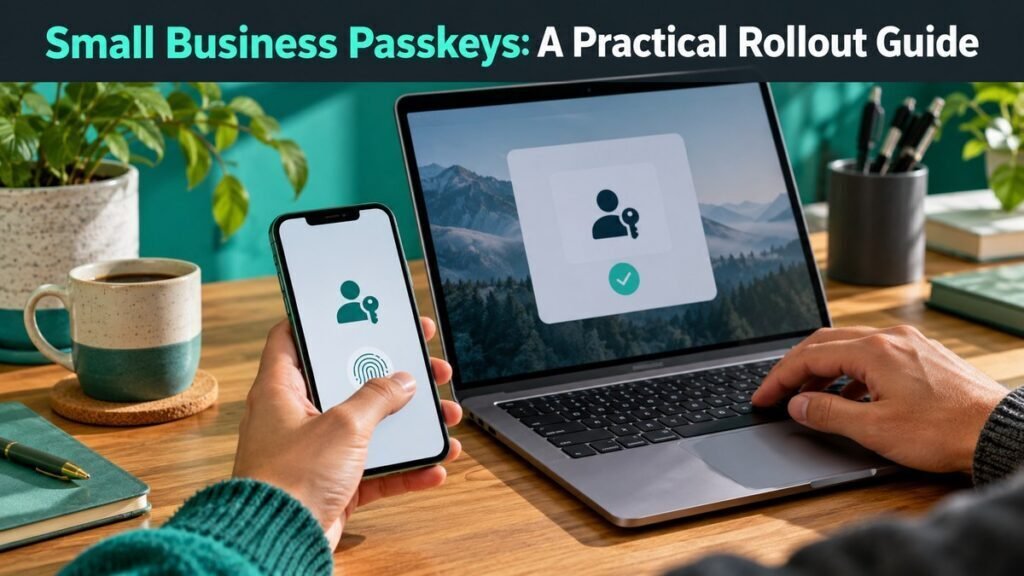
A phased passkey rollout that starts with administrators and recovery planning instead of forcing a risky company-wide switch.
The strongest control is one the team can execute under pressure. Keep the process risk-based, testable, and supported by evidence rather than a long policy nobody can use. This guide gives a practical sequence for passkeys for small business, including ownership, quality checks, measures, and a rollout you can adapt to a small team.
Key takeaways
- Map accounts that support passkeys.
- Secure administrator accounts first.
- Register two authenticators per critical user.
- Document recovery and device replacement.
What good passkeys for small business looks like
A good approach is specific enough to guide a decision but simple enough to be followed on a busy day. For passkeys for small business, that means documented inputs, one accountable owner, visible exceptions, and a review rhythm. The process should also show where human judgment remains necessary.
Before changing tools, capture the current baseline. Note how the work starts, who touches it, what can go wrong, how long it takes, and what customers or employees experience. That baseline makes later improvements credible and prevents software activity from being mistaken for a business outcome.
Before you begin
- Name one accountable owner and the people who must be consulted.
- Define the scope, excluded cases, and the point at which the process starts and ends.
- Save a baseline for volume, time, quality, cost, and current failure modes.
- List sensitive information, customer impact, security requirements, and approval constraints.
- Choose a small pilot group that reflects normal and difficult cases.
- Decide what evidence will prove each step was completed correctly.
How to implement passkeys for small business
1. Map accounts that support passkeys
Map accounts that support passkeys before moving deeper into the rollout. Write down the owner, required input, decision rule, and evidence of completion. This keeps the work auditable and prevents different teams from using incompatible assumptions.
Use a small representative sample first. Record exceptions instead of hiding them, then secure administrator accounts first. If a step cannot be explained to a new team member in plain language, it is not ready to automate or enforce.
2. Secure administrator accounts first
Secure administrator accounts first before moving deeper into the rollout. Write down the owner, required input, decision rule, and evidence of completion. This keeps the work auditable and prevents different teams from using incompatible assumptions.
Use a small representative sample first. Record exceptions instead of hiding them, then register two authenticators per critical user. If a step cannot be explained to a new team member in plain language, it is not ready to automate or enforce.
3. Register two authenticators per critical user
Register two authenticators per critical user before moving deeper into the rollout. Write down the owner, required input, decision rule, and evidence of completion. This keeps the work auditable and prevents different teams from using incompatible assumptions.
Use a small representative sample first. Record exceptions instead of hiding them, then document recovery and device replacement. If a step cannot be explained to a new team member in plain language, it is not ready to automate or enforce.
4. Document recovery and device replacement
Document recovery and device replacement before moving deeper into the rollout. Write down the owner, required input, decision rule, and evidence of completion. This keeps the work auditable and prevents different teams from using incompatible assumptions.
Use a small representative sample first. Record exceptions instead of hiding them, then pilot with a small team. If a step cannot be explained to a new team member in plain language, it is not ready to automate or enforce.
5. Pilot with a small team
Pilot with a small team before moving deeper into the rollout. Write down the owner, required input, decision rule, and evidence of completion. This keeps the work auditable and prevents different teams from using incompatible assumptions.
Use a small representative sample first. Record exceptions instead of hiding them, then expand after support issues are resolved. If a step cannot be explained to a new team member in plain language, it is not ready to automate or enforce.
6. Expand after support issues are resolved
Expand after support issues are resolved before moving deeper into the rollout. Write down the owner, required input, decision rule, and evidence of completion. This keeps the work auditable and prevents different teams from using incompatible assumptions.
Use a small representative sample first. Record exceptions instead of hiding them, then review the result and update the process. If a step cannot be explained to a new team member in plain language, it is not ready to automate or enforce.
Use this practical checklist
- Check: Map accounts that support passkeys.
- Check: Secure administrator accounts first.
- Check: Register two authenticators per critical user.
- Check: Document recovery and device replacement.
- Check: Pilot with a small team.
- Check: Expand after support issues are resolved.
- Ownership: Every recurring task and exception queue has a named owner.
- Evidence: Approvals, changes, tests, and unresolved risks are recorded.
- Review: The process has a review date and a clear trigger for an earlier review.
Common mistakes and how to avoid them
Starting with a tool instead of a decision
A product can accelerate a sound process, but it cannot decide the purpose of passkeys for small business. Define the outcome and risk boundary first, then choose the smallest toolset that supports them.
Designing only for the happy path
Real work includes missing information, unavailable approvers, disputed records, failed integrations, and urgent exceptions. Add an exception route, a response owner, and a way to resume normal processing.
Measuring activity instead of results
Counts such as logins, documents created, or tasks closed can be useful diagnostic signals. Pair them with time, quality, customer, revenue, or risk measures so the team does not optimize busywork.
Skipping the review cycle
Business conditions, systems, staff, and threats change. Set a scheduled review and also define event-based triggers such as a new vendor, material incident, policy change, or large increase in volume.
Metrics to review
Use a compact scorecard. For this workflow, start with passkey enrollment rate, account recovery tickets, and phishing-resistant coverage. Add a quality or risk guardrail before using the scorecard for incentives.
| Measure | What it tells you | Review rhythm |
|---|---|---|
| Passkey enrollment rate | Whether the primary operational outcome is improving | Weekly during rollout |
| Account recovery tickets | Whether quality, cost, or adoption is moving in the right direction | Monthly |
| Phishing-resistant coverage | Whether exceptions or hidden risk are accumulating | Monthly and after incidents |
A 30-day rollout plan
Week 1: Confirm scope, owner, baseline, and risk constraints. Complete the first two actions: map accounts that support passkeys and secure administrator accounts first.
Week 2: Build the smallest usable workflow around register two authenticators per critical user. Test normal cases and at least three realistic exceptions.
Week 3: Pilot with a representative group. Observe the work, collect questions, and complete document recovery and device replacement.
Week 4: Resolve high-severity gaps, document the operating rhythm, and expand after support issues are resolved. Publish the owner, metrics, and next review date.
Related AdNxt guides
- See our guide to password managers for small businesses.
- See our guide to antivirus software for small businesses.
- See our guide to cloud storage services.
Frequently asked questions
What is the first step in passkeys for small business?
Start by map accounts that support passkeys. This creates a factual baseline before tools, deadlines, or automation make the process harder to change.
Who should own passkeys for small business?
Assign one accountable business owner and name the operational, technical, or finance contributors who must approve changes. Ownership should include a review date, not just a person’s name.
How do you know whether passkeys for small business is working?
Track a small balanced set: passkey enrollment rate, account recovery tickets, and phishing-resistant coverage. Review the trend and the exceptions; a single headline number can hide poor quality or new risk.