
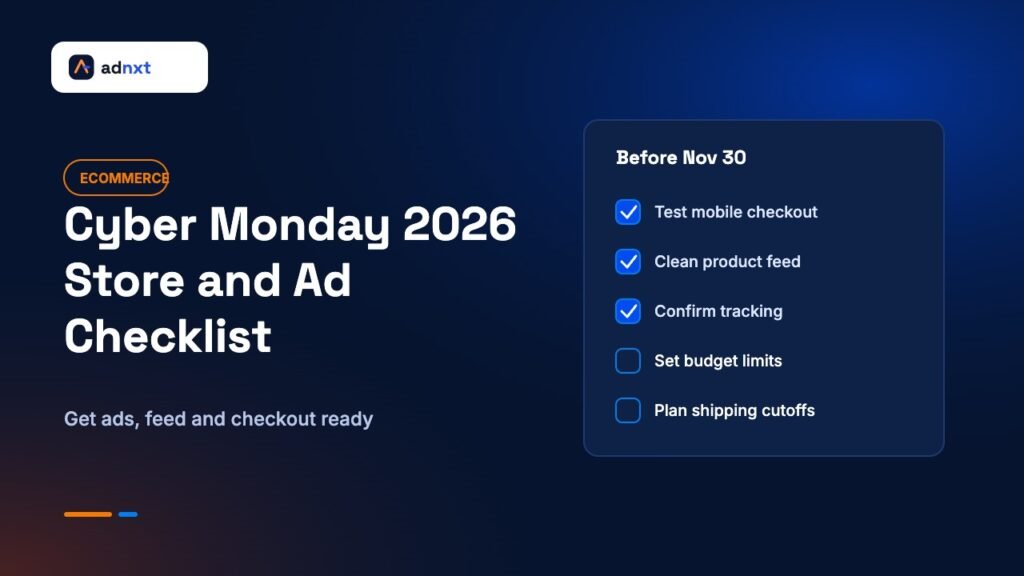
Cyber Monday 2026 is on Monday, November 30. Black Friday is three days earlier, on November 27. If you run an online store in the United States, the next two and a half weeks will decide how much of that holiday traffic you turn into orders, and how much you simply pay for.
This is not a list of discount ideas. It is a practical plan for e-commerce owners and marketing leads who want their ads, product feed, website, and checkout ready before the busiest four days of the year. Each section ends with clear actions, so you can work through it with your team or agency this week.
Key takeaways
- Cyber Monday 2026 is November 30. Search interest in “cyber monday 2026” in the US hit its 90-day high on November 12.
- Freeze big website changes now. Test speed, checkout, and tracking on real phones before the weekend.
- Clean your product feed: prices, sale prices, stock, and shipping must match your site exactly.
- Raise budgets only on campaigns with proven returns, and set guardrails so spend cannot run away.
- Plan the days after Cyber Monday too, including shipping cutoffs and returns.
What the search data shows
Google Trends shows that interest in “cyber monday 2026” in the United States has risen steadily through November and reached its highest point of the past 90 days on November 12. Related searches such as “when is cyber monday 2026” and “black friday and cyber monday 2026” were also climbing. (Data checked November 12, 2026; region: United States; time range: past 90 days. View the Google Trends data.)
The data shows that shoppers are already planning. Many are asking about dates and deals before the sales begin. That means your early ads, email sign-ups, and “coming soon” pages can collect interest now, so you are not depending only on expensive clicks during the peak.
Step 1: Lock down your website before the rush
The most expensive mistake in the holiday season is buying traffic that lands on a slow or broken site. Before you raise a single budget, make sure the store can handle more visitors and convert them.
Set a change freeze
Pick a date, ideally around November 20, after which no large changes go live. That includes new themes, new apps or plugins, big redesigns, and payment changes. Small content updates, like banners and sale prices, are fine. Big changes add risk at the worst possible time.
Test on real phones
Most holiday browsing happens on mobile. Open your store on a couple of phones, over mobile data, and go through the full path: home page, category page, product page, cart, and checkout. Note anything that feels slow or confusing. Pay special attention to:
- How long the first screen takes to appear.
- Whether pop-ups block the product or the “add to cart” button.
- Whether sale prices show clearly next to the original price.
- How many steps checkout takes and whether guest checkout works.
- Whether discount codes apply correctly and show the right total.
Check that tracking still works
If purchases are not tracked, ad platforms cannot learn what works, and you cannot judge results. Place a test order and confirm it appears in your analytics, in Google Ads, and in Meta Events Manager. Our guide to GA4 conversion tracking explains how to confirm purchase events. If you run Meta ads, check that your Conversions API connection is sending server events, as Meta describes in its Conversions API documentation.
Prepare for traffic spikes
Ask your host or platform whether your plan can handle a traffic jump. Hosted platforms usually scale for you. Self-hosted stores, including WooCommerce sites, may need caching, a content delivery network, or a short-term server upgrade. If you are not sure, now is the time to ask. Our list of web hosting providers for small businesses may help if your current host cannot cope.
Step 2: Clean up your product feed
Google Shopping ads, Performance Max, and many other ad formats depend on your product feed. A feed is the list of your products, prices, stock levels, images, and shipping details that you send to Google Merchant Center. During sales, feeds break more often, because prices and stock change quickly.
Work through these checks:
- Match prices exactly. The price in your feed must match the price on the product page. If you run a sale, use the sale price attribute and set the sale dates, so the change happens on time.
- Keep stock accurate. Showing ads for sold-out items wastes money and annoys shoppers. Make sure your feed updates often enough to reflect stock changes during the weekend.
- Write clear product titles. Put the most important words first: brand, product type, and key details like size or color. Clear titles help your products appear for the right searches.
- Use good images. Clean, well-lit product photos usually perform better than busy lifestyle shots in shopping ads.
- Confirm shipping and returns. Make sure shipping costs, delivery times, and return policies in Merchant Center match your website.
- Fix disapprovals now. Check Merchant Center for warnings and errors. Products that are disapproved during the weekend cannot earn sales.
Feed problems are quiet. Nothing on your site looks broken, but your best products may not be showing in ads at all. A one-hour feed review this week can protect a large part of your holiday revenue.
Step 3: Plan your ad budget with guardrails
Costs for ad space usually rise during Black Friday and Cyber Monday because many advertisers compete for the same shoppers. Spending more does not guarantee more profit. The goal is to spend more where you already know you make money, and to keep firm limits everywhere else.
Start from what has worked
Look at the last few months of data. Which campaigns, products, and audiences brought in profitable sales? Those are the ones to scale. New experiments during the busiest week are risky because there is little time to learn and fix problems.
Raise budgets in steps
Large budget jumps can disrupt automated bidding while it adjusts. Many advertisers increase budgets gradually in the days before the event, then watch performance closely. Agree on a maximum total spend for the weekend before it starts, so nobody is guessing at midnight.
Use seasonality adjustments carefully
Google Ads offers seasonality adjustments for short events when you expect conversion rates to change a lot. These can help smart bidding react faster, but they can also overspend if your forecast is wrong. Use them only if you have past data to support the change, and remove or end them on schedule.
Protect your brand searches
Shoppers who already know you will search for your brand name to find your deal. Make sure your brand campaign has enough budget and that your ad clearly mentions the sale. It is usually low cost and high intent.
Watch search terms daily
During peak days, broad match and automated campaigns can show your ads on searches that will never convert. Check the search terms report every day and add negative keywords for anything clearly off target. Google explains the process in its help article on the search terms report.
Step 4: Get your Meta ads ready early
Meta ads on Facebook and Instagram are useful for building demand before the sale and reminding past visitors to come back. Costs often rise as the weekend gets closer, so the work you do early matters.
- Build audiences now. Run “early access” or “get notified” ads in the next week to grow your email and text lists. Those subscribers cost nothing to reach on Cyber Monday.
- Prepare creative in advance. Have your sale images and short videos approved and uploaded before the weekend. Last-minute creative often looks rushed and can get stuck in review.
- Show the real offer. Put the discount, the products, and the end date clearly in the ad. Vague “big sale” ads tend to waste impressions.
- Retarget with care. Remind people who viewed products or added to cart, but cap how often they see your ads. Too much repetition can feel pushy.
- Exclude recent buyers. If someone just bought, do not keep showing them the same product.
Step 5: Make your offer simple and honest
Shoppers compare many deals in a short time. The clearest offers often win. Before you launch, check that every channel shows the same deal.
Good offers are easy to explain in one line, such as “25% off sitewide, Nov 27 to Nov 30” or “Free gift with orders over $75.” If you show a “was” price, make sure it is a price you actually charged. Inflated “original” prices damage trust, and in many places they can also break advertising rules.
Consider whether you need different offers for different days. Some stores run one offer across the whole weekend. Others save a special offer for Cyber Monday to bring people back. Either can work. The key is that the timing is clear and the ads, emails, site banners, and feed all change at the right moment.
Step 6: Plan shipping, support, and returns
The sale does not end when the order is placed. Shoppers care about when their package will arrive, especially as the holidays get closer.
- Publish shipping cutoffs. Check your carriers’ holiday deadlines and show them on your site. Do not promise dates you cannot meet.
- Prepare customer support. Write short answers to common questions: order status, discount codes not working, delivery times, and returns. Save them as templates for email and chat.
- Explain returns clearly. Many shoppers buy gifts, so they care about return windows. Our guide to building an e-commerce returns workflow covers how to handle requests smoothly.
- Staff for the volume. More orders mean more packing and more questions. Plan who is working each day.
Step 7: Know what to watch during the four days
Set up a short daily review during Black Friday through Cyber Monday. Fifteen minutes in the morning and evening is enough for most small teams. Look at:
- Total spend compared with your plan.
- Revenue and orders by channel.
- Return on ad spend or cost per order for your main campaigns.
- Products that are selling out, so you can pause ads for them.
- Checkout errors, payment failures, or spikes in abandoned carts.
- Customer support volume and common complaints.
Agree in advance on what will trigger action. For example: “If a campaign’s cost per order is double our target by noon, we lower its budget.” Clear rules make quick decisions easier when everyone is busy.
Step 8: Plan the week after Cyber Monday
Many stores stop marketing as soon as Cyber Monday ends. But shoppers keep buying through December. Plan what happens next:
- A thank-you email to new customers, with care tips or a guide for their purchase.
- A “last chance to ship before the holidays” campaign tied to your real cutoff dates.
- Gift card promotions for late shoppers.
- A short review of what worked, written while it is fresh.
New customers from the holiday weekend can become loyal ones if the first experience goes well. Fast shipping, clear communication, and an easy return process matter more than one more discount.
Mistakes that cost stores the most over the holiday weekend
Most holiday problems are not exotic. They are small gaps that become expensive when traffic and ad spend are at their highest. Watch for these:
- Launching a new site or theme in November. A redesign may look great, but untested changes to navigation, product pages, or checkout can quietly lower conversion just as you pay the most per click.
- Running ads for products you cannot ship in time. If an item is back-ordered or will arrive after the holidays, either pause its ads or say so clearly on the product page.
- Letting automated campaigns run with no limits. Automated bidding can work well, but it still needs a budget cap and a daily human check during unusual weeks.
- Using a different discount on every channel. If your email says 20% and your ads say 25%, people get confused and support gets busy. Keep one source of truth for the offer.
- Forgetting about existing customers. Your past buyers are often the cheapest sales you will make all weekend. Make sure they hear about the offer through email or text before you spend heavily on new audiences.
- Judging results only by the ad platforms. Each platform tends to give itself credit for sales. Compare platform reports with your store’s own order data to see the full picture.
Each of these is easy to fix ahead of time and hard to fix in the middle of the weekend. A short pre-launch review with whoever runs your site and ads can catch most of them.
A quick countdown checklist
By November 16
- Review last year’s or last quarter’s ad results and pick campaigns to scale.
- Audit your product feed and fix Merchant Center issues.
- Write your offer and check that all prices are honest.
- Start “early access” ads and sign-up forms.
By November 20
- Test the full mobile path, including checkout and discount codes.
- Place test orders and confirm tracking in analytics and ad platforms.
- Confirm hosting capacity and set your change freeze.
- Upload and approve all sale creative.
By November 26
- Schedule sale prices in your store and your feed.
- Set budget limits and decision rules.
- Publish shipping cutoffs and support templates.
- Schedule emails for Black Friday, the weekend, and Cyber Monday.
November 27 to 30
- Run your morning and evening reviews.
- Pause ads for sold-out products.
- Add negative keywords from search terms.
- Keep support responses fast and friendly.
Frequently asked questions
When is Cyber Monday 2026?
Cyber Monday 2026 is on Monday, November 30. It follows Black Friday on November 27 and Small Business Saturday on November 28.
Should I increase my Google Ads budget for Cyber Monday?
Increase budgets only on campaigns that have already shown profitable results, and raise them in steps. Set a total spending limit for the weekend and watch cost per order closely each day.
How early should I start Black Friday and Cyber Monday ads?
Many stores start building interest one to two weeks before, with early access offers or email sign-ups. The heaviest spending usually happens from Black Friday through Cyber Monday, when shoppers are most ready to buy.
What is the most common technical problem during holiday sales?
Common problems include slow mobile pages, discount codes that do not apply, product feed price mismatches that cause disapprovals, and broken purchase tracking. Testing each of these before the weekend prevents most issues.
Do I need different offers for Black Friday and Cyber Monday?
Not always. One clear offer for the whole weekend is easy to manage. Some stores add a Cyber Monday special to bring shoppers back. Whatever you choose, make sure every channel shows the same dates and terms.
Final thoughts
Cyber Monday rewards preparation more than last-minute effort. The stores that do well are usually the ones whose sites are fast, whose feeds are clean, whose tracking works, and whose ad budgets follow proven results with clear limits. None of that requires a huge team. It requires starting this week and checking each piece before the traffic arrives.
Related AdNxt guides
- GA4 conversion tracking for small businesses
- E-commerce returns workflow: from request to refund
- 12 best web hosting providers for small businesses