
Every November, shoppers type the same kind of search into Google: a product name plus “Black Friday deals.” This year is no different. Searches like “PS5 Black Friday deals” and “iPad Black Friday deals” are climbing fast in the United States, and Black Friday itself lands on November 27, 2026.
Most small stores answer this demand with a rushed sale page. They build it a few days before the sale, give it a new web address, and throw it away in December. Next year, they start from zero again.
There is a better way. You can build one Black Friday deals page that lives on the same web address every year. Each year it gets a little stronger in Google, because it keeps its links, its history and its place in search results. This guide shows you how to set that page up, what to put on it, and what to do with it before, during and after the sale.
Why we chose this topic
We checked Google Trends on November 22, 2026, for the United States, using the “Past month” time range. Interest in the search term “black friday deals” rose steadily from late October and kept climbing through mid November. In the latest days of the range, it reached its highest point of the month.
On the same day, Google Trends’ “Trending now” list for the Technology category in the United States (past seven days) showed several product-plus-deal searches gaining interest, including “ps5 black friday deals” (100K+ searches), “ipad black friday deals” (5K+) and “nintendo switch 2 black friday deals” (2K+). That pattern matters. Shoppers are not only searching for “Black Friday.” They are searching for deals on specific things, from specific places.
You can check the data yourself on Google Trends for “black friday deals” (United States, past month) and the Trending now list for Technology (United States, past 7 days). Google Trends shows relative interest, not exact search counts, so treat it as a direction, not a forecast.
We have already covered the store and ad checklist for Cyber Monday, a Small Business Saturday marketing plan and a Black Friday guide for Canadian businesses. This article is different. It is about one page on your website and how to make it work in Google search, this year and every year after.
What is an evergreen Black Friday deals page?
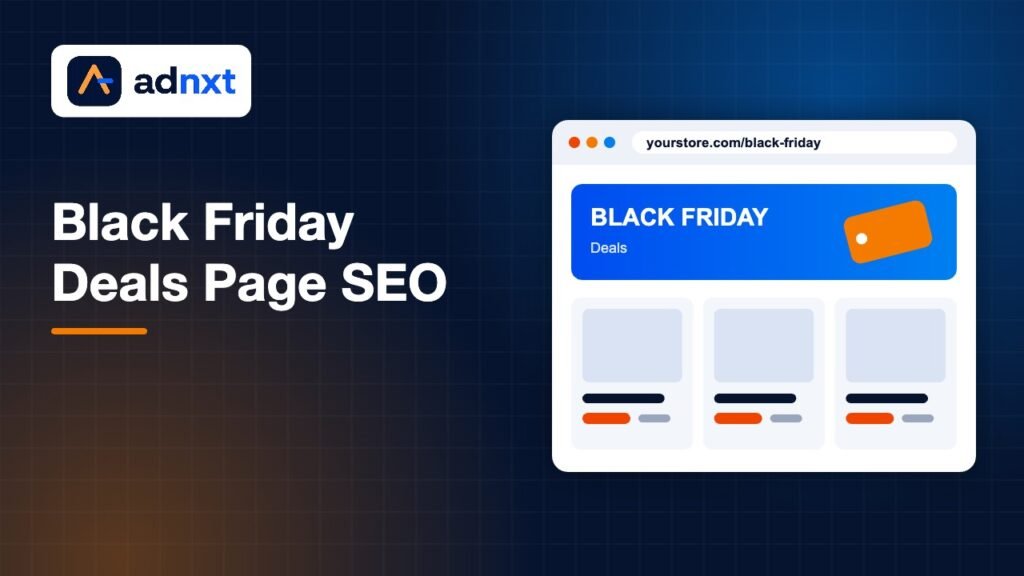
An evergreen Black Friday deals page is a page on your website that stays at the same web address all year. For example: yourstore.com/black-friday. During the sale, it shows your live deals. The rest of the year, it stays online with a short message about when the next sale is coming.
The key idea is simple. You do not delete the page and you do not change its address. You only change what is on it.
Google itself recommends this. In its best practices for Black Friday and Cyber Monday pages, Google says to use a recurring URL, not a new URL for each year. Its example is /sale/black-friday instead of /sale/2020/black-friday.
Why one page beats a new page every year
Think of your deals page like a shop sign on a busy street. If you move the sign to a new street every year, people have to find you all over again. If it stays in the same spot, people remember it, and so does Google.
Here is what you keep when the address stays the same:
- Links. When a blog, a coupon site or a local news page links to your sale, that link points to one address. If you change the address next year, the link either breaks or points to an old, empty page.
- History in Google. A page that has been indexed for a few years is usually found and crawled faster than a brand new page. That matters when your sale only lasts a few days.
- Customer habit. Return customers may bookmark the page or type it from memory. Your email and text messages can point to the same address every year.
- Less work. You update one page instead of designing a new one from scratch every November.
A new page each year has none of these benefits. It starts with no links, no history and no habit. It also has very little time to be found before the sale is over.
Step 1: Pick the right web address
Choose a short, clear address that you will be happy to use for years. Good examples:
- yourstore.com/black-friday
- yourstore.com/sale/black-friday
- yourstore.com/black-friday-deals
Avoid a year in the address. A web address like /black-friday-2026 will look old the moment the year changes. Put the year in the page title and heading instead, where you can change it easily.
If you already have old pages like /black-friday-2024 and /black-friday-2025, do not just delete them. Pick one address to keep, and set up permanent (301) redirects from the old pages to it. That way, any links pointing to the old pages pass their value to your main page. If you are not sure how to do this on your platform, your developer or a web development team can set it up in a short time.
Step 2: Write a title and heading people actually search for
Look at how people search. They type things like “Black Friday deals,” “Black Friday sale,” or “[brand] Black Friday.” Your page title should match that language and include the year, because shoppers want this year’s deals, not last year’s.
Google’s later guidance on deal pages in Google Search suggests including the event in the page title, such as “Black Friday 2021 Deals,” because the title is often used in how the page is shown.
Here is a simple formula that works for most stores:
- Page title: Black Friday 2026 Deals | Your Store Name
- Main heading (H1): Black Friday 2026 Deals at Your Store Name
- Meta description: One or two plain sentences that say what is on sale, the dates, and one honest reason to shop with you, such as free returns or fast local delivery.
Next year, you change “2026” to “2027.” The address stays the same.
Step 3: Put real words on the page, not just a banner
Many Black Friday pages are just one big image and a grid of products. That makes it hard for Google to understand what the page is about. Google’s deal page guidance says to put text describing the event in the page itself, so Google can tell the page is about a specific sale.
Add a short block of text near the top of the page. Keep it simple and useful. For example:
“Our Black Friday 2026 sale runs from Friday, November 27, to Monday, November 30. Save on running shoes, jackets and gear. All orders over $50 ship free, and you can return sale items for 30 days.”
That short paragraph tells shoppers and Google the event name, the dates, what is on sale and the main shopping rules. It also helps AI search tools that read web pages to answer questions like “when does [store] Black Friday sale end?”
Below the deals, add a few more helpful sections:
- Sale dates and times, including the time zone. A shopper in Vancouver and a shopper in Toronto may read “ends at midnight” very differently.
- Shipping cut-off dates if people are buying gifts.
- Return rules for sale items.
- A short FAQ with the questions your support team hears every year.
Step 4: Publish early, even before the deals are ready
This is the step most stores skip. Google says to create the page well before the sale, so it has time to find and index it. A page published the night before Black Friday may not show up in search until the sale is almost over.
If you do not want to reveal your deals early, that is fine. Google’s guidance says you can publish general information about the event first, and then ask Google to recrawl the page once the deals are live.
In practice, a “coming soon” version of the page can include:
- The sale name and dates.
- The kinds of products that will be on sale, without exact prices.
- An email or text sign-up form so people can get the deals first.
- Links to your best-selling categories so the page is useful today.
If it is already late November when you read this, do not panic. Publish the page today, even in its simple form. A page that exists now has a better chance than a page that appears on Thursday night.
Step 5: Link to the page from your home page and menu
Google recommends linking to your sale page from your home page or another important page. This tells Google, and your visitors, that the page matters right now.
Good places for links:
- A banner or button near the top of your home page.
- Your main menu, for example a “Black Friday” item in red or orange.
- Your top category pages, with a short line like “See all Black Friday deals.”
- Product pages for items that are on sale.
After the sale, you can remove the home page banner. But keep at least one quiet link to the page somewhere on your site, such as in the footer. Pages with no links pointing to them at all are harder for Google to find and keep fresh.
Step 6: Make sure your sale prices are correct everywhere
A deals page is only as good as the prices on it. If your page says one price and your product page or Google Shopping listing says another, shoppers lose trust fast.
Here is what to check:
- Product pages. The sale price on the product page should match the deals page.
- Structured data. If your store adds product markup to product pages (most platforms do this automatically), make sure it shows the current price. Google’s merchant listing structured data guide explains how product and offer details, including prices, are described for Google.
- Google Merchant Center. If you sell through Google Shopping, Google’s help page on the sale price attribute explains how to submit a sale price next to the regular price, and how to set the dates the sale price applies.
Also be honest about “was” prices. In the United States, the FTC’s Guides Against Deceptive Pricing say a former price used in a comparison should be a real price you offered to the public for a reasonably long time. Raising a price in October just to “discount” it in November can get you in trouble and hurts trust. The FTC’s advertising FAQ for small businesses is a good, plain-language starting point. Canadian stores should check Canada’s own rules, which we cover in our Black Friday Canada guide. This is general information, not legal advice.
Step 7: Make the page fast and easy to use on a phone
Most Black Friday shopping happens on phones, often in short bursts. A slow page or a pop-up that covers the “Add to cart” button can lose the sale.
Keep these rules in mind:
- Keep the top of the page light. One clear image and one short heading are enough. Huge videos and sliders at the top slow things down.
- Use compressed images. Large product photos are often the main reason a sale page loads slowly.
- Let people filter. If you have more than a dozen deals, add simple filters such as category or price range.
- Be careful with countdown timers. A timer is fine if it matches the real end of the sale. A fake timer that resets every time someone reloads the page is misleading.
- Test on a real phone over mobile data, not just on office Wi-Fi.
If your store platform makes this hard, it may be time to look at your setup. DailyJade’s comparison of Shopify vs WooCommerce and its roundup of the best landing page builders are useful places to start. Our website design and CRO team can also review the page with you.
Step 8: Use a clear, honest image
Google’s guidance asks for a relevant, high-quality image on deal pages. It also notes that, on deal pages, text inside an image can help, as long as the same text also appears on the page and in the image’s alt text.
A simple approach works best:
- Show the real products that are on sale, or your store’s look and feel.
- Keep any words in the image short, such as “Black Friday Sale, Up to 30% Off,” and repeat them in the page text.
- Write alt text that describes the image in plain words.
- Use a file name that makes sense, like black-friday-sale-running-shoes.jpg.
Step 9: Ask Google to look at the page again when deals go live
When you swap the “coming soon” version for the real deals, use the URL Inspection tool in Google Search Console to request indexing for the page. Google notes there is a daily limit on these requests, and a request does not guarantee anything, so use it for your most important page, not every product.
Also check that nothing is blocking Google from reading the page. Common mistakes include a “noindex” tag left over from a staging site, a password on the page during setup, or a robots.txt rule that blocks the sale folder.
What to do with the page after the sale
This is where the evergreen idea pays off. Do not delete the page on December 1. Instead:
- Update the text. Change the top message to something like: “Our Black Friday 2026 sale has ended. Thanks for shopping with us. Join our list to hear about next year’s deals first.”
- Keep a sign-up form. People who land on the page in January or July can still join your email or text list.
- Link to useful pages. Point visitors to your current offers, best sellers or gift guides, so the page still helps them.
- Keep the address live. No redirect to the home page, no 404 error. The page should still load with real content.
- Write down what you learned. Note which deals sold best, which ones nobody clicked, and which questions customers asked. Next year’s page will be better for it.
When next November comes around, you update the title to the new year, add the new deals and request indexing again. You start the season with a page Google already knows.
Three simple examples
These examples are made up to show how the idea works. They are not real clients.
A local bike shop
A bike shop in Ohio has used three different sale pages over three years: /bf-sale, /black-friday-2024 and /holiday-deals-2025. Each one was deleted after the sale. This year, the owner picks /black-friday as the long-term address, redirects the three old addresses to it, and publishes a “coming soon” version two weeks before the sale. The page lists the sale dates, the service packages that will be discounted and a sign-up form for early access.
An online skincare brand
A small skincare brand sells mainly through Google Shopping. Their deals page looked fine, but the sale prices in their product feed did not match the website for two days last year. This year, they set sale price dates in Merchant Center to match the sale dates on the page, and check both on the morning of Black Friday.
A software company with an annual plan offer
A small software company offers a discount on annual plans every Black Friday. They use /black-friday as a permanent page. For most of the year, the page explains what the annual plan includes and has a “notify me” form. In November, it shows the offer, the end date in Eastern Time and a short FAQ about renewals. Because the page has been live for years, it already ranks for “[company name] Black Friday.”
Common mistakes to avoid
- Putting the year in the web address. It forces you to start over every year.
- Publishing too late. A page created the day before the sale may not be indexed in time.
- Deleting the page after the sale. You lose links, history and future traffic.
- Redirecting the page to the home page in December. This can confuse shoppers and throws away the page’s purpose.
- Only using images. Google needs words on the page to understand the event.
- Prices that do not match. Your deals page, product pages and ads should all show the same price.
- Fake urgency. Timers and “only 2 left” messages should be true.
How the deals page fits with your ads
Your deals page does not have to work alone. If you run Google Ads or Meta Ads during Black Friday, the same page can be the landing page for your sale ads. That keeps your message consistent: the ad promises a deal, and the page shows exactly that deal.
Ads can bring in shoppers quickly while your page is still building strength in search. Over time, as the evergreen page earns more search traffic each year, you may be able to lean less on paid traffic for this one event. If you want help running sale campaigns, our Google Ads team works with stores across the US and Canada. And if you sell products that may show up in AI shopping answers, our guide on getting products found in ChatGPT Shopping covers the basics.
Our take
Black Friday searches will keep rising every November. The stores that do well in search are often not the biggest ones. They are the ones that stopped starting from zero every year.
One evergreen page, on one simple address, with real words, honest prices and a clear plan for the rest of the year, is one of the cheapest SEO wins a small store can get. If you set it up this year, next November you will start ahead. If you want to measure how the page does in search, DailyJade’s list of the best SEO tools for small businesses covers some simple options, and our SEO services page explains how we help with ongoing search work.
Frequently asked questions
When is Black Friday 2026?
Black Friday 2026 is Friday, November 27, 2026, the day after US Thanksgiving. Cyber Monday is Monday, November 30, 2026.
Should my Black Friday page have the year in the URL?
No. Google recommends using the same web address every year, such as /sale/black-friday, instead of a new address with the year in it. Put the year in the page title and heading instead.
Is it too late to create a Black Friday deals page this year?
It is late, but not too late. Publish the page now with the sale name, dates and basic details, link to it from your home page, and request indexing in Google Search Console. Even if it does not rank well this year, it will be ready for next year.
What should I do with my Black Friday page after the sale ends?
Keep it live at the same address. Update the text to say the sale has ended, add a sign-up form for next year’s deals and link to your current offers. Do not delete it or redirect it to your home page.
Do I need a separate page for Cyber Monday?
Google’s guidance suggests a dedicated page for each sale event. If your Cyber Monday deals are different from your Black Friday deals, a separate evergreen page such as /cyber-monday makes sense. If it is one long sale, one page that clearly names both events can work.
Sources
- Google Trends: “black friday deals,” United States, past month (checked November 22, 2026)
- Google Trends: Trending now, Technology, United States, past 7 days (checked November 22, 2026)
- Google Search Central: Best practices for Black Friday and Cyber Monday pages
- Google Search Central: Engage shoppers with deal pages in Google Search
- Google Search Central: Merchant listing (Product, Offer) structured data
- Google Merchant Center Help: Sale price [sale_price]
- Search Console Help: URL Inspection tool
- Google Search Central: SEO Starter Guide
- eCFR: 16 CFR Part 233, Guides Against Deceptive Pricing
- FTC: Advertising FAQs, A Guide for Small Business