
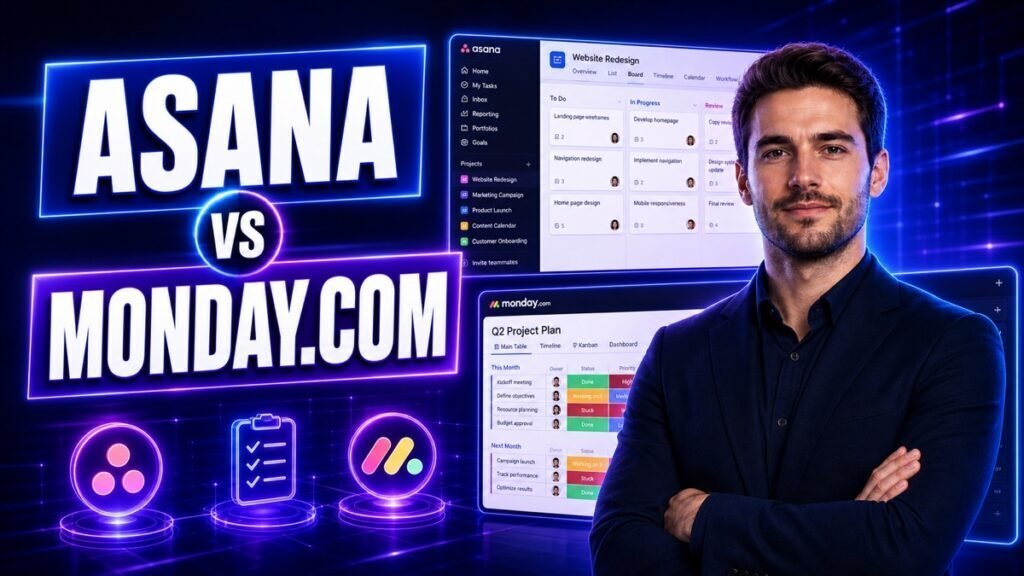
Both tools will manage your projects. That is not the useful question. The useful question is which one your team will still be using properly in six months, and that comes down to a structural difference most comparisons skip.
Asana is built around tasks. A task is the unit; projects are collections of tasks; a task can live in several projects at once. monday.com is built around boards. A board is a spreadsheet with superpowers; items are rows; columns are typed data.
That difference decides everything else. If your work is a stream of assignments moving toward deadlines, Asana’s model fits. If your work is records with structured attributes — clients, applicants, inventory, campaigns — monday.com’s model fits.
Where Asana Wins
Task management as a discipline
Asana was designed by people who thought carefully about what a task is. Subtasks nest properly, dependencies are first-class, and the multi-homing feature — one task appearing in several projects without duplication — has no clean equivalent in monday.com.
If a piece of work genuinely belongs to both the Marketing project and the Q3 Launch project, Asana handles that natively. In monday.com you either duplicate it or connect boards, and both introduce drift.
My Tasks
Every Asana user gets one view of everything assigned to them across every project, sortable by due date. It sounds small. It is the reason people actually open the tool.
monday.com has My Work, which is comparable, but Asana’s is more refined and more central to how the product expects you to operate.
Workload and capacity
On higher tiers, Asana’s workload view shows who is over-committed based on effort you assign to tasks. For agencies and teams that allocate people across projects, this is the feature that justifies the upgrade.
It stays clean
Asana constrains you more, and that is an advantage over time. There are fewer ways to build something idiosyncratic that only its creator understands.
Where monday.com Wins
Flexibility beyond project management
monday.com is closer to a configurable database with views on top. Teams use it for CRM, applicant tracking, inventory, content calendars and client onboarding — often several at once, in one account.
If you want one tool to replace three spreadsheets, monday.com does that. Asana resists being used as a database, because it is not one.
Column types
This is monday.com’s real technical advantage. Columns are typed: status, people, date, numbers, formula, dependency, timeline, rating, location, mirror. You compose a board out of typed data, and views and automations read that data reliably.
Asana’s custom fields are more limited by comparison.
Visual clarity
The colour-coded status columns communicate state at a glance across a whole board. It sounds cosmetic; in practice it is why non-technical teams adopt monday.com faster. People can read a board without training.
Dashboards
monday.com’s dashboards pull widgets from multiple boards into one view, and building them is genuinely easy. Asana’s reporting is capable but feels more like a reporting module than a workspace.
Head to Head
| Asana | monday.com | |
|---|---|---|
| Core model | Tasks in projects | Items in boards |
| Task in multiple projects | Native (multi-homing) | Duplicate or connect boards |
| Subtask nesting | Deep | One level (subitems) |
| Dependencies | First-class | Via dependency column |
| Custom data types | Limited custom fields | Extensive typed columns |
| Personal cross-project view | My Tasks, excellent | My Work, good |
| Dashboards | Reporting module | Strong, multi-board widgets |
| Workload planning | Yes, higher tiers | Yes, higher tiers |
| Use beyond projects | Resists it | Designed for it |
| Learning curve | Moderate | Low to start, grows with config |
Pricing Structure
Both are per user per month with feature tiers, and both change pricing periodically — check current pages rather than any figure quoted in a comparison.
Two structural points that matter more than the headline rate:
monday.com sells in seat bands. Historically you buy seats in blocks rather than one at a time, so going from 3 users to 4 can cost more than a quarter more. Check the current banding against your actual headcount.
The features you want are rarely on the entry tier. Timeline, dependencies, workload and automation limits all sit higher up on both platforms. Price the tier that includes what you actually need, not the advertised entry price.
Both offer free tiers with user and feature caps that suit evaluation rather than real use.
Which Should You Choose?
Choose Asana if: your work is genuinely project and task management, tasks need to live in multiple projects, dependencies matter, you allocate people across projects, or you want a tool that resists becoming a mess.
Choose monday.com if: you want one system for several different jobs, your work is records with structured attributes, your team is non-technical and needs visual clarity, or you are replacing spreadsheets rather than a project tool.
The tiebreaker: describe your work in one sentence. If it contains “we need to finish X by Y,” Asana. If it contains “we need to track a list of things with statuses,” monday.com.
Common Mistakes to Avoid
- Choosing on the free tier. Both free plans omit the features that determine whether the tool works for you. Trial the tier you would actually buy.
- Using monday.com as a database with no owner. Its flexibility is its risk. Without someone owning board structure, you get forty boards nobody can navigate by month three.
- Forcing Asana to be a CRM. It will do it badly. Use a CRM.
- Ignoring seat banding. Price your real headcount, including the person you plan to hire.
- Migrating your whole backlog. Bring active work only. Dead projects make a new tool feel like the old one.
- Not deciding what a task is. Whichever you pick, agree the unit of work before anyone creates one, or your reports mean nothing.
- Building ten views on day one. One good default view beats eight competing ones.
FAQs
Which is easier to learn, Asana or monday.com?
monday.com is easier in the first week — the board metaphor is familiar to anyone who has used a spreadsheet. Asana is more consistent once learned. The gap closes after a fortnight.
Can monday.com replace a CRM?
For a small team with a simple pipeline, often yes — typed columns and automations cover the basics. Teams with complex sales processes, forecasting needs or email-sequence requirements will outgrow it and want a dedicated CRM.
Does Asana have Gantt charts?
Yes, as Timeline view, available on paid tiers. monday.com’s equivalent is its Gantt view, also on paid tiers.
Can I migrate from Asana to monday.com?
Yes — monday.com provides an Asana importer that brings tasks, assignees, dates and many fields across. Automations, dashboards and views do not transfer and must be rebuilt.
Which is better for a remote team?
Neither has a decisive edge. What matters more is having one agreed default view and a rule that work is not real until it is in the tool. Both support that equally.
Is the free plan enough for a small team?
For evaluation, yes. For real use, both free tiers cap users and omit timeline, dependencies and meaningful automation. Assume you will pay if the tool works.
Key Takeaways
- Asana is tasks in projects; monday.com is items in boards. Everything else follows from that.
- Asana’s multi-homing and dependency handling have no clean monday.com equivalent.
- monday.com’s typed columns let it be a CRM, ATS or tracker as well as a project tool.
- Check monday.com’s seat banding against your real headcount before comparing prices.
- Whichever you choose, name one owner for structure in the first month.
Making the Call
Trial both for a week with one real project, on the tier you would actually buy. The tool your team opens without being reminded is the right answer, and a week is enough to see which that is.
If you have already decided to move, our step-by-step Asana to monday.com migration guide covers what transfers and what you rebuild. For the wider field, see the best project management software for small businesses.