
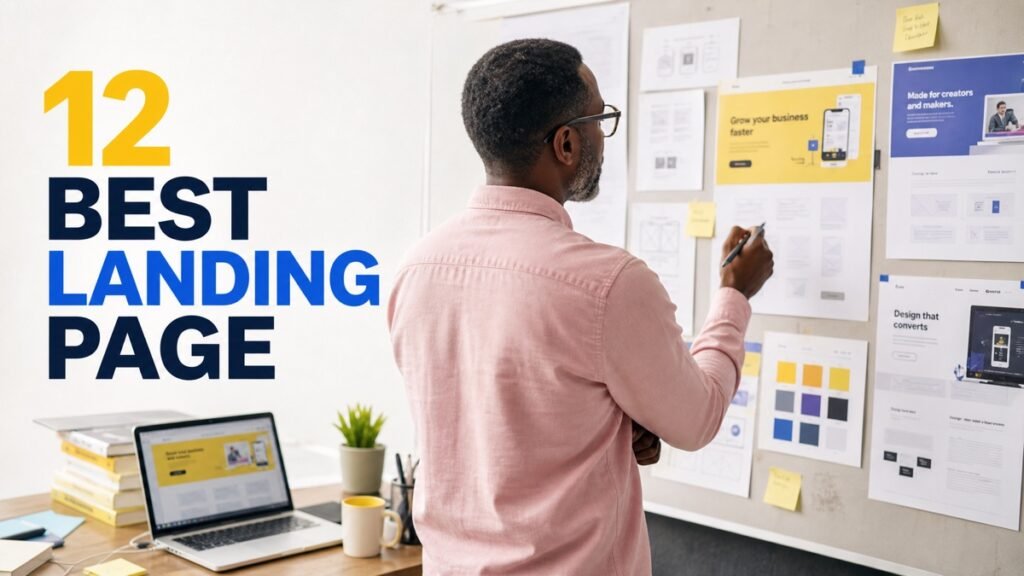
Most small businesses buying a landing page builder already own one and do not know it. WordPress, Squarespace, Wix, Webflow, Shopify and HubSpot all build landing pages. If you pay for any of those, adding a page costs nothing.
Dedicated builders earn their price for one reason: testing. If you are not going to run A/B tests and act on the results, you are paying a subscription for a page your existing platform would have built free.
Do You Actually Need One?
Three situations where a dedicated builder genuinely pays:
You run paid traffic. Ad spend makes conversion rate worth money. A percentage point improvement on a page receiving significant traffic pays for the tool many times over.
You need pages fast and often. Agencies, campaign-heavy marketing teams, anyone launching multiple offers a month.
Your website is slow to change. If a new page means a developer ticket and a two-week wait, a separate builder removes that dependency.
If none apply, build the page on the platform you already pay for.
The Twelve
1. Your existing website platform
Named first deliberately. WordPress with a block theme or Elementor, Squarespace, Wix, Webflow and Shopify all produce perfectly good landing pages.
Advantage: free, one system, and the page lives on your own domain with your own analytics already configured.
2. Unbounce
The strongest for optimisation. A/B testing is core rather than an add-on, and dynamic text replacement swaps page copy to match the ad keyword someone clicked — genuinely useful for paid search.
Suits: businesses with meaningful ad spend running structured tests. Watch: priced accordingly, with conversion-based tiers.
3. Leadpages
More affordable, template-led, with good conversion-focused designs and built-in A/B testing on higher tiers.
Suits: small businesses wanting good pages without Unbounce pricing.
4. Instapage
Enterprise-leaning, built around personalisation at scale — many page variants matched to many ad groups.
Suits: businesses running large paid campaigns across many segments.
5. Carrd
Very cheap, one-page sites, live in minutes. Frequently the honest answer for a simple page with a form.
Suits: solo operators, side projects, simple opt-in pages. Watch: no A/B testing, minimal analytics.
6. Systeme.io
Funnels, email and courses with a genuinely usable free tier. If you need a page plus an email sequence behind it, this covers both.
7. ConvertKit / Kit landing pages
Included free with Kit accounts, including the free tier. If you already use it for email, your landing page is already paid for.
8. Mailchimp landing pages
Same logic — included with Mailchimp, including free accounts. Basic, and free is free.
9. HubSpot landing pages
Included with Marketing Hub, with the advantage that form submissions land directly in the CRM with full contact context.
Watch: the useful features sit on paid tiers, as with the rest of HubSpot.
10. Swipe Pages or Landingi
Mid-market alternatives with A/B testing at lower cost than Unbounce. Worth pricing if testing matters but budget is constrained.
11. Framer
Design-tool-turned-builder with strong animation. Good for landing pages where visual impact is part of the pitch.
12. Webflow
Complete design control with clean output. Overkill for one page; excellent if landing pages are part of a larger site you already maintain there.
How They Compare
| Tool | A/B testing | Free option | Best for |
|---|---|---|---|
| Existing platform | Usually no | Already paid | Most small businesses |
| Unbounce | Core feature | Trial | Serious paid traffic |
| Leadpages | Higher tiers | Trial | Value with testing |
| Instapage | Advanced | Trial | Large-scale campaigns |
| Carrd | No | Yes | Simple single pages |
| Systeme.io | Basic | Yes, usable | Page plus email sequence |
| Kit | Basic | Yes | Existing Kit users |
| Mailchimp | Limited | Yes | Existing Mailchimp users |
| HubSpot | Paid tiers | Limited | CRM integration |
| Framer | No | Limited | Design-led pages |
| Webflow | Via integration | Limited | Full design control |
Pricing changes regularly, and several tools price by monthly conversions or visitors rather than flat rates. Check the pricing basis — it is where costs escalate unexpectedly with success.
What Actually Improves Conversion
More useful than any tool comparison, because the tool is not what converts.
Message match. The page headline should echo the ad or email that brought them. A mismatch is the single most common reason paid traffic bounces.
One action. Remove navigation, remove alternative links, remove the footer menu. A landing page with six exits is a web page.
Fewer form fields. The most reliable lever available. Every field you remove increases completion. Ask only what you need to act on today.
Load speed. Particularly on mobile, particularly on paid traffic. A slow page loses people before they read anything.
Honest specifics over adjectives. “Set up in about 20 minutes” beats “incredibly easy.” Concrete claims convert and are also safer legally.
Test one thing at a time. Changing the headline, the image and the button together tells you nothing about which worked.
The Testing Reality Check
Worth being blunt, because A/B testing is the main reason to pay for these tools and most small businesses cannot use it properly.
Reaching a statistically meaningful result needs a certain volume of conversions per variant. With low traffic, a test can run for months and still produce a result driven by noise rather than the change you made.
If your page receives modest traffic, you are better off making obvious improvements — clearer headline, fewer fields, faster load, single call to action — than running underpowered tests and acting on their results.
Buy the testing tool when you have the traffic to use it, not before.
Legal Points Worth Knowing
Landing pages attract more regulatory attention than other pages because they make claims and collect data.
- Countdown timers that reset on refresh, and scarcity claims with no real limit, can constitute misleading commercial practices — FTC authority in the US, consumer protection law in the UK and EU. Use genuine deadlines.
- Testimonials must be real, and material connections disclosed. FTC rules on endorsements are specific.
- Earnings or results claims need substantiation and, in many contexts, typicality disclosure.
- Consent for marketing must be unbundled. A pre-ticked box is not consent under GDPR, and consenting to terms is not consenting to marketing.
- Record consent — what they agreed to and when. You cannot reconstruct it later.
None of this prevents effective pages. It rules out a handful of tactics that ship in templates.
Common Mistakes to Avoid
- Buying a builder when your platform already does it. The most common unnecessary spend in this category.
- Paying for A/B testing you lack traffic to use. Underpowered tests produce misleading results.
- Leaving navigation on the page. Every exit reduces conversion.
- Message mismatch with the ad. The fastest way to waste ad spend.
- Too many form fields. Ask what you will act on today; follow up for the rest.
- Hosting on the builder’s subdomain. Use your own domain — better trust, better tracking, and you keep the URL if you switch.
- Not setting up conversion tracking. A page with no measurement cannot be improved.
- Copying template dark patterns. Resetting timers and fake scarcity carry real exposure.
FAQs
Do I need a landing page builder?
Only if you run paid traffic and will test, need pages frequently, or cannot change your website quickly. Otherwise your existing platform builds landing pages free.
What is the best free landing page builder?
Systeme.io has a genuinely usable free tier. Kit and Mailchimp include landing pages free with their email accounts. Carrd is nearly free. And your existing website platform is already paid for.
Is Unbounce worth the price?
If you spend meaningfully on ads and will run structured tests, yes — dynamic text replacement and proper A/B testing are genuine advantages. Without ad spend, no.
Should landing pages be on my own domain?
Yes. Use a subdomain or a path on your own domain rather than the builder’s. Better trust, cleaner analytics, and you keep the URL if you change tools.
How many form fields should I use?
As few as you can act on. Name and email is usually enough to start a conversation. Every additional field reduces completion measurably.
Can I A/B test with low traffic?
Not usefully. Underpowered tests produce results driven by noise. With modest traffic, make obvious improvements instead and revisit testing when volume supports it.
Key Takeaways
- Check whether your existing platform already builds landing pages — it almost certainly does.
- Testing is the reason to pay; buy it when you have traffic to make tests meaningful.
- Message match, one action and fewer fields do more than any tool.
- Host on your own domain, not the builder’s subdomain.
- Resetting timers and fake scarcity carry genuine regulatory risk.
Before You Buy
Build the page on your existing platform first and set up conversion tracking. If you then find yourself wanting to test variants and you have the traffic to make that meaningful, Leadpages or Unbounce will earn their price.
For related decisions, see our guides to ClickFunnels alternatives, form builders, and analytics tools for measuring whether any of it worked.